
You step onto your treadmill desk, open your laptop, and nudge the speed up — but how far? If you have ever wondered what speed should you walk on a treadmill desk while working, you are asking the single most practical question in the walking-workstation world. Too fast and your typing falls apart; too slow and you might as well be standing still. Nailing what speed should you walk on a treadmill desk while working is a skill, and like any skill it improves with deliberate practice. The right answer is not one number — it depends on what you are doing at that exact moment.
Here is the short version: for most desk work, what speed should you walk on a treadmill desk while working comes down to a range of 1.0 to 2.0 miles per hour, with precision tasks at the bottom of that range and passive tasks at the top. That range is not arbitrary. It is where decades of treadmill-desk research, ergonomics guidance, and real user experience converge: fast enough to raise your energy expenditure meaningfully, slow enough that your hands stay steady and your brain stays on the task.
This guide gives you 7 task-based answers to what speed should you walk on a treadmill desk while working — exact speed ranges for typing, email, reading, calls, coding, creative work, and pure walking — plus how to find your personal sweet spot, the mistakes beginners make, and what the research actually says about speed and productivity.
Table of Contents
Quick Answer: What Speed Should You Walk on a Treadmill Desk While Working
| Task | Recommended speed | Why this range |
|---|---|---|
| Typing and writing | 1.0–1.5 mph | Keeps keystroke accuracy high; faster speeds measurably increase typos |
| Email and admin tasks | 1.5–2.0 mph | Light cognitive load tolerates a brisker pace |
| Reading and research | 1.5–2.0 mph | Comprehension holds steady up to about 2 mph |
| Video calls | 1.0 mph or pause | Minimizes visible bounce and breathlessness on camera |
| Coding and detailed work | 1.0–1.5 mph | Precision work degrades fastest with speed |
| Creative thinking and brainstorming | 2.0–2.5 mph | Divergent thinking benefits from a brisker rhythm |
| Walking without working | 2.5–4.0 mph | True exercise pace once the laptop closes |

The one-line rule: if your work quality is slipping, slow down by 0.5 mph before blaming the treadmill desk. Remember: what speed should you walk on a treadmill desk while working is always task-dependent. When people ask what speed should you walk on a treadmill desk while working, the honest follow-up question is always: working on what?
Why Walking Speed Matters More Than You Think
Speed is the master variable of the treadmill desk experience. It controls three things at once: how many calories you burn, how steady your hands are, and how much of your brain is available for work. Change the speed and you change all three. That is why asking what speed should you walk on a treadmill desk while working is really asking how to balance all three at once — which is why what speed should you walk on a treadmill desk while working has a different answer at 9 AM (deep work) than at 3 PM (inbox triage).
Think of it as a three-way trade-off:
- Energy expenditure rises with speed. A 160-pound person burns roughly 100–130 calories per hour at 1 mph, 150–200 at 2 mph, and 250+ at 3 mph. Speed is the simplest lever you have for turning desk time into real activity.
- Fine motor control falls with speed. Typing, mouse precision, and handwriting all degrade as pace increases — slowly at first, then sharply past about 2 mph for most people.
- Cognitive bandwidth is mostly unaffected at low speeds but starts to compete with walking at higher speeds, especially for novel or complex tasks.
Balancing these three is the entire game behind what speed should you walk on a treadmill desk while working.
The practical upshot: there is no universally “correct” answer to what speed should you walk on a treadmill desk while working, only a correct answer for the task in front of you. The treadmill desk owners who stick with it long-term are the ones who learn to shift gears through the day, the way drivers shift gears on different roads.
The Short Answer: 1 to 2 MPH for Most Desk Work
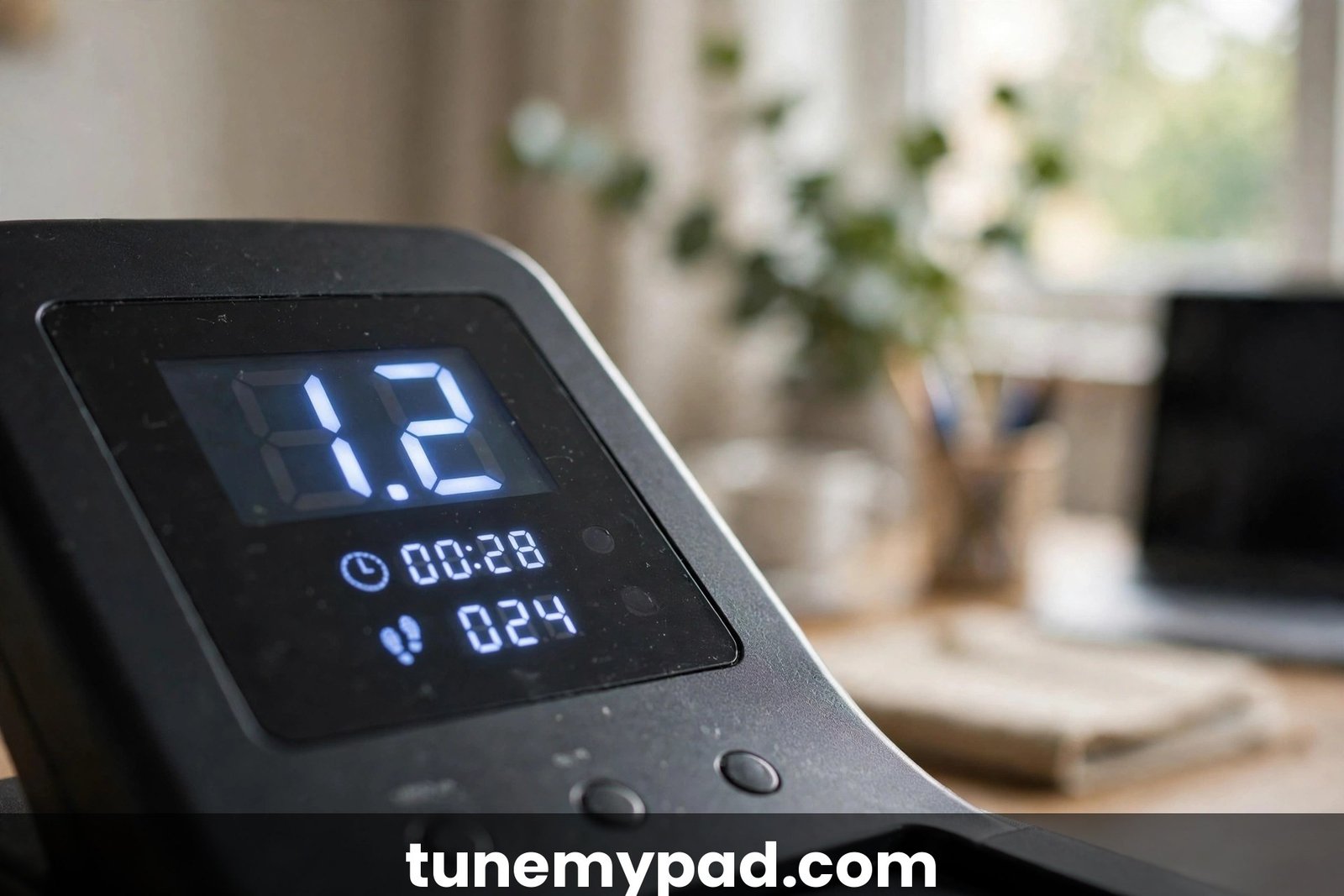
If you want a single default, set your treadmill desk to 1.5 mph and leave it there. This is the speed most research studies use as their baseline when investigating what speed should you walk on a treadmill desk while working, and it is the speed the majority of long-term treadmill-desk users settle on for general computer work. At 1.5 mph you are walking at roughly half your normal outdoor pace — a deliberate amble that feels almost too slow for the first week and completely natural by the third.
Why 1.5 mph works as a default:
- It roughly doubles your calorie burn compared to sitting, without making you sweat through your shirt.
- Typing speed and accuracy stay within a few percent of seated performance for most people after a short adaptation period.
- It is slow enough that balance is never a concern, even while reaching for coffee or turning to a second monitor.
- You can hold a conversation, take a call, and think clearly — the walking fades into the background.
Beginners often start at 2 mph because 1.5 feels “too easy,” then wonder why their typing is a mess. They asked what speed should you walk on a treadmill desk while working and answered with their ego instead of their typo count. Start slower than your ego wants. You can always add speed once the basics feel automatic. The question what speed should you walk on a treadmill desk while working is really a question about your current skill level, and skill grows with practice.
7 Task-Based Answers: What Speed Should You Walk on a Treadmill Desk While Working
1. Typing and Writing: 1.0–1.5 MPH
Writing is the most speed-sensitive desk task there is. Your fingers need to land on keys with millimeter precision while your body moves, and every extra 0.5 mph adds measurable wobble. Studies on treadmill-desk typing consistently find that speed drops 5–10% and error rates climb as pace increases past 1.5 mph.
For drafting documents, writing emails of substance, or any sustained typing, what speed should you walk on a treadmill desk while working stays at the bottom of the range:
- Start at 1.0 mph for the first week or two of treadmill-desk use.
- Graduate to 1.2–1.5 mph once your error rate returns to your seated baseline.
- If you touch-type, you will adapt faster than hunt-and-peck typists — your fingers already know where the keys are without visual guidance.
- Heavy editing and rewriting counts as typing: keep it slow. Light proofreading can go a touch faster.
That is the task-specific answer to what speed should you walk on a treadmill desk while working for writing. A useful test: type a paragraph at your current speed, then check it. If you are fixing more than your usual number of typos, you are walking too fast for writing work. Drop 0.3 mph and try again. For more on keeping your cursor under control while moving, see our guide on trackpad vs mouse on a treadmill desk.
2. Email and Admin Tasks: 1.5–2.0 MPH
Inbox triage, calendar management, filing expenses, approving requests — admin work is cognitively light and motorically forgiving. This is your chance to bank extra steps. When the task is “read, decide, click,” the answer to what speed should you walk on a treadmill desk while working shifts upward: 1.5 to 2.0 mph is comfortable for most people.
Why admin tolerates speed when deciding what speed should you walk on a treadmill desk while working:
- Decisions are mostly binary (archive, reply, delegate) and do not demand deep focus.
- Mouse targets in email clients are large; precision matters less than in a code editor or spreadsheet.
- The rhythm of clicking through a queue pairs naturally with a steady walking rhythm — many users report inbox zero feels faster while walking.
That is the task-specific answer to what speed should you walk on a treadmill desk while working for admin work. Push toward 2.0 mph only if your accuracy holds. A good rule: if you catch yourself re-reading the same email three times, the speed is too high for even light work.
3. Reading and Research: 1.5–2.0 MPH
Reading comprehension on a treadmill desk holds up remarkably well — better than most people expect. The eyes stabilize on text surprisingly effectively at walking speeds, and many users report that walking actually helps sustained reading by preventing the restless fidgeting that breaks concentration when seated.
For reading articles, reviewing documents, and research, what speed should you walk on a treadmill desk while working lands a little higher than for typing:
- 1.5–2.0 mph is the sweet spot for comprehension-heavy reading.
- Dense technical material (contracts, specifications, academic papers) belongs at the lower end, around 1.5 mph.
- Skimming and scanning can go faster — up to 2.5 mph — since precision matters less.
- If text looks blurry or your eyes tire, the issue is usually monitor setup, not speed. Our guide to eye strain and blurry text on a walking pad desk covers monitor height, text scaling, and glare fixes.
One caveat: reading while walking works best with the monitor at the correct height and distance. That is the task-specific answer to what speed should you walk on a treadmill desk while working for reading. A bouncing screen destroys comprehension faster than any speed setting.
4. Video Calls: 1.0 MPH or Pause
Video calls are the special case. The question what speed should you walk on a treadmill desk while working gets a conservative answer here because you are performing for an audience. Camera bounce, audible breathing, and the visible distraction of walking all work against you.
Practical call protocol for what speed should you walk on a treadmill desk while working on camera:
- Camera on: drop to 1.0 mph or pause the belt entirely. At 1 mph the bounce is minimal and your breathing stays conversational. Anything faster risks the “are you on a treadmill?” question — which is fine with some teams and a problem with others.
- Camera off: walk at your normal working speed. Nobody can tell.
- You are presenting: pause. Presenting demands your full presence; the treadmill can wait 20 minutes.
- Large all-hands where you are just listening: 1.5–2.0 mph with camera off is perfect call-walking time.
That is the task-specific answer to what speed should you walk on a treadmill desk while working for video calls. Check your company’s norms before walking visibly on calls. Some workplaces celebrate it; others read it as not taking the meeting seriously. When in doubt, camera off and keep walking. For more on call etiquette, see our article on treadmill desk etiquette in a shared office — many of the same principles apply to remote calls.
5. Coding and Detailed Work: 1.0–1.5 MPH
Coding, spreadsheet modeling, design work, and data entry are precision tasks with a low tolerance for error. A misplaced character in code can cost an hour of debugging; a wrong cell in a model can cost much more. For this kind of work, what speed should you walk on a treadmill desk while working has the most conservative answer: 1.0 to 1.5 mph, and many developers settle at a rock-steady 1.2.
Why coding demands the slowest answer to what speed should you walk on a treadmill desk while working:
- Symbol-heavy typing (brackets, operators, shortcuts) is far less forgiving than prose. Your fingers cannot drift.
- Deep problem-solving uses working memory heavily, and walking faster than ~1.5 mph starts to compete for it.
- Debugging requires sustained, narrow attention — the kind most disrupted by physical distraction.
Experienced treadmill-desk developers often use a two-speed system: 1.0–1.2 mph for writing new code and debugging, 1.5–2.0 mph for code reviews, reading documentation, and waiting on builds. That is the task-specific answer to what speed should you walk on a treadmill desk while working for coding. The build-waiting moments are free steps — take them. Our deep dive on treadmill desk for coding covers keyboard shortcuts, IDE setups, and the two-speed workflow in detail.
6. Creative Thinking and Brainstorming: 2.0–2.5 MPH
Here the advice on what speed should you walk on a treadmill desk while working flips. For divergent thinking — brainstorming, outlining, mind-mapping, talking through ideas — a brisker pace actually helps. The research on walking and creativity (most famously the Stanford studies on walking and divergent thinking) suggests that walking boosts creative output, and many treadmill-desk users find the effect strongest around 2.0 to 2.5 mph.
Why faster works for creativity:
- Creative tasks are generative, not precise. You are producing rough ideas, not final copy — typos in a brainstorm doc do not matter.
- The increased arousal and blood flow of brisker walking seems to lubricate associative thinking.
- Dictation pairs beautifully with this speed: walk at 2+ mph and talk your ideas out instead of typing them. Our guide to voice dictation on a treadmill desk shows how to capture fast-walking ideas accurately.
Try this: when you are stuck on a problem, bump the speed to 2.2 mph, close the laptop lid halfway, and think on your feet — literally. That is the task-specific answer to what speed should you walk on a treadmill desk while working for creative work. Many users report their best ideas arrive 10 minutes into a brisk walking-think session.
7. Dedicated Walking (No Work): 2.5–4.0 MPH
When the laptop closes, the question of what speed should you walk on a treadmill desk while working stops applying and the speed limit comes off. Dedicated walking sessions — lunch-break walks, walking meetings by phone, end-of-day cooldowns — can run at whatever pace feels good, typically 2.5 to 4.0 mph. This is where the treadmill desk becomes a genuine cardio tool rather than an activity garnish.
A few notes for faster sessions once what speed should you walk on a treadmill desk while working no longer constrains you:
- 2.5–3.0 mph is a purposeful fitness-walking pace most people can hold for 30+ minutes while listening to podcasts or calls.
- 3.0–4.0 mph is vigorous — you will sweat, breathe hard, and need water. Treat it as a workout, not desk time.
- Slow down for 2–3 minutes before stepping off after a fast session; hopping off at 4 mph onto a stationary floor is a classic dizziness trigger. If you have ever felt woozy after stopping, read our guide on dizzy after getting off treadmill desk.
- Keep dedicated walking sessions within your pad’s continuous-duty limits — most walking pads want a cool-down break after 60–99 minutes. See how long a walking pad can run continuously for the full duty-cycle picture.
What the Research Says About Speed and Performance
You do not have to take bloggers’ word for it. Treadmill desks have been studied in labs and offices for over 15 years, and the findings on speed are remarkably consistent. The Wikipedia overview of the treadmill desk summarizes the core literature, but here is the practical distillation for what speed should you walk on a treadmill desk while working:
| Finding | Detail | Practical takeaway |
|---|---|---|
| Typing speed drops 5–10% at walking speeds | Most studies test at 1 mph; losses shrink with practice | Expect a 1–2 week adaptation dip, then near-baseline |
| Mouse performance degrades more than typing | Fine pointing suffers most; gross clicking less | Slow down for design/CAD work more than for writing |
| Cognitive performance is largely preserved up to ~2 mph | Memory, reasoning, and attention hold steady | Do not fear walking during thinking-heavy work |
| Adaptation takes 2–4 weeks | Performance curves flatten with regular use | Judge your speed only after the adaptation period |
| Energy expenditure roughly doubles vs. sitting at 1–2 mph | ~100–200 extra calories/hour depending on weight and speed | Speed is your calorie lever; consistency is the multiplier |
The single most reassuring finding for anyone asking what speed should you walk on a treadmill desk while working: the performance dip is temporary. In study after study, participants’ typing and mouse scores recover to near-seated levels after a few weeks of regular treadmill-desk use — as long as they keep speeds moderate. The people who conclude “treadmill desks don’t work for real work” are usually the ones who tried 2.5 mph on day one and never looked back.
How to Find Your Personal Sweet Spot
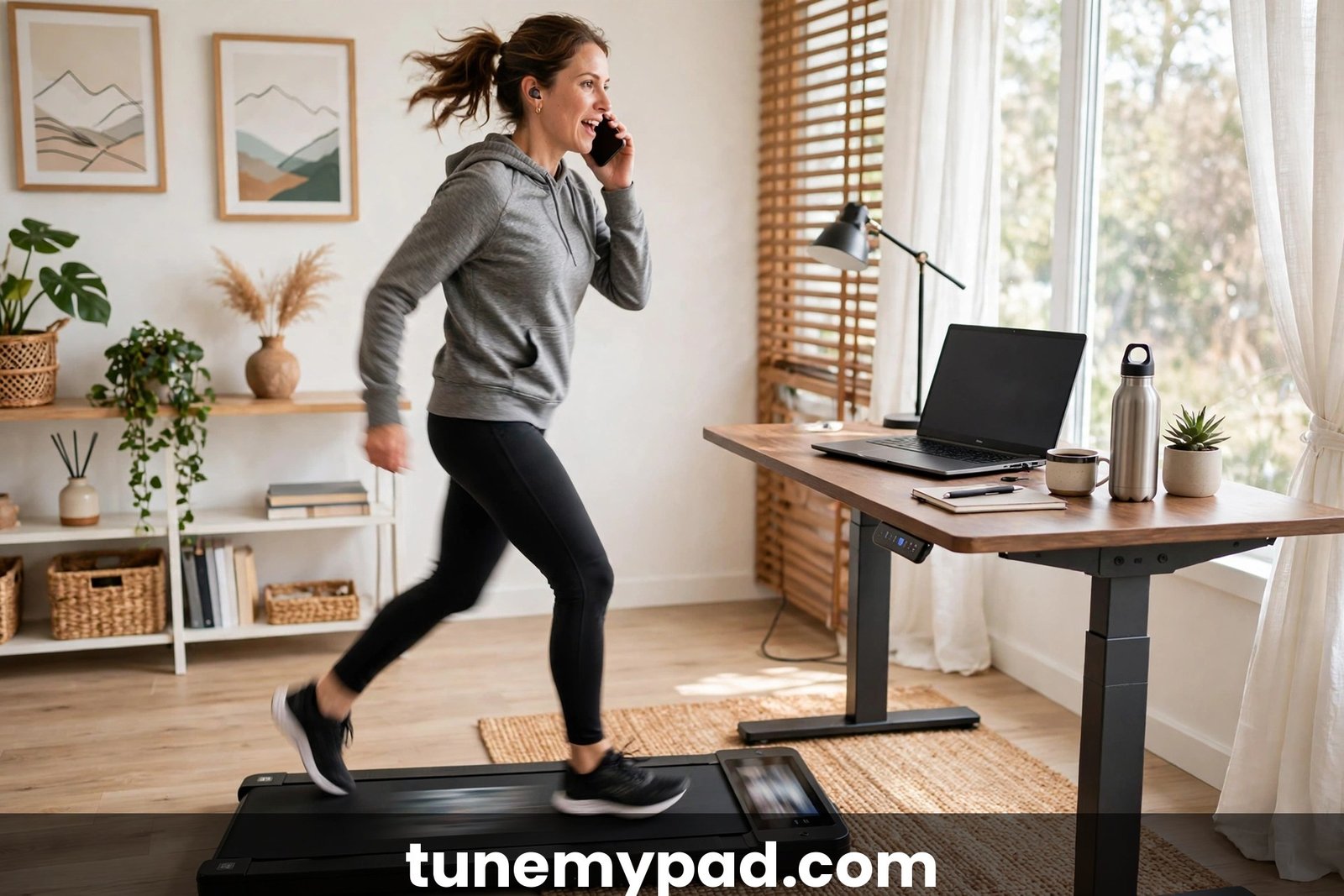
General ranges get you started, but what speed should you walk on a treadmill desk while working ultimately has a personal answer. Bodies, balance, footwear, desk height, and task mix all differ. Here is a two-week protocol to find yours:
Week 1 — calibrate the floor:
- Start every session at 1.0 mph for the first 10 minutes, regardless of task. This is your warm-up gear. It answers what speed should you walk on a treadmill desk while working the same way every session: start slow.
- For typing-heavy blocks, stay at 1.0–1.2 mph all week. Resist the urge to speed up.
- For email/admin blocks, try 1.5 mph mid-week. Note how it feels.
- End each day by writing down one line: which speed felt “invisible” (you forgot you were walking) for each task type.
Week 2 — test the ceiling:
- Raise your admin/reading speed to 1.8–2.0 mph. If accuracy or comprehension slips, drop back 0.3 mph — that is your ceiling for light work.
- Try typing at 1.5 mph. Run the typo test: type a paragraph and count fixes. Your ceiling for typing is the fastest speed where your error rate matches your seated baseline.
- Test one creative session at 2.2 mph with dictation instead of typing.
- By Friday you will have three personal numbers: typing speed, light-work speed, and thinking speed. Write them on a sticky note on your monitor.
Ongoing:
- Re-test monthly. Your ceilings will rise as walking-while-working becomes automatic — most users gain 0.3–0.5 mph of comfortable speed per month for the first quarter.
- Bad days happen. Poor sleep, stress, and illness all lower your effective ceiling. Drop 0.5 mph without guilt.
- Footwear matters more than you think. Supportive shoes effectively add 0.3 mph to every ceiling versus socks or slippers. See our guide to the best shoes for walking pad use.
Common Speed Mistakes Beginners Make
Mistake 1: Starting too fast. The classic error. Day one at 2.5 mph, typing is a disaster, conclusion: “treadmill desks are hype.” Getting what speed should you walk on a treadmill desk while working right on day one matters less than surviving day one comfortably, so start at 1.0–1.2 mph. Boring beats broken.
Mistake 2: One speed all day. Locking in at a single speed ignores the task-based reality of what speed should you walk on a treadmill desk while working. The remote exists for a reason — use it like a gearshift, not a cruise control.
Mistake 3: Speeding up to “feel the burn.” If your goal is calorie burn, longer sessions at moderate speed beat shorter sessions at high speed — because you can actually work during them. An extra hour at 1.5 mph beats 20 minutes at 3 mph followed by sitting the rest of the day. For fat loss, the answer to what speed should you walk on a treadmill desk while working is duration, not intensity.
Mistake 4: Ignoring the ramp-down. Jumping from 2.5 mph to a dead stop and stepping off causes dizziness in susceptible people. Always taper: drop to 1 mph for a minute or two before stopping.
Mistake 5: Comparing yourself to runners. Treadmill-desk walking is not exercise in the conventional sense — it is non-exercise activity. A marathoner friend’s 4 mph “easy walk” is irrelevant to your typing accuracy. Your metric is work quality per hour, not pace per mile.
Mistake 6: Never re-testing. The speed that wrecked your typing in week one may feel effortless in week eight. Re-run the typo test monthly and let your speeds creep up with your skill.
Does Faster Walking Burn Meaningfully More Calories?
Yes — but with diminishing returns for desk workers. Use this table to calibrate what speed should you walk on a treadmill desk while working against your calorie goals. Here is a rough hourly burn for a 160-pound person at treadmill-desk speeds (actual numbers vary with weight, efficiency, and incline):
| Speed | Approx. calories/hour | Work compatibility |
|---|---|---|
| Sitting (baseline) | 80–100 | — |
| 1.0 mph | 130–160 | Excellent — all tasks |
| 1.5 mph | 170–210 | Excellent — all tasks |
| 2.0 mph | 210–260 | Good — light tasks best |
| 2.5 mph | 260–320 | Fair — calls off-camera, thinking |
| 3.0 mph | 320–400 | Poor — dedicated walking only |
The key insight: the jump from sitting to 1.5 mph (roughly +100 calories/hour) is the biggest useful gain, because it costs you nothing in work quality. Every additional 0.5 mph buys fewer usable calories — the work has to give way. Over an 8-hour day with 4 walking hours at 1.5 mph, that is 400+ extra calories daily, or the equivalent of a solid gym session, accumulated without scheduling a single workout. That is the real magic of getting what speed should you walk on a treadmill desk while working right: not the peak burn, but the sustainable burn.
For a deeper look at how accurate those calorie numbers are, read are walking pad calories accurate — console estimates are optimistic more often than not.
Adjusting Speed Through the Day: A Sample Schedule
Here is how a task-based answer to what speed should you walk on a treadmill desk while working looks in practice across a typical workday:
- 9:00 AM — deep work block: 1.2 mph. Writing, coding, analysis. Slow and steady.
- 10:30 AM — inbox triage: 1.8 mph. Email, Slack, calendar. Bank steps while the work is light.
- 11:30 AM — video call (camera on): pause or 1.0 mph. Presence over pace.
- 12:30 PM — lunch walk: 2.8 mph, laptop closed. Real cardio, podcast on.
- 1:30 PM — post-lunch admin: 1.5 mph. Gentle re-entry; digestion and focus both benefit from easy movement.
- 3:00 PM — the slump: 2.0 mph with light tasks. Brisker walking is a legitimate antidote to the afternoon dip — see walking to beat the afternoon energy slump at work.
- 4:30 PM — wrap-up and planning: 1.5 mph. Tomorrow’s plan, light email, wind down.
- 5:30 PM — cool-down: 1.0 mph for 3 minutes, then step off. No dizziness, no drama.
Total: roughly 4–5 walking hours, 8,000–12,000 steps, without a single dedicated workout — all because each block ran at the right speed for its task.
Frequently Asked Questions
What speed should you walk on a treadmill desk while working if you are a complete beginner?
Start at 1.0 mph for everything during your first week. It will feel almost silly — that is the point. Your brain is learning a new dual task, and slow speed keeps the error rate tolerable while the walking pattern becomes automatic. Add 0.2–0.3 mph per week to light tasks only; keep typing at 1.0–1.2 mph until your typo test matches your seated baseline.
Is 2 mph too fast for a treadmill desk?
Not inherently — 2 mph is a fine speed for email, reading, and admin work once you are adapted. It is too fast for precision typing and coding for most people, and too fast for camera-on calls. Think of 2 mph as the top of the working range rather than a default. If someone asks what speed should you walk on a treadmill desk while working and wants one number, “2 mph” is the ambitious answer; “1.5 mph” is the safe one.
What speed should you walk on a treadmill desk while working to lose weight?
Weight loss comes from sustained calorie deficit, and for treadmill-desk purposes the winning formula is more hours at moderate speed, not higher speed. Four hours at 1.5 mph burns roughly 400–500 extra calories — more than one hour at 3 mph (about 300–400) — and you can actually get work done during all four hours. Pair the walking with sensible eating; no speed setting outruns a bad diet. Our walking pad weight loss plan for beginners lays out a full approach.
Why does my treadmill desk feel too fast even at 1 mph?
Three usual suspects: (1) you are brand new and your balance system is still calibrating — give it a week; (2) your desk is too high or low, making you lean and feel unstable — check elbow height; (3) you are wearing socks on a slick belt. Supportive shoes solve a surprising number of “too fast” complaints. If 1 mph still feels wrong after two weeks, check belt tension and lubrication — a grabbing belt feels faster than the display claims.
Should the speed be different for a walking pad vs. a full treadmill desk?
The task-based ranges are the same, but walking pads have shorter belts, which can make higher speeds feel less secure — there is less room for stride drift. On a compact pad, treat 2.5 mph as your practical working ceiling and save faster paces for short dedicated sessions. Full-size treadmill desks with longer belts and handrails tolerate the top of each range more comfortably.
Can I walk too slowly for it to count?
Below about 1 mph you are barely above standing in energy terms, but it still beats sitting for circulation, stiffness, and glucose control. If 0.8 mph is what lets you do deep work comfortably, it counts. Speed is a dial, not a test — the best answer to what speed should you walk on a treadmill desk while working is the fastest speed at which your work stays excellent.
Does body weight change what speed should you walk on a treadmill desk while working?
Body weight changes calorie burn at a given speed, but it barely changes the right speed for your tasks. A heavier person burns more calories at 1.5 mph than a lighter person, yet both will type best around 1.0–1.5 mph — because the limiting factor for what speed should you walk on a treadmill desk while working is hand steadiness and cognitive load, not fitness. Do not chase a higher speed to “compensate” for lower weight; chase more walking hours instead.
What speed should you walk on a treadmill desk while working in a shared office?
Shared offices add a social constraint: noise and motion that distracts neighbors. Drop every range by about 0.3–0.5 mph — so 1.0–1.5 mph becomes your all-day ceiling — and keep dedicated fast walking for home. The socially optimal answer to what speed should you walk on a treadmill desk while working around colleagues is the speed nobody notices: quiet belt, no heavy footfalls, no audible breathing.
How does incline affect what speed should you walk on a treadmill desk while working?
Incline raises effort without raising speed, which makes it tempting — but most walking pads have little or no incline, and raising the deck changes your typing ergonomics (your hands ride higher relative to the keyboard). If your pad has incline, treat 2–3% incline at 1.5 mph as roughly equivalent to 2.0 mph flat for calorie purposes, and keep it only for light tasks. For precision work, flat and slow still wins.
The Bottom Line
What speed should you walk on a treadmill desk while working? For most desk work, 1.0 to 2.0 mph — precision tasks at the bottom (1.0–1.5 mph for typing and coding), light tasks in the middle (1.5–2.0 mph for email and reading), calls at 1.0 mph or paused, creative thinking a touch brisker (2.0–2.5 mph), and real exercise only when the laptop closes (2.5–4.0 mph).
Start slower than your ego suggests, shift gears with your tasks like a driver, re-test your ceilings monthly, and remember the golden rule: if work quality slips, slow down 0.5 mph before blaming the desk. Get the speed right and the treadmill desk stops being something you tolerate while working and becomes something your workday is simply built on — thousands of extra steps, hundreds of extra calories, and not a single minute stolen from your schedule.