
You already spend most of your waking hours sitting — standups, code reviews, debugging sessions, and the long slide into “just one more commit” at midnight. The idea of a treadmill desk for coding probably sounds like either a productivity superpower or a fast track to typos in production. The truth sits somewhere in between. This guide covers what a programmer needs to know about the treadmill desk for coding setup: the right walking speed, how typing accuracy holds up, ergonomic rules that matter more in motion, and which tasks to walk through versus sit for — no hype, just what works when your treadmill desk for coding has to survive sprint planning.
A treadmill desk for coding is a tool with real trade-offs, and using it well means knowing its limits — when to walk, when to sit, and what to expect in your first month. Whether you are a backend engineer buried in tickets or a student learning your first framework, the playbook below will help you walk and code without wrecking your output.
Table of Contents
Quick Answer: Can Developers Really Code While Walking?
| Question | Answer |
|---|---|
| Can you really write code while walking? | Yes. Most developers adapt within one to two weeks. Walk at 1–2 mph, start with light tasks like code review, and dial in your ergonomics before touching anything critical. |
| What is the best walking speed for coding? | Roughly 1–1.5 mph for typing-heavy work, up to 2 mph for reading and calls. Above that, typing accuracy and mouse precision suffer for most people. |
| Does a treadmill desk for coding hurt typing accuracy? | Published studies suggest a small dip in typing performance at walking speeds of 1–2 mph, but the effect is modest and shrinks with practice. Individual results vary — touch typists usually adapt fastest. |
| Is walking better for focus or deep work? | It depends on the task. Many developers report steadier energy for routine work while walking, but deep debugging and system design are often easier sitting still. |
| How do I start without hurting my productivity? | Begin at 1 mph for 20–30 minutes a day on low-stakes tasks, fix your monitor and keyboard height first, and ramp up when walking feels boring. Most developers find their treadmill desk for coding rhythm within two weeks. |

Key Takeaways: Walking and Coding, Summarized
- Speed is everything. For a treadmill desk for coding, the zone is 1–2 mph — slower for writing new code, a touch faster for reading and review.
- Expect a small, temporary typing dip. A treadmill desk for coding asks your hands to do precision work on a moving platform. Most developers recover their normal accuracy within two weeks of daily practice.
- Ergonomics matter more in motion. Desk height, keyboard angle, and monitor position that feel fine sitting can cause real strain while walking. Set them up deliberately.
- Match the task to the movement. Walk through code review, docs, and email. Sit for deep debugging, architecture decisions, and tight deadlines.
- Have a call plan. Belt noise, heavy breathing, and a bobbing camera on a treadmill desk for coding are all solvable with a slower speed, a decent microphone, and the mute button.
- Build up gradually. Treat your first two weeks like onboarding: short walking blocks and no heroics on day one.
What Is the Best Walking Speed for Coding?
Speed is the single biggest lever in a treadmill desk for coding routine. Too fast and your typos multiply and your shoulders tense up. Too slow and you might as well be standing. The sweet spot is 1–2 mph — a relaxed stroll where treadmill desk for coding feels most natural.
That range is not one-size-fits-all, so let the task set the speed:
| Task | Suggested speed | Why it works |
|---|---|---|
| Writing new code | 1.0–1.5 mph | Maximum typing accuracy for fresh logic |
| Code review and pull requests | 1.5–2.0 mph | Reading-heavy work tolerates more movement |
| Reading docs and tutorials | 1.5–2.0 mph | Scrolling and skimming pair well with walking |
| Email, chat, and ticket triage | 1.5–2.0 mph | Short typing bursts, low stakes |
| Video calls | 0.8–1.2 mph | Keeps you steady on camera and your voice even |
| Watching course videos | 1.5–2.0 mph | Passive watching is the easiest walking task |
Two rules: when in doubt, go slower — dropping from 2 mph to 1.2 mph costs almost nothing in steps but buys a lot of accuracy. And change speeds with the task instead of picking one speed for the day. Developers who get the most from a treadmill desk for coding setup treat the speed buttons like a gear shift, not a thermostat.
Typing Accuracy at a Treadmill Desk for Coding
Published treadmill-desk studies exist, and they generally suggest that typing speed and accuracy dip slightly at 1–2 mph compared with sitting. The key words are “suggest” and “slightly”: small average effects, wide individual variation, and clear improvement with practice. Nobody has proven walking makes you a worse programmer — only that your hands need time to calibrate to a moving platform. That calibration period is the whole story of treadmill desk for coding accuracy: clumsy at first, then boring.
Most developers report the same arc: three clumsy days, a near-normal first week, and by week two or three they stop thinking about their feet. Touch typists adapt fastest; hunt-and-peck typists struggle more — one more reason to learn proper touch typing.
What actually protects your accuracy on a treadmill desk for coding:
- Slow the belt before you blame yourself. Nine times out of ten, accuracy problems are speed problems — drop to 1 mph and retest.
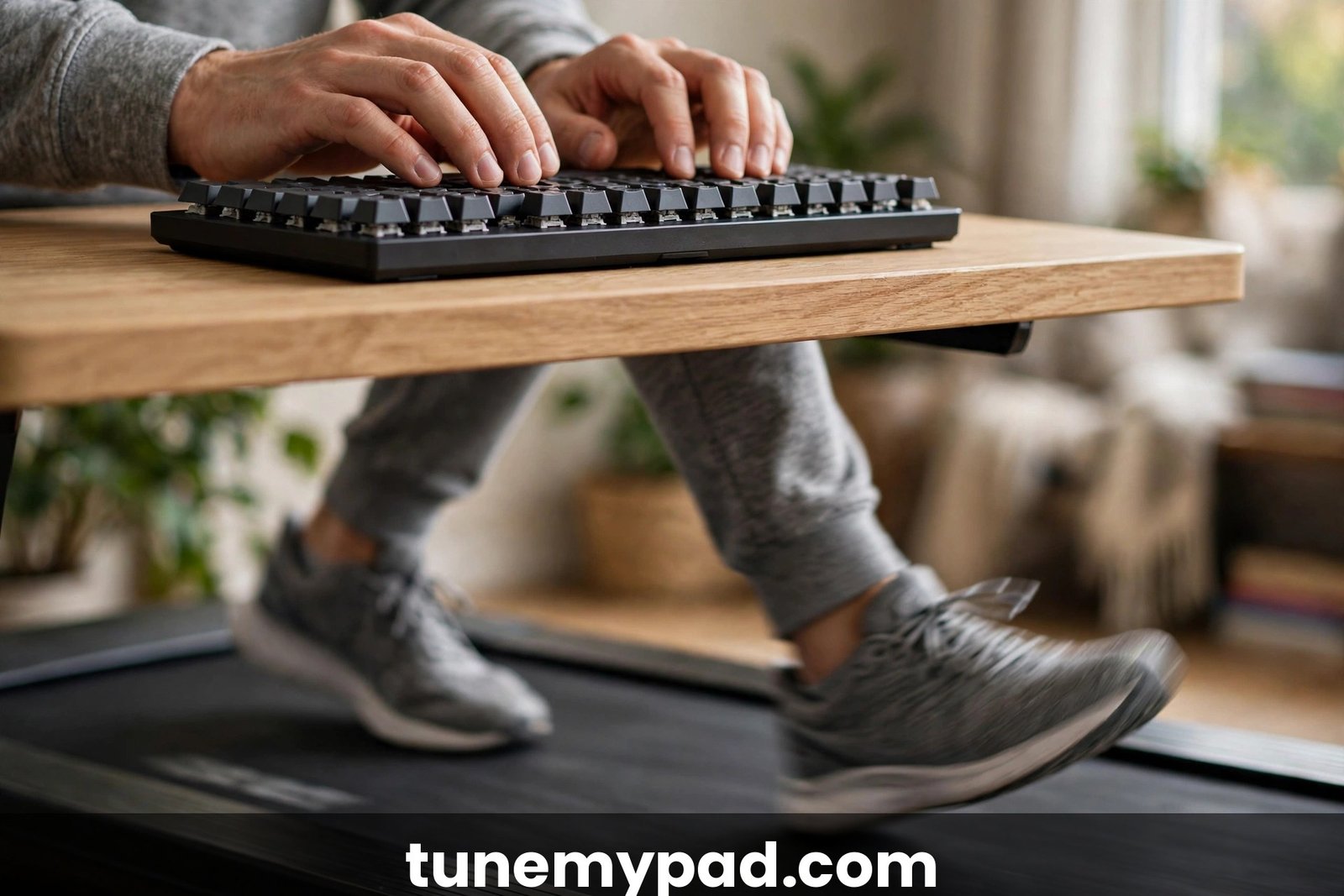
- Anchor your wrists. A keyboard tray or a desk edge that lets your wrists rest lightly removes most of the bounce from your keystrokes.
- Lean on your tools. Autocomplete, snippets, and AI assistants cut raw keystrokes dramatically — and every keystroke you avoid is one you cannot mistype.
- Dictate the words, type the code. Comments, docstrings, commit messages, and documentation are perfect for voice dictation while your hands rest.
- Use a stable keyboard. A keyboard that slides around amplifies every step. A heavier board, or one with a wrist rest, stays put.
- Favor shortcuts over the mouse. Every mouse trip is a precision task on a moving platform — learn your IDE’s shortcuts.
- Test yourself weekly. Take a one-minute typing test at the start of each week. Watching the numbers climb back to your sitting baseline is the best motivation there is.
Ergonomic Setup: Desk, Keyboard, and Monitor
Walking magnifies every ergonomic sin. A monitor that is an inch too low is a mild annoyance when you sit; when you walk, it becomes a neck ache by lunch. Before chasing step counts, get the geometry right — it is the highest-leverage part of any treadmill desk for coding build.
Desk and Keyboard Height
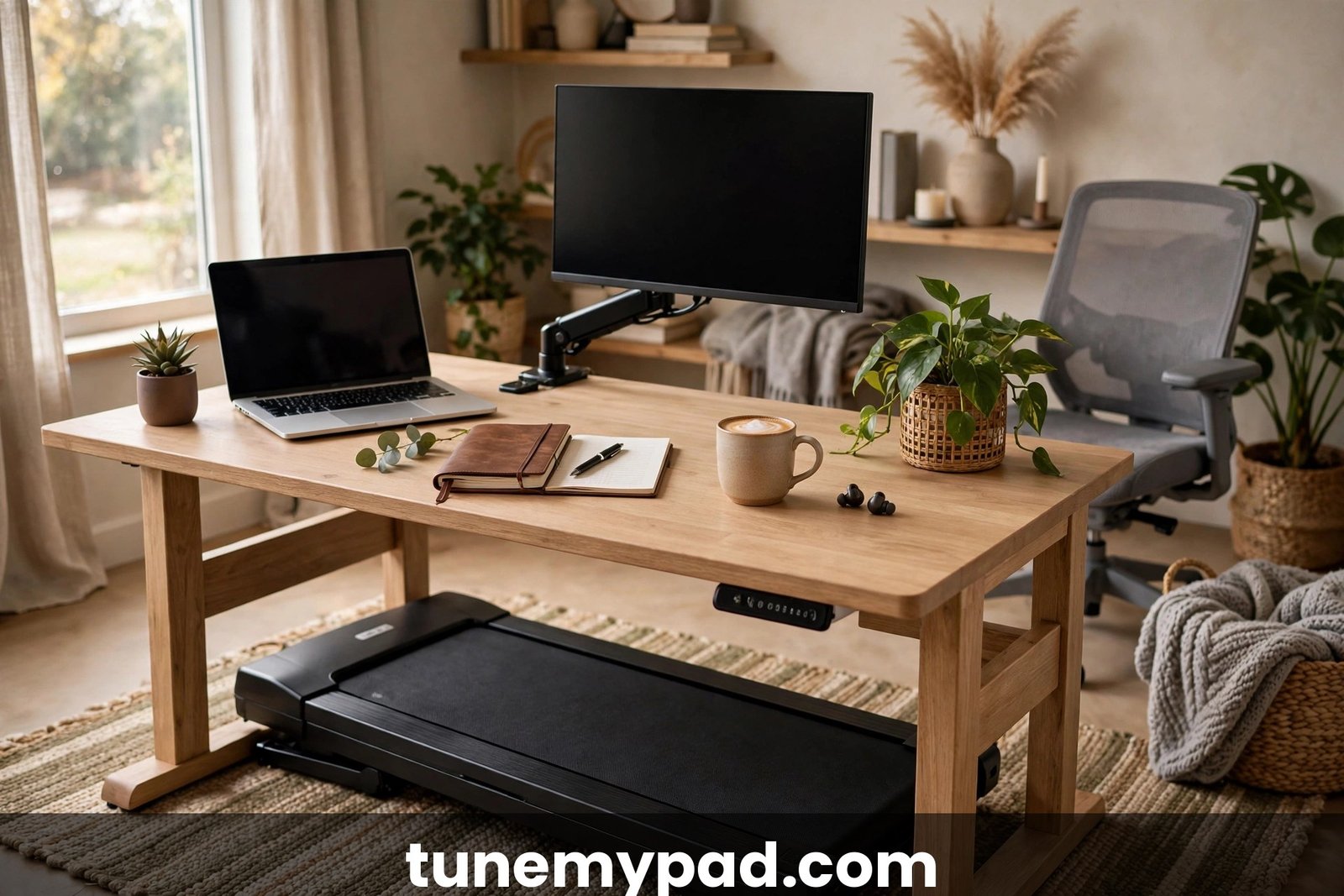
Your elbows should sit at roughly 90 degrees with wrists straight — the same rule as sitting, and OSHA’s ergonomics guidance says as much for any computer workstation. Because a walking pad adds several inches under your feet, most people need the desk a few inches higher than their sitting position. A standing-desk converter or sturdy riser can close the gap if your desk does not go high enough.
Keep the keyboard close to the desk edge so your upper arms hang relaxed. If your shoulders creep upward, the desk is too high. Skip the laptop keyboard — its angle punishes your wrists, and walking makes it worse. Use an external keyboard and raise the screen, or better yet, a proper monitor.
Monitor Height and Eye Strain
The top of your screen should sit at or just below eye level, about an arm’s length away. Walking adds head bob, so a low monitor forces constant micro-corrections from your neck — this is where headaches start. Get this right and the rest of your treadmill desk for coding setup gets easier; get it wrong and everything hurts.
For eye strain: bump your editor’s font size up a notch and follow the 20-20-20 rule — every 20 minutes, look 20 feet away for 20 seconds. Walking developers blink less while tracking the belt and screen together, so dry eyes are common in week one; keep water and eye drops at the desk.
Mouse, Wrists, and Footwear
A heavier mouse with adjustable DPI gives more control on a moving desk; many walking developers drop sensitivity a notch. A wrist rest helps only if it keeps wrists straight — bent wrists plus vibration means soreness.
Footwear matters more than developers expect: bare feet or socks on a hard belt invites fatigue and hot spots, while supportive flat shoes with light cushioning keep you comfortable. Read our guide to the best shoes for walking pads before logging serious miles. Comfort underfoot is underrated in the treadmill desk for coding experience — sore feet end your walking day long before your brain gets tired.
What to Walk Through vs. Sit For: Task Matching
This is the skill that separates developers who love their treadmill desk for coding setup from those who quietly go back to a chair. Not every programming task deserves the same body position. The rule of thumb: walk through routine, reading-heavy, low-stakes work; sit for novel, high-stakes, precision work.
| Task | Suggested speed | Why it works |
|---|---|---|
| Writing routine code | Walk (slow) | Familiar patterns need less precision |
| Code review | Walk | Reading diffs keeps energy up |
| Reading documentation | Walk | Skimming tolerates movement well |
| Email, chat, and standup updates | Walk | Low-stakes typing |
| Refactoring familiar code | Walk (slow) | Mechanical changes; tests catch errors |
| Learning a new framework | Mix | Walk for video lessons, sit for exercises |
| Debugging a nasty bug | Sit (usually) | Deep focus benefits from stillness |
| System design and architecture | Sit | Whiteboard thinking needs a stable base |
| Production incidents | Sit | Speed and precision matter most |
| Pair programming | Sit (usually) | Coordination is easier face to face |
Two nuances. First, “sit” does not have to mean your old chair — standing still works too, and many developers alternate walking, standing, and sitting. Second, experience shifts the line: after a few months you may walk through tasks that once required sitting. Revisit your boundaries monthly — the line moves as your treadmill desk for coding experience grows.
Meetings, Calls, and Noise
Calls are where a treadmill desk for coding either shines or embarrasses you. Belt noise, heavier breathing, and a bobbing camera are the three complaints teammates actually notice.
- Slow down or pause for important calls. Drop to 0.8–1 mph for routine standups; hit pause for interviews, client calls, and anything recorded. Nobody ever got promoted for great walking form on a client call.
- Get a real microphone. Laptop mics pick up belt hum and footfalls; a headset or USB mic with noise suppression fixes most of it.
- Master the mute button. Default to muted when you are not speaking, especially in large meetings. Keyboard clatter carries further than you think.
- Stabilize the camera. Frame from the chest up; if your video bobs distractingly, turn it off and stay engaged by voice. If the movement itself makes you queasy, our treadmill desk motion sickness guide covers the fixes.
- Mind shared spaces. In an office or a shared home, belt noise and your own call commentary affect everyone nearby, so check the room before you start walking through a meeting.
Focus, Flow State, and Deep Work
Walking is neither a focus superpower nor focus poison — it changes the kind of focus you get. Rhythmic movement helps convergent, routine thinking: backlogs, code review, writing tests. Deep, divergent problem-solving often wants stillness. The trade most developers report: slightly less peak intensity, much less afternoon slump. It is a trade-off every treadmill desk for coding user learns to manage.
Protecting flow while walking comes down to friction:
- Batch your walking. Two 60–90 minute walking blocks beat six scattered 20-minute sessions for staying in the zone.
- Separate creation from debugging. Draft code while walking; hunt the weird bug while sitting.
- Use the walk as a transition ritual. Starting the belt signals “work mode” to your brain the way a commute used to — several developers with ADHD find this especially powerful (see our guide on walking pads for ADHD focus while working).
- Keep a “sit list”: tasks you refuse to walk through. When it shrinks over the months, you are adapting.
The developers who thrive with a treadmill desk for coding long-term are not the ones who walk the most hours — they are the ones who protect their flow state most deliberately.
10 Practical Tips for Walking and Coding
If you remember nothing else, remember these ten. They are the difference between a treadmill desk for coding that gathers dust and one you use every day:
- Start at 1.0 mph, not 2.0. Your ego wants 2 mph on day one. Your error rate wants 1 mph. Listen to your error rate.
- Walk light tasks first. Spend week one on email, code review, and docs; production code can wait until walking feels boring.
- Slow down to type, speed up to read. Treat the speed buttons like gears: 1–1.5 mph for writing, up to 2 mph for reading.
- Dictate comments, docstrings, and commit messages. Voice dictation is surprisingly good now, and it rests your hands for the code itself.
- Raise your monitor before your step count. Eye-level screen, arm’s length away — fix this on day one or your neck will file a complaint.
- Wear real shoes. Supportive walking shoes beat socks or bare feet for anything over 30 minutes. Your feet are the foundation of the whole setup.
- Batch calls and mute by default. Slow the belt for standups, pause it for important calls, and live on the mute button in between.
- Keep water at the desk. You will drink more than you expect and forget to refill — a big bottle within arm’s reach solves it.
- Track your typing weekly. A one-minute typing test every Monday is the simplest way to prove your treadmill desk for coding setup is working.
- Give it a full month. Almost everyone hates days 1–3, tolerates week one, and starts liking it in week two or three. Do not quit on day two.
Common Mistakes Developers Make
The same failure patterns show up in almost every new treadmill desk for coding routine — all avoidable:
- Starting too fast. Day-one 2.5 mph sprints produce typos, sore calves, and abandonment. Start embarrassingly slow.
- Skipping the ergonomics setup. A bad monitor height will hurt you long before the walking helps you. (See our broader list of walking pad desk mistakes beginners make.)
- Walking through everything. Deep debugging and incident response deserve a chair. Task-matching is a skill, not a surrender.
- Marathon sessions in week one. Two hours on day one of your treadmill desk for coding experiment guarantees sore feet and a skipped day two.
- Ignoring pain signals. Sore muscles are normal; sharp joint pain is not. Pain past week one means something in your setup — shoes, posture, desk height — needs fixing, not pushing through.
- Forgetting to eat and drink. Walking burns more energy than sitting, and developers are already bad at lunch. Keep snacks and water close.
Your First Two Weeks: A Simple Ramp-Up Plan
Adaptation is not linear, so do not wing it:
| Week | Walking time | Speed | Tasks |
|---|---|---|---|
| Days 1–3 | 20–30 min, 1–2 sessions | 1.0 mph | Email, chat, reading docs |
| Days 4–7 | 30–60 min, 2 sessions | 1.0–1.5 mph | Add code review, light tickets |
| Week 2 | 60–90 min, 2–3 sessions | 1.0–2.0 mph | Add routine coding; keep debugging seated |
Three rules: if accuracy collapses, drop the speed before dropping the session. If your feet hurt, check your shoes before blaming the pad. Take one full rest day mid-ramp — adaptation happens during recovery. By week two, most developers find their treadmill desk for coding sessions feel unremarkable — and “unremarkable” is exactly the goal.
Frequently Asked Questions
Can you really write code while walking on a treadmill desk?
Yes — thousands of developers do it daily. The adjustment takes one to two weeks: start slow (1–1.5 mph) with light tasks before writing anything critical. Routine coding feels normal surprisingly fast; only genuinely deep work keeps demanding a chair.
What walking speed is best for coding?
For most developers, 1–1.5 mph while typing and up to 2 mph while reading or reviewing. If your typo rate climbs on a treadmill desk for coding, slow the belt — speed is almost always the culprit, not the concept.
Will a treadmill desk for coding hurt my typing speed or accuracy?
Temporarily and slightly. Research suggests a small dip at 1–2 mph that fades with practice; most developers return to their sitting baseline within weeks. Touch typists bounce back fastest.
Can I use a treadmill desk for coding all day?
You can build toward it, but most developers land on 2–4 hours of walking mixed with sitting and standing. All-day walking in week one of a treadmill desk for coding routine is the fastest route to sore feet and burnout — alternate positions through the day.
What keyboard and monitor setup works best?
An external keyboard at elbow height with straight wrists, a monitor top at eye level an arm’s length away, and a slightly larger editor font. Add supportive shoes and a decent mic for calls.
Conclusion: Is a Treadmill Desk for Coding Right for You?
A treadmill desk for coding will not make you a 10x developer, and it will not ruin your career either. It trades sitting hours for gentle movement — steadier afternoon energy, more steps without scheduled workouts, and a more pleasant workday. That matches public-health guidance: the CDC’s physical activity resources emphasize regular movement through the day over any single intense session.
Start small: one slow 30-minute session a day, light tasks only, ergonomics dialed in first. Give it a full month. And keep the chair — the developers who get the most from walking never feel guilty sitting down for the hard problems. The goal was never to walk all day; it is to feel better at 5 PM than at 9 AM, and a well-set-up treadmill desk for coding is one of the most reliable ways to get there.
1 thought on “Treadmill Desk for Coding: 10 Best Tips for Developers Who Walk and Code”