
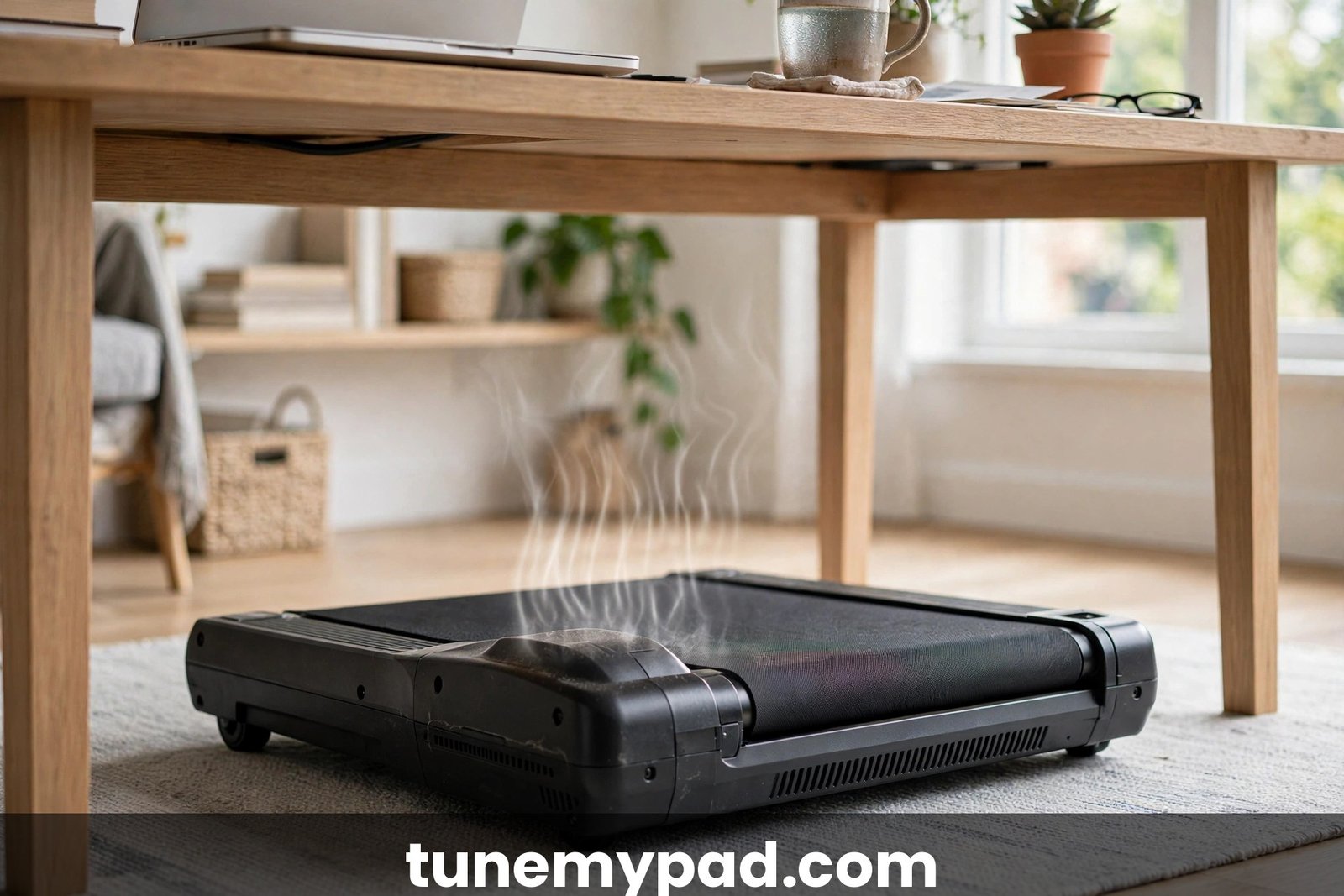
If you stepped off your walking pad today, felt real heat coming off the motor cover, and caught yourself thinking, “why is my walking pad overheating?” — you are not alone. A pad that runs hot to the touch, smells faintly of warm rubber, or shuts itself down mid-session is one of the most common complaints owners report, usually a few months into daily use. The good news: most overheating has boring, fixable causes — a dry belt, blocked vents, dust buildup, or sessions longer than the machine was built to handle.
The less-good news is that heat is your walking pad’s way of asking for attention, and ignoring it shortens motor life or, rarely, creates a real safety risk. In this guide we will answer why is my walking pad overheating with nine fixes that actually work — the same checks a technician runs first — plus how to tell normal warmth from a real problem, what burning smells mean, and when to stop and call support. First things first: if your pad is hot right now, unplug it and let it cool completely before inspecting anything.
Table of Contents
Quick Answer: Why Is My Walking Pad Overheating?
Short on time? Here is the fast version of why is my walking pad overheating and what to do about it.
| Question | Quick Answer |
|---|---|
| What is the most common cause? | Belt friction from low lubrication. When people ask why is my walking pad overheating, a dry belt is the answer more often than anything else — the motor strains, draws extra current, and that effort becomes heat. Re-lubricating usually fixes it. |
| Why is my walking pad overheating even at low speeds? | Low speed does not mean low strain. A misaligned belt, heavy load, blocked vents, or a dusty motor area can overheat a pad at any speed. |
| Is it safe to keep using a hot walking pad? | No — not until you know why it is hot. Unplug it, let it cool fully, then work through the causes below. Stop immediately if you smell burning or see smoke. |
| How long should I let it cool down? | Unplug it and give it 30–60 minutes in a ventilated spot. If it still feels hot after an hour, check your manual or contact support. |
| Can an overheating walking pad catch fire? | Rare, but sustained overheating plus electrical faults is a genuine fire risk. See our breakdown of whether a walking pad can catch fire, and take repeated thermal shutdowns seriously. |
Key Takeaways: Why Your Walking Pad Is Running Hot
- Belt friction is the number one cause. Low lubrication makes the motor strain against a dry belt, and that strain becomes heat. Most “why is my walking pad overheating” cases end here.
- Unplug before inspecting. Let the pad cool 30–60 minutes, and never open the motor housing unless your manual explicitly allows it.
- Placement matters. Pads against walls, on thick carpet, or buried in clutter cannot shed heat through their vents.
- Load adds up. Higher user weight, faster speeds, and back-to-back long sessions all raise motor heat. Limits vary by model — check your manual.
- Thermal shutdown protects you. If the pad cuts power when hot, it is preventing damage — but repeats mean you must fix the root cause.
- Burning smell or smoke means stop. Unplug, do not use it again, and contact support. You can also report unsafe products to the U.S. Consumer Product Safety Commission.
What Actually Makes a Walking Pad Overheat?
A motor turns electricity into motion, and no motor is 100% efficient — some energy always becomes heat. Normally the vents, the fan (if yours has one), and rest breaks carry that heat away. Overheating means heat is building faster than it can escape, or the motor is working far harder than designed. The usual suspects:
| Cause | Typical Symptom | Check First |
|---|---|---|
| Dry, under-lubricated belt | Gradual heat; belt may squeak or feel sluggish | When did you last lubricate? |
| Misaligned or over-tight belt | Heat on one side; belt drifts left or right | Belt centering and tension |
| Blocked or dirty vents | Very hot motor cover; pad near a wall or on carpet | Clearance and vent openings |
| Dust in the motor area | Heat worsening slowly over months | Dust around vents and seams |
| Heavy load or long sessions | Overheats only on long or fast walks | Manual’s weight and session guidance |
| Poor electrical supply | Runs hot; may trip the breaker | Outlet, power strip, cord |
| Worn belt or deck | Heat plus noise, vibration, rough feel | Belt and deck wear |
Most of these are maintenance issues, not defects — which is encouraging. The answer to why is my walking pad overheating is usually something you can fix in under an hour with a vacuum, a cloth, and the correct belt lubricant for your model.
9 Proven Fixes to Stop Your Walking Pad From Overheating
The first step in diagnosing why is my walking pad overheating is to work through these fixes in order, from most common to least. Ground rule throughout: unplug the pad and let it cool before any inspection, and never open the motor housing unless your manual allows it.
Fix 1: Unplug It and Let It Cool Completely
Unplug from the wall — not just switched off — and give the pad 30–60 minutes in a ventilated spot. You cannot safely inspect a hot machine, and many pads need a full cool-down before thermal protection resets. Use the time to read the maintenance section of your manual.
Fix 2: Lubricate the Walking Belt
This single fix resolves why is my walking pad overheating more often than all the others combined. The belt glides over the deck thousands of times per session on a film of silicone lubricant that wears off with use. When it does, friction climbs, the motor draws more current to hold speed, and that current becomes heat under your feet. Check your manual for the right lubricant type (usually 100% silicone oil; some models warn against petroleum-based products) and apply as directed, typically in lines under the belt front-to-back. Walk slowly for a few minutes to spread it. Never lubricated a daily-use pad? This is very likely your culprit. See our walking pad maintenance schedule for the full routine.
Fix 3: Center the Belt and Check Tension
A belt that has drifted sideways rubs the deck edge or side rails — pure friction, pure heat, and a frequent reason why is my walking pad overheating on one side more than the other. Unplugged and cool, sight down the belt from the rear: it should sit centered with a small even gap each side. Your manual’s adjustment procedure (usually small turns of the rear roller bolts) fixes drift. Check tension too: too tight overloads the motor, too loose slips and makes it surge. Most manuals describe a midpoint lift test — confirm the spec for your model rather than guessing.
Fix 4: Give It Room to Breathe
Vents on the motor cover and sides need somewhere to dump hot air. Inches from a wall, under a desk with zero airflow, or pressed against furniture, the motor stews in its own exhaust. Pull the pad out for clear space around the vents (check your manual’s recommended clearance). Thick carpet is another airflow killer — it blocks underside ventilation and insulates the motor like a blanket. A hard treadmill mat fixes both the carpet issue and protects your floor. Keep laundry, boxes, and pet beds away from the motor end too. Poor placement is a quiet contributor to why is my walking pad overheating complaints — easy to overlook, easy to fix.
Fix 5: Clean Dust Out of the Vents and Motor Area
Dust is the slow, silent reason why is my walking pad overheating gets worse month after month. Every session pulls room air — dust, pet hair, carpet fibers — across the motor and through the vents, and the buildup insulates exactly the parts that must shed heat. Unplugged and cool, vacuum the vent openings with a brush attachment, wipe the motor cover and seams with a dry or slightly damp cloth, and vacuum under and around the pad. Do not poke tools into the vents or open the motor housing unless the manual permits it. Dusty home or shedding pets? Make this monthly.

Fix 6: Shorten Sessions and Ease Off the Speed
Heat rises with workload: user weight, speed, and continuous run time. If your pad only overheats on long walks, the pattern is the diagnosis — the motor never sheds the first half’s heat before the second half adds more. Split long walks into two sessions with a cool-down break, and avoid sustained top speed. Your manual may state a maximum continuous run time; these vary by model, so check yours. If shorter sessions run cool, you have found your answer to why is my walking pad overheating.
Fix 7: Plug It Into a Proper Outlet
An overloaded circuit or a long, thin extension cord causes voltage drop under load, forcing the motor to draw more current — and current becomes heat. This is an overlooked reason why is my walking pad overheating even when the belt is freshly lubricated. Plug directly into a wall outlet, never into a power strip shared with heaters or a full computer setup. If heat comes with tripped breakers, read our guide on why a walking pad keeps tripping the circuit breaker — the two often share an electrical root cause. The Electrical Safety Foundation International has plain-language guidance on safe outlet and circuit use.
Fix 8: Inspect the Power Cord and Plug for Heat Damage
Unplugged and cool, look over the full cord for kinks, crushed sections, fraying, discoloration, melted spots, or a warped plug. A damaged cord raises electrical resistance — heat at the damage point, starved motor at the other end. Check where the cord meets the pad for strain or sharp bends. Any damage: stop using the pad and ask the manufacturer about a replacement cord. Never tape over damaged insulation, and never keep using a cord that gets warm — that alone is a fire hazard. If you have ruled out the belt and the vents and still wonder why is my walking pad overheating, look hard at the cord.
Fix 9: Check for a Reset Procedure or Firmware Update
If your pad shut itself down, your manual may describe a reset sequence — often just unplugging for a set period. Also check the manufacturer’s app or site for firmware updates. Firmware rarely answers why is my walking pad overheating on its own, but updates sometimes refine how the motor manages heat. One caution: never trust error codes, temperature thresholds, or duty-cycle specs from forums. Look any display code up in your own manual or ask support what it means for your exact model.
The Smell Test: What Burning Smells Actually Mean
When someone asks why is my walking pad overheating and mentions a smell, the smell type narrows the cause fast. Your nose is a good diagnostic tool — but any burning smell means stop using the pad immediately.
| What You Smell | What It Usually Means | What To Do |
|---|---|---|
| Warm rubber, like hot tires | Belt friction — dry or misaligned belt heating up | Unplug, cool, lubricate and re-center (Fixes 2–3) |
| Sharp, acrid electrical or chemical smell | Overheating wiring, insulation, or electronics | Unplug now; do not reuse until support clears it |
| Sweet or oily hot smell near the motor | Motor windings or lubricant overheating | Unplug, cool, clean vents; if it returns, call support |
| Hot plastic smell from cord or plug | Damaged cord or overloaded outlet | Unplug, inspect cord (Fix 8), try another outlet |
A faint warm-rubber smell that vanishes after lubrication is usually just friction — annoying but fixable. A sharp electrical smell, any smoke, or a smell that returns after you have fixed friction and airflow is different: an electrical component is in distress. If your version of “why is my walking pad overheating” includes the bottom three smells in that table, treat it as electrical until proven otherwise. Unplug, leave it unplugged, and contact the manufacturer. You can report unsafe products to the U.S. Consumer Product Safety Commission, and our article on whether a walking pad can catch fire covers worst-case scenarios.
Ventilation and Placement: The Boring Fix People Ignore
It feels too simple to be the answer to why is my walking pad overheating, but poor airflow drives a remarkable share of complaints — especially under-desk setups. A pad under a desk sits in still, warm air; add a wall an inch behind the motor cover and a thick rug underneath, and you have built a small oven around the hottest part of the machine.
- Keep clear space around the motor cover and side vents — check your manual’s recommended clearance.
- Do not push the vent side hard against a wall, desk leg, or furniture.
- Use a hard surface or treadmill mat, not deep carpet or a rug.
- Let room air move — a cracked door or window beats a sealed, unventilated room.
- Store nothing on the pad or against the motor end between sessions.
Watch out for direct sunlight too: a pad parked in a sunbeam starts every session pre-warmed. Move it or shade it. No single placement detail causes overheating alone, but they stack onto friction and load until the total tips over. None of them feel like the answer to why is my walking pad overheating — until you fix them and the heat disappears.
User Weight, Speed, and Session Length: The Load Equation
Sometimes the honest answer to why is my walking pad overheating is that the pad is fine and the workload is the problem. Every motor has a design envelope — user weight, speed, and continuous run time it can sustain without overheating. Push past any corner and heat builds faster than cooling can dump it. That is physics, not a defect.
The envelope varies enormously by model, so your manual is the only honest source for your machine’s limits: maximum user weight and any continuous-run-time guidance. Near the top of the weight rating, at high speed, for an hour straight? That is maximum continuous output — which generates maximum heat. Cheap fixes: split long walks into two sessions with a break, favor moderate pace over top speed, and let the pad cool between users if you share it. If your usage sits at all three maximums at once, you already know why is my walking pad overheating. If you consistently need more than your model supports, a higher-capacity machine is the honest answer.
Dust and Cleaning: The Overlooked Overheating Cause
A walking pad lives on the floor — the dustiest square footage in the house. Every workout stirs up dust, fibers, and pet hair that settle into vents, around the motor cover seams, and under the belt edges. Month by month the layer thickens into insulation on the hottest components. The change is gradual — cool in March, warm in September — until one day you are googling why is my walking pad overheating.

The routine is simple. Monthly — more often with pets or carpet — unplug the cooled pad and vacuum around and under it with a brush attachment. Wipe the motor cover, side rails, and belt edges with a dry microfiber cloth; slightly damp is fine for the cover exterior, but keep moisture away from seams and never spray cleaner directly on the machine. Do not open the motor housing, blast compressed air into the vents (it drives debris deeper), or use harsh solvents. For the calendar version, see our walking pad maintenance schedule. Put vent cleaning on the calendar and this slow-burn version of why is my walking pad overheating never gets started.
When Thermal Shutdown Is Actually Protecting You
Many overheating stories end the same way: mid-walk, the pad just stops. Display dark, an error shown, or a refusal to restart for a while — that is the thermal protection circuit cutting power before heat damages the motor windings, melts insulation, or worse. It feels like a malfunction; it is the opposite. It is the one component whose entire job is preventing a bad day from becoming a dangerous one — a shutdown is the pad’s loudest way of answering why is my walking pad overheating.
Why Is My Walking Pad Overheating and Shutting Off?
The shutdown itself is the clue. Thermal protection trips when internal temperatures cross the manufacturer’s safety threshold — which varies by model, so check your manual, not a forum number. Treat a shutdown as a work order: unplug, cool for a full hour, then work the nine fixes starting with lubrication and vents. Runs fine afterward with no repeat? You found it. But if shutdowns repeat after you have lubricated, cleared vents, and shortened sessions, the circuit is telling you the problem runs deeper — failing motor, worn belt and deck, or electrical fault. Repeated thermal shutdowns are a stop-and-call-support situation. Never bypass or disable thermal protection; the alternative is worse.
When to Stop Using Your Pad and Call Support
Most overheating is DIY-fixable. Some is not. If you have worked through every fix above and still wonder why is my walking pad overheating, it is time to stop troubleshooting and call support — especially if any of these apply: burning smell (particularly sharp electrical or chemical), smoke or scorch marks, a motor cover or cord painful to touch, repeated breaker trips, heat shutdowns that return after you fixed lubrication and airflow, or melted plastic, warped parts, or exposed wiring.
Safety disclaimer: heat plus electricity deserves respect. Never open the motor housing unless your manual explicitly allows it — most pads have no user-serviceable parts inside, and poking around risks shock and voids the warranty. Never test a pad that has smoked or smelled of burning “just to see.” Never ignore repeated thermal shutdowns; they are the machine’s last line of defense, and overriding them is how small problems become fires. Stop using the pad if you smell burning or see smoke — unplug it and leave it unplugged.
When you call, have your model number, purchase date, and symptoms ready: when it overheats, what it smells like, whether it shuts down, what you already tried. That skips the scripted questions. If still under warranty, describe the problem before attempting anything the manual does not cover — unauthorized repairs can void it. Our guide to what a walking pad warranty covers explains what to expect.
Frequently Asked Questions
Why is my walking pad overheating after only 10 minutes?
Fast overheating points to high friction or high load. Prime suspects: a severely dry belt, a misaligned belt rubbing the deck edge, blocked vents, or a load near the model’s capacity limit. When a pad overheats in ten minutes, the question of why is my walking pad overheating usually comes down to friction or load — so work Fixes 1 through 5 in order. Still hot after lubrication and airflow fixes? Contact support; that pattern suggests a motor or electrical issue.
Why is my walking pad overheating and smells like burning rubber?
Burning rubber almost always means belt friction: the belt dragging on a dry deck or rubbing a side rail, heating the contact point enough to scorch rubber. Unplug, cool completely, then lubricate and realign (Fixes 2 and 3). That scorching contact point is the textbook friction-driven reason why is my walking pad overheating. Smell gone and pad cool? Solved. Smell persists, turns sharply electrical, or brings smoke or scorch marks? Stop using it and call support — never keep walking to “burn off” the smell.
Why is my walking pad overheating even though I just lubricated it?
Then friction was not the only problem. Check alignment and tension, vent blockage, placement, dust, session length, load, and the electrical supply. Also verify lubricant type and amount — too little does nothing, the wrong type gums up the deck. Many manuals specify silicone oil only. If everything checks out and it still runs hot, the belt or deck may be worn out, or the motor may be failing. Work the full list before deciding you know why is my walking pad overheating — the real cause is in there somewhere.
Can I point a fan at my walking pad to keep it cool?
A room fan aimed near — not into — the pad helps move warm air off the vents and does no harm as a supplement. But it is a bandage, not a cure: a pad that needs a fan to survive a normal session has an underlying problem — low lubrication, blocked vents, excessive session length, or a worn belt. Fix the cause first. A fan never answers why is my walking pad overheating — it only masks the symptom. Never seal vents or cover the motor area to “direct” airflow.
Why is my walking pad overheating and tripping the circuit breaker?
Heat plus tripped breakers is one of the clearest electrical answers to why is my walking pad overheating. It strongly suggests an electrical root: overloaded circuit, long or thin extension cord, or damaged power cord forcing excess current draw. Plug directly into a wall outlet on a lightly loaded circuit, inspect the cord (Fix 8), and read our guide on why a walking pad keeps tripping the circuit breaker. Still tripping on a good outlet with a sound cord? Stop using the pad and call an electrician or the manufacturer — never just upsize the breaker.
The Bottom Line on Walking Pad Overheating
So, why is my walking pad overheating? For most owners it is one of three things: a belt that needs lubrication, vents that need clearing, or sessions that need shortening — sometimes all three. Those are cheap, tool-free fixes, and working through them in order resolves the large majority of cases. The deeper lesson: heat is information. A little warmth after a long walk means it worked hard; hot, smelly, or self-shutting-off means something needs to change.
Build the simple habits and you will rarely ask why is my walking pad overheating again: lubricate on your manual’s schedule, keep vents and surroundings clear, vacuum dust monthly, respect your model’s weight and session guidance, and use a proper outlet. Keep the safety line bright: unplug and cool before any inspection, never open the motor housing unless the manual allows it, and if you ever smell burning, see smoke, or face repeated thermal shutdowns, stop using the pad and call support. A walking pad is a wonderful daily habit — it just runs best, and safest, when it runs cool.