
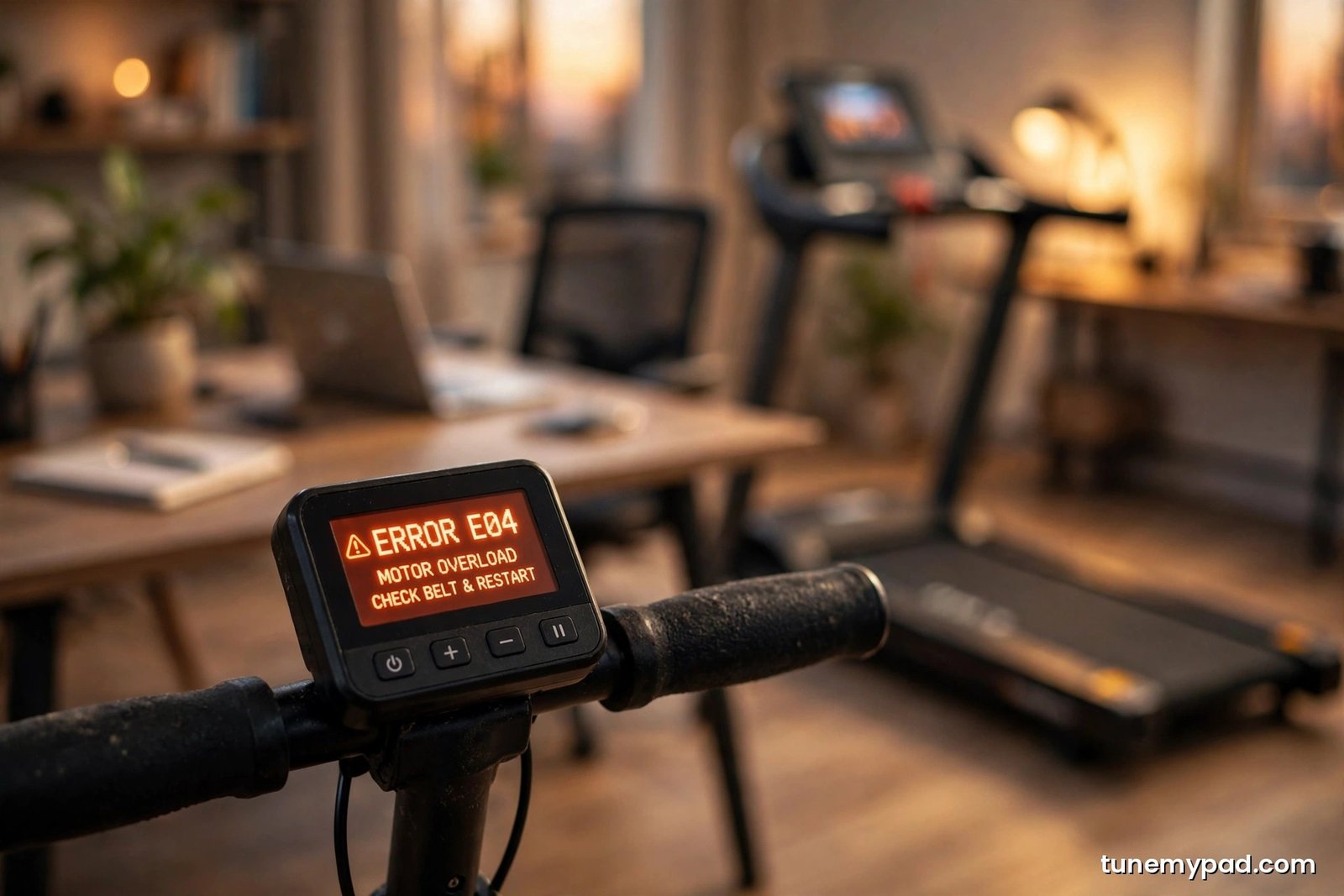
You step onto your DeerRun walking pad, press start, and instead of the belt moving you get a cryptic code on the display. These codes are the machine’s way of telling you something needs attention, but the display never explains what. If you are searching for what your code means and how to clear it, this guide covers the full list of codes, what each one usually points to, and the exact steps to fix them.
One important note before we start: DeerRun codes can vary between model generations, and DeerRun occasionally updates firmware that changes code behavior. Always cross-check against the manual that came with your specific model, and treat this guide as a practical troubleshooting companion. Where the manual is silent, the steps below follow the same diagnostic logic technicians use.
This guide also explains which DeerRun walking pad error codes you can safely clear yourself, which ones need a part replacement, and the maintenance habits that keep codes from coming back. For perspective on why daily walking is worth the troubleshooting effort, the CDC’s adult physical activity guidelines explain how much moderate activity adults need each week.
Quick Answer: DeerRun Walking Pad Error Codes
What do DeerRun walking pad error codes mean? They are fault signals from the pad’s controller indicating problems like motor overload, sensor communication failures, belt issues, or overheating. The fastest general fix for most DeerRun walking pad error codes is a full power reset: unplug the pad for 60 seconds, check that the belt is centered and lubricated, make sure no cables are loose at the folding hinge, then power back on. If the same code returns immediately, look up your exact code in the table below and follow its specific steps.
Table of Contents
Why DeerRun Walking Pad Error Codes Appear
DeerRun walking pad error codes exist because the pad’s controller constantly monitors the motor, sensors, and power supply. When a reading falls outside the expected range, the controller stops the belt and shows a code instead of letting the motor run in a potentially damaging state. Think of DeerRun walking pad error codes as a protective feature, not a failure announcement.
The most common triggers behind these fault codes are:
- Excess belt friction from dryness, over-tension, or misalignment
- Loose or pinched cables, especially at the folding hinge
- Speed sensor problems, where the controller cannot confirm the belt is moving correctly
- Overheating after long sessions or poor ventilation
- Unstable power from extension cords or shared circuits
- A genuine component failure in the motor or controller board
Understanding this helps you troubleshoot calmly. Most of these codes trace back to the first three items on that list, which are all fixable at home in under 30 minutes.
Complete List of DeerRun Walking Pad Error Codes
The table below lists the DeerRun walking pad error codes owners report most often, what each one generally indicates, and the first fix to try. Important: code meanings can differ between DeerRun model generations, so confirm with your manual. Never assume a code means the same thing on a different brand’s machine.
| Code | What it generally indicates | First fix to try |
|---|---|---|
| E01 | Communication fault between console and controller | Reseat console cable, power reset |
| E02 | Motor or controller fault | Power reset, check motor connections |
| E03 | Speed sensor signal problem | Inspect sensor near front roller |
| E04 | Over-current or motor overload | Check belt tension and lubrication |
| E05 | Overheating protection | Cool down 60 minutes, improve ventilation |
| E06 | Belt slip or speed mismatch detected | Center belt, check tension |
| E07 | Voltage abnormality | Plug directly into wall outlet |
| E08 | Motor drive system fault | Full reset, belt and sensor checks |
If your display shows a code not listed here, or a code with a different behavior than described, your model may use a revised table. In that case, the general fixes in the next section still apply, because nearly all of these codes stem from the same small set of physical causes.
The 7-Step Fix Sequence for DeerRun Walking Pad Error Codes
When any of the DeerRun walking pad error codes appears, work through these steps in order. Do not skip ahead to parts replacement: the sequence is designed so the simplest and most common causes are eliminated first.
Step 1: Full Power Reset
Unplug the walking pad from the wall outlet, not just the power switch. Wait a full 60 seconds so the controller fully discharges, then plug it back in and power on. Test at 1 mph. This clears DeerRun walking pad error codes caused by one-time glitches, power dips, or latched fault states. If the code is gone and stays gone for a full session, you are done.
Step 2: Inspect the Belt Path
With the pad unplugged, check the full belt path for obstructions: debris under the deck, objects wedged at the rollers, or a mat edge that crept under the belt. Feel the belt edges for fraying. Clear anything you find. Many DeerRun walking pad error codes related to overload (E04, E06) are simply the controller reacting to unexpected resistance.
Step 3: Center and Tension the Belt
Look down the belt from the rear: it should be centered with even gaps on both sides. Use the rear-roller bolts to correct drift, a quarter turn at a time, testing between adjustments. Then check tension with the lift test: you should be able to lift the belt 2 to 3 inches at the center of the deck. Belt problems are the single most common root cause of recurring DeerRun walking pad error codes, so spend real time here.
Step 4: Check All Cable Connections
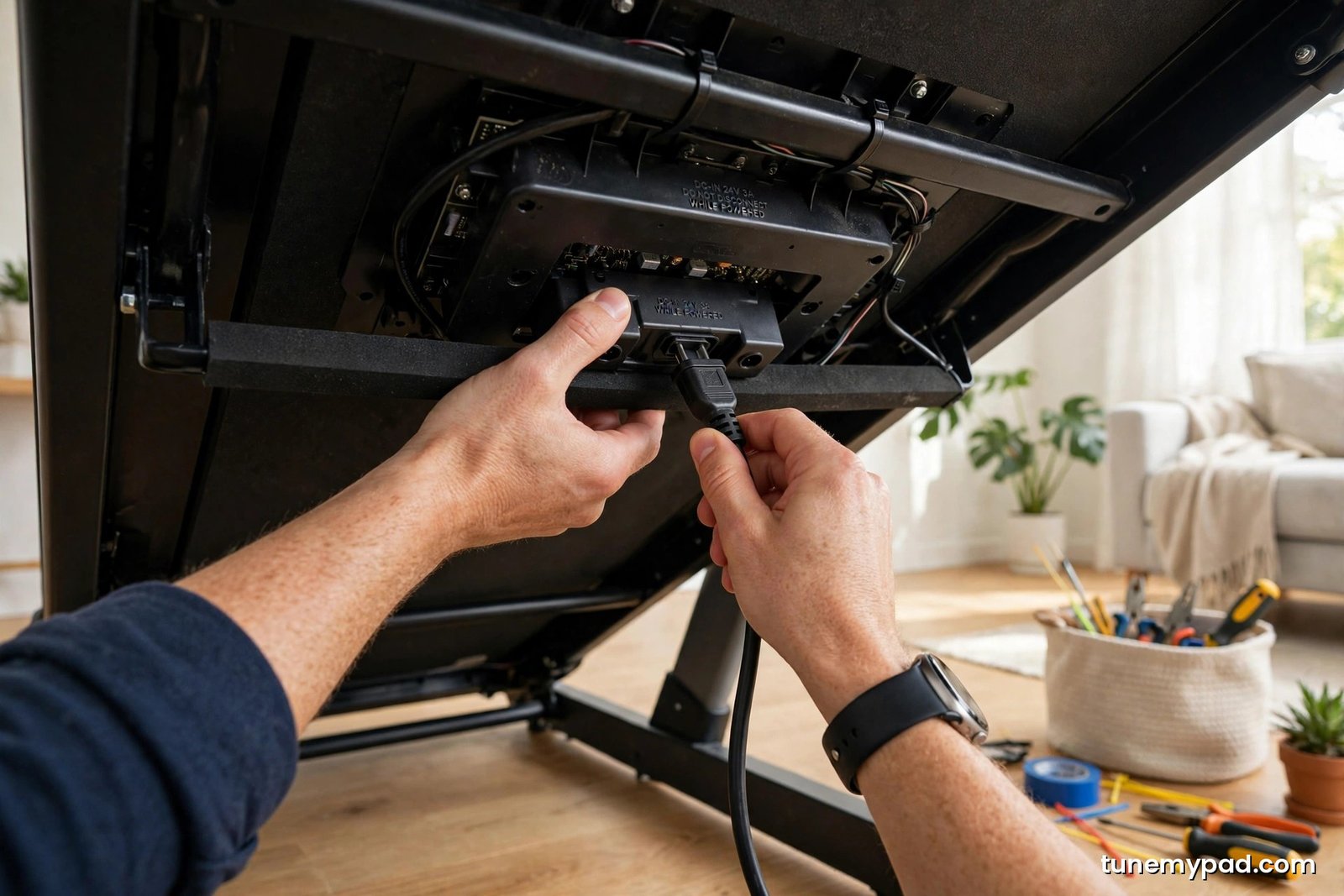
Remove the motor cover if your model allows it and you are comfortable doing so. Firmly reseat the motor leads, the speed sensor connector, and the data cable to the console. Pay special attention to cables passing through the folding hinge, because folding is what loosens them over time. Loose connections are a leading cause of communication-related DeerRun walking pad error codes like E01 and E03.
Step 5: Lubricate the Belt
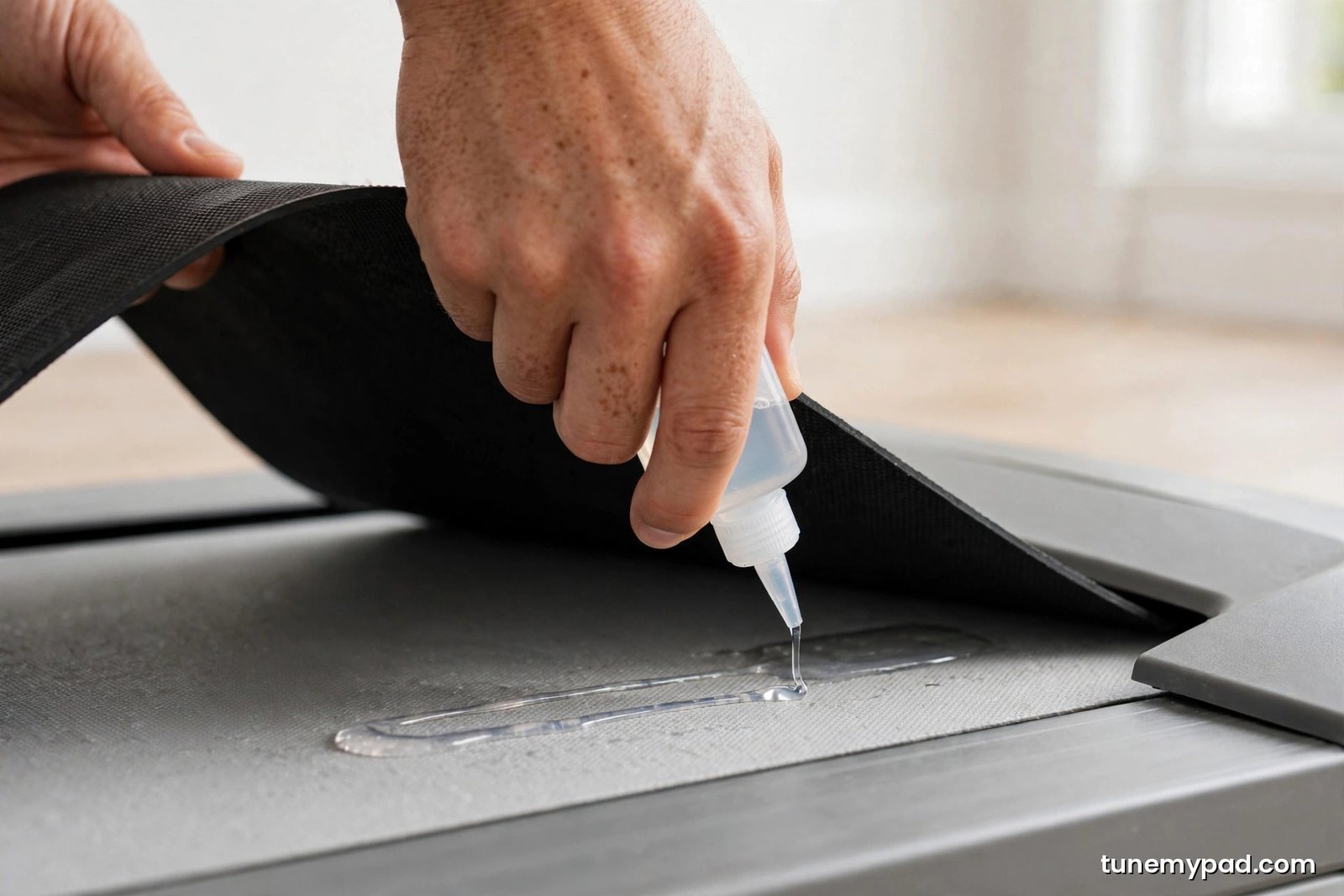
If lubrication is overdue, friction rises and the motor works harder, which the controller reads as overload. Apply silicone lubricant (never oil-based products) under the belt in a zigzag pattern, then run the pad at low speed for several minutes to distribute it. This single step resolves a large share of stubborn DeerRun walking pad error codes.
Step 6: Rule Out Heat and Power
Let the pad cool for 60 minutes if the code appears after long sessions. Make sure the motor area is ventilated and the pad is not on thick carpet trapping heat. Plug directly into a wall outlet, avoiding power strips and extension cords. Heat and unstable voltage are classic triggers for DeerRun walking pad error codes that appear intermittently.
Step 7: Document and Contact Support
If the same code survives all six steps, photograph the display, note exactly when the code appears (startup, after minutes of walking, at certain speeds), and contact DeerRun support with your model number. At this point the DeerRun walking pad error codes have told you everything DIY can reveal, and the fix likely involves a replacement sensor, controller, or motor under warranty.
Related: How Loud Is a Walking Pad? 7 Honest Answers in Decibels
DeerRun Walking Pad Error Codes vs Other Brands
Owners often ask whether DeerRun walking pad error codes match the codes on other brands. The honest answer is: sometimes, but never rely on it. Error code systems are set by each manufacturer’s controller firmware, and while E01 through E08 appear across many budget walking pad brands with loosely similar meanings, the details differ.
What this means in practice:
- Do not follow another brand’s E-code guide for your DeerRun pad without verifying
- Model revisions within DeerRun can change code assignments, so include your exact model number in every search
- The physical fixes (belt, lubrication, cables, power) are universal even when code meanings differ
- If a forum post about DeerRun walking pad error codes describes your exact symptom and model, that is more valuable than a generic code table
The safest approach is to treat the code as a starting clue and the symptom pattern (when it appears, what you were doing) as the real diagnostic evidence.
Preventing DeerRun Walking Pad Error Codes
Prevention is mostly maintenance, and maintenance on a walking pad is simple. The owners who rarely see DeerRun walking pad error codes are the ones who do these basics:
| Task | Frequency | What it prevents |
|---|---|---|
| Wipe belt and deck | Weekly | Debris friction that triggers overload codes |
| Check belt centering | Monthly | Edge rubbing that spikes motor current |
| Silicone lubrication | Every 3 to 6 months | Dry-belt friction behind E04/E06 |
| Inspect hinge cables | Every 6 months | Loose connectors behind E01/E03 |
| Vacuum motor area | Every 6 months | Heat buildup behind E05 |
| Verify wall-outlet power | Once | Voltage issues behind E07 |
Also handle the folding mechanism gently. DeerRun pads are designed to fold for storage, but dropping the deck or yanking the console cable stresses the exact connections that generate DeerRun walking pad error codes. A few seconds of care each time you fold and unfold pays off in fewer error screens.
When to Stop DIY and Call DeerRun Support
Call support instead of continuing DIY if you see any of these alongside the DeerRun walking pad error codes:
- Burning smell, smoke, or scorch marks near the motor or controller
- The code appears instantly at every power-up before the belt moves
- The belt never moves and the motor is completely silent
- Tripped breakers or visible sparking
- The pad is new and under warranty and you have not yet reported the issue
For warranty claims, support will want your model number, purchase date, a photo of the code on the display, and a description of which steps you already tried. Having that ready turns a week of back-and-forth into a single productive exchange. If you believe the unit has a dangerous defect, you can also file a report with the U.S. Consumer Product Safety Commission.
Related: Best Mat Under a Walking Pad for Noise: 7 Picks That Work
Frequently Asked Questions About DeerRun Walking Pad Error Codes
What are the most common DeerRun walking pad error codes?
The most commonly reported DeerRun walking pad error codes are E01 (communication fault), E02 (motor or controller fault), E04 (over-current), E05 (overheating), and E06 (belt slip or speed mismatch). Each points to a different subsystem, but the fix sequence in this guide addresses all of them in the right order.
How do I reset DeerRun walking pad error codes?
Unplug the pad from the wall outlet for a full 60 seconds, then plug it back in and power on. This full power reset clears DeerRun walking pad error codes caused by temporary glitches. If the code returns, the underlying cause is still present and needs the belt, cable, and sensor checks described above.
Why do DeerRun walking pad error codes keep coming back?
Recurring DeerRun walking pad error codes usually mean a physical cause that changes with heat or vibration: a borderline-loose connector, a belt that is slightly over-tensioned, or dust raising motor temperature week by week. Keep a log of when the code appears (cold start vs after 20 minutes, low vs high speed) to identify the pattern.
Do DeerRun walking pad error codes mean the same thing on every model?
No. DeerRun walking pad error codes can vary between model generations and firmware versions. Always check the manual for your exact model first. The troubleshooting steps in this guide are universal, but the precise meaning of each code should be confirmed against your model’s documentation.
Can I use my DeerRun pad while an error code is showing?
No. DeerRun walking pad error codes indicate the controller has stopped or limited the motor for protection. Continuing to use the pad risks damaging the motor or controller. Clear the code first, then resume only when the display is normal.
Is E08 on a DeerRun the same as E08 on other brands?
Not necessarily. While many brands use E08 for motor drive faults, you should not assume identical meanings across brands. For DeerRun-specific E08 behavior, check your DeerRun manual and model-specific owner reports rather than generic treadmill code tables.
How often should I lubricate to avoid DeerRun walking pad error codes?
Every 3 to 6 months with silicone lubricant, depending on how much you walk. Dry belts are one of the top causes of overload-related DeerRun walking pad error codes, and regular lubrication is the cheapest prevention there is.
Will DeerRun support help if my pad is out of warranty?
Often yes for diagnosis, though parts may cost you. When contacting support about DeerRun walking pad error codes, have your model number, purchase date, and photos of the display ready. Many owners report that support correctly identifies the failed part from a clear symptom description.
Can a bad power outlet cause DeerRun walking pad error codes?
Yes. Low or unstable voltage forces the motor to draw more current, which the controller can flag as a fault. Always test with the pad plugged directly into a wall outlet, and avoid long extension cords or overloaded power strips when diagnosing DeerRun walking pad error codes.
Should I open the motor cover myself?
If you are comfortable with basic DIY and your warranty terms allow it, reseating connectors is reasonable. If the pad is new and under warranty, contact DeerRun support first, since unauthorized opening can complicate some warranty claims.
Using the DeerRun App to Diagnose Error Codes
Many DeerRun models pair with a companion app, and the app can be surprisingly useful when the display alone is not telling you enough. While the on-device display shows a short code, the app sometimes logs additional detail, such as whether the fault occurred during startup or mid-session, and occasionally offers a guided reset flow. If your model supports it, keep the app installed even if you never use it for workouts, because it doubles as a diagnostic tool.
A few practical tips for app-assisted diagnosis. First, pair the pad before the error appears if you can; some models will not complete Bluetooth pairing while a fault is active. Second, check for firmware updates in the app’s settings or device page. Manufacturers sometimes revise fault thresholds in firmware, and an update can reduce nuisance codes that were triggered by overly sensitive detection rather than real problems. Third, screenshot any in-app error detail before you reset the pad, because the log may clear along with the code.
One caution: do not treat the app as the final authority over the paper manual. If the app and the manual disagree about what a code means, trust the manual for your exact model revision, and mention the discrepancy if you contact support. Support teams see both sides and can tell you which source is current.
How Long Each Fix Usually Takes
It helps to know what you are signing up for before you start. Here is a realistic time budget for working through the fix sequence, so you can plan a troubleshooting session instead of squeezing it between meetings.
| Step | What you do | Typical time |
|---|---|---|
| 1 | Full power reset and test walk | 5 minutes |
| 2 | Belt path inspection | 10 minutes |
| 3 | Belt centering and tension | 15 to 20 minutes |
| 4 | Cable and connector check | 15 minutes |
| 5 | Belt lubrication | 10 minutes |
| 6 | Cooling and power supply test | 60 minutes mostly waiting |
| 7 | Documentation and support contact | 15 minutes |
Most owners who reach a solution do it within steps 1 through 5, which is about an hour of hands-on work. Step 6 is mostly waiting for the motor to cool, which you can spend doing something else. Knowing this in advance keeps the process calm: you are not embarking on a weekend project, you are doing an hour of methodical checks.
Frequently Asked Questions About DeerRun Walking Pad Error Codes
What are the most common DeerRun walking pad error codes?
The most commonly reported DeerRun walking pad error codes are E01 (communication fault), E02 (motor or controller fault), E04 (over-current), E05 (overheating), and E06 (belt slip or speed mismatch). Each points to a different subsystem, but the fix sequence in this guide addresses all of them in the right order.
How do I reset DeerRun walking pad error codes?
Unplug the pad from the wall outlet for a full 60 seconds, then plug it back in and power on. This full power reset clears temporary glitches behind many fault codes. If the code returns, the underlying cause is still present and needs the belt, cable, and sensor checks described above.
Why do DeerRun walking pad error codes keep coming back?
Recurring codes usually mean a physical cause that changes with heat or vibration: a borderline-loose connector, a belt that is slightly over-tensioned, or dust raising motor temperature week by week. Keep a log of when the code appears (cold start versus after 20 minutes, low versus high speed) to identify the pattern.
Do DeerRun walking pad error codes mean the same thing on every model?
No. These codes can vary between model generations and firmware versions. Always check the manual for your exact model first. The troubleshooting steps in this guide are universal, but the precise meaning of each code should be confirmed against your model’s documentation.
Can I use my DeerRun pad while an error code is showing?
No. The codes indicate the controller has stopped or limited the motor for protection. Continuing to use the pad risks damaging the motor or controller. Clear the code first, then resume only when the display is normal.
Is E08 on a DeerRun the same as E08 on other brands?
Not necessarily. While many brands use E08 for motor drive faults, you should not assume identical meanings across brands. For DeerRun-specific E08 behavior, check your DeerRun manual and model-specific owner reports rather than generic treadmill code tables.
How often should I lubricate to avoid these error codes?
Every 3 to 6 months with silicone lubricant, depending on how much you walk. Dry belts are one of the top causes of overload-related codes, and regular lubrication is the cheapest prevention there is.
Will DeerRun support help if my pad is out of warranty?
Often yes for diagnosis, though parts may cost you. When contacting support, have your model number, purchase date, and photos of the display ready. Many owners report that support correctly identifies the failed part from a clear symptom description.
Can a bad power outlet cause these error codes?
Yes. Low or unstable voltage forces the motor to draw more current, which the controller can flag as a fault. Always test with the pad plugged directly into a wall outlet, and avoid long extension cords or overloaded power strips when diagnosing fault codes.
Should I open the motor cover myself?
If you are comfortable with basic DIY and your warranty terms allow it, reseating connectors is reasonable. If the pad is new and under warranty, contact DeerRun support first, since unauthorized opening can complicate some warranty claims.
Does the DeerRun app show more detail than the display?
Sometimes. The companion app may log when the fault occurred and occasionally offers a guided reset. Keep the app installed as a diagnostic aid, but treat the paper manual as the authority when sources disagree about a code’s meaning.
Can firmware updates change error code behavior?
Yes. Manufacturers occasionally revise fault detection thresholds in firmware updates, which can reduce nuisance codes. Check the app for updates as part of your troubleshooting, but do not update firmware mid-diagnosis if the pad is currently faulted and unstable.
Conclusion
DeerRun walking pad error codes look intimidating, but they are really just the controller’s way of asking for help. Work the seven steps in order, respect what the symptom pattern tells you, and confirm code meanings against your own model’s manual. Most owners clear DeerRun walking pad error codes with nothing more than a reset, a belt adjustment, or a lubrication session.
Build the simple maintenance routine into your month and handle the folding hinge with care, and you will spend your time walking instead of decoding displays. And if a code ever survives all seven steps, you will know exactly what to tell support to get it resolved fast.
Related: Walking Pad in an Upstairs Bedroom? 7 Best Noise Fixes