

Short answer: can you use a walking pad without the app? Yes — on virtually every model sold today. The remote control (and usually buttons on the pad itself) handles start, stop, and speed — everything you need for a workout. The app is a nice-to-have, not a requirement, and plenty of owners never install it.
This guide covers exactly what works without the app, what you give up by skipping it, how to pair or replace the remote, and the privacy angle nobody talks about.
Table of Contents
Quick Answer: Can You Use a Walking Pad Without the App?
| Question | Answer |
|---|---|
| Can you use a walking pad without the app? | Yes. The remote control covers start/stop, speed up/down, and mode changes — the full workout, no phone needed. |
| Is the app required for setup? | On most models, no. A few pads ask you to activate via app on first use — check your manual, but this is the exception. |
| What do you lose without the app? | Workout history, firmware updates, custom programs, and sometimes finer speed control. Nothing that stops you walking. |
| Can you still track stats? | The pad’s display still shows speed, time, distance, and calories. For real tracking, a fitness watch beats any walking-pad app. |
| What if I lost the remote? | Most brands sell replacements, and many pads have physical buttons as backup. Universal treadmill remotes also work on common RF frequencies. |
What the Remote Control Does (Everything Essential)
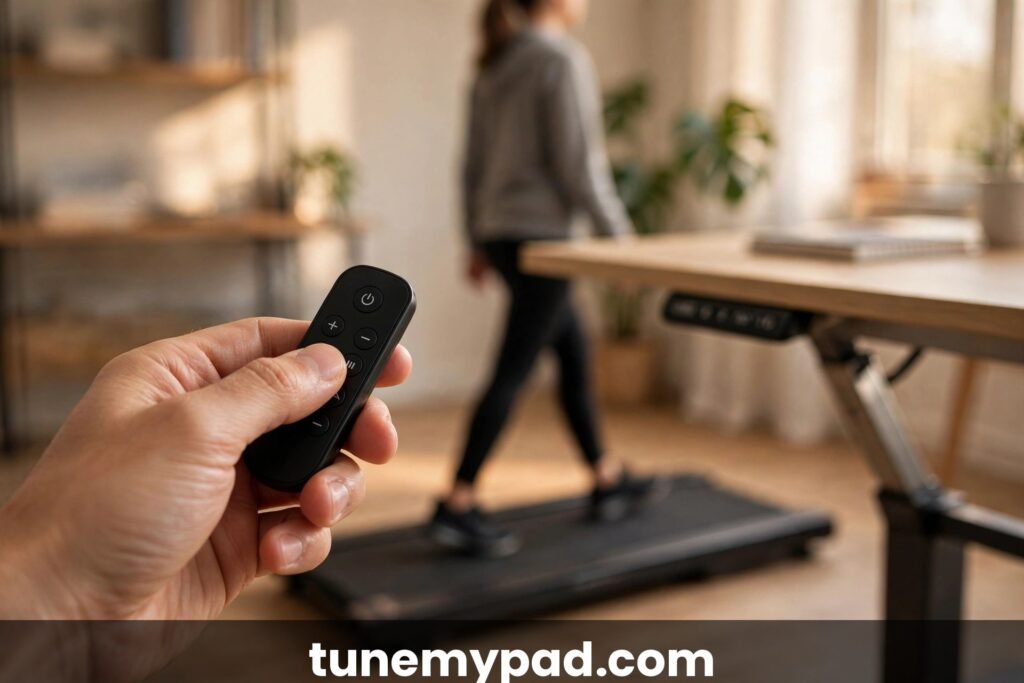
The humble remote is the real control center of a walking pad. A standard remote handles:
- Power on/off and start/stop — the basics
- Speed up / speed down — usually in 0.1 or 0.5 mph steps
- Mode switching — manual mode vs. automatic (foot-sensing) mode on models that have it
- Quick-speed presets — some remotes have 2/3/4 mph shortcut buttons
- Display toggle — cycling the LED readout between speed, time, distance, calories
That’s the complete workout loop. Walk into the room, point, press start, adjust speed, press stop. No accounts, no Bluetooth pairing, no firmware nag screens, no phone battery anxiety. Many long-term owners report the app getting deleted within a month while the remote lives on the desk permanently — velcroed to the desktop edge is the classic setup.
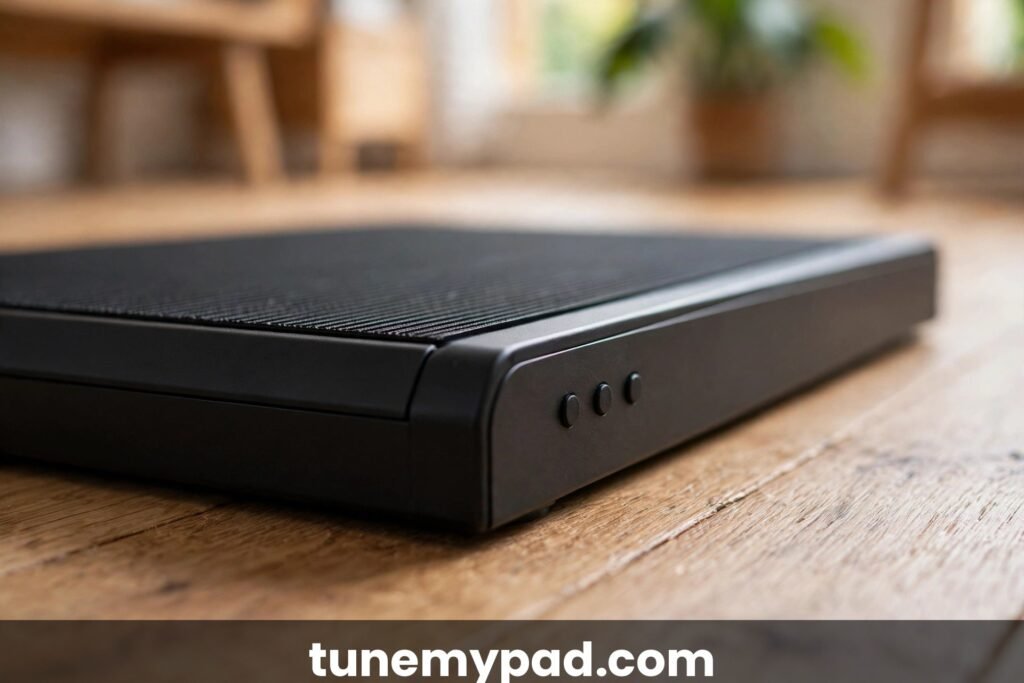
Most pads also have physical buttons on the unit itself — usually a power switch and sometimes speed controls on the front edge or side. They’re awkward to reach mid-walk, but they mean the pad is never a brick even with no remote and no app.
What You Actually Lose Without the App
Honesty requires listing what the app adds, so you can decide if you care:
| Feature | Without app | With app |
|---|---|---|
| Start/stop/speed control | Yes Remote does it all | Yes Also available |
| Speed, time, distance, calorie display | Yes On the pad’s LED | Yes Plus phone screen |
| Workout history & graphs | No Gone when the pad powers off | Yes Saved sessions, trends |
| Firmware updates | No Stuck on factory firmware | Yes Bug fixes, new features |
| Custom programs / interval modes | No Manual speed changes only | Yes Programmable workouts |
| Fine speed increments | Sometimes coarser via remote | Often 0.1 mph precision |
| Social features / leaderboards | No | Yes (if you want them) |
The big one is firmware updates — occasionally a manufacturer fixes a real bug (belt calibration, auto-mode sensitivity) via app update. If you skip the app entirely, check the manufacturer’s website once or twice a year for update notes; if nothing relevant appears, you’re missing nothing.
Workout history is the other genuine loss — but a fitness watch or even a paper log does this better than most walking-pad apps, which tend to be clunky, ad-supported afterthoughts. For calorie accuracy specifically, our guide on whether walking pad calorie displays are accurate explains why the pad’s numbers deserve skepticism with or without the app.
Remote vs App vs On-Unit Buttons: The Full Control Comparison
Three ways to command a walking pad, honestly ranked for daily use. The remote wins for convenience — full control from desk height, no phone involved, works mid-stride. The app wins for data — history, graphs, firmware, fine speed increments — but adds accounts, permissions, and pairing friction to every session. The on-unit buttons are the emergency backup: always available, always awkward, requiring a bend or a stretch to reach mid-walk.
| Task | Remote | App | On-unit buttons |
|---|---|---|---|
| Start / stop | Yes | Yes | Yes |
| Speed adjust mid-walk | Yes, easy | Yes | Yes, awkward |
| Mode switching | Usually | Yes | Rarely |
| Workout history | No | Yes | No |
| Firmware updates | No | Yes | No |
| Works with dead phone | Yes | No | Yes |
For pure walking, the remote column is the only one that matters — which is exactly why can you use a walking pad without the app has such a boringly affirmative answer: can you use a walking pad without the app and lose nothing that matters? For most owners, yes.
Setup Without the App: Step by Step
For the typical walking pad, app-free setup looks like this:
- Unbox and position the pad where you’ll use it — under the desk or in open floor space.
- Plug it in and flip the power switch (usually on the front edge or side).
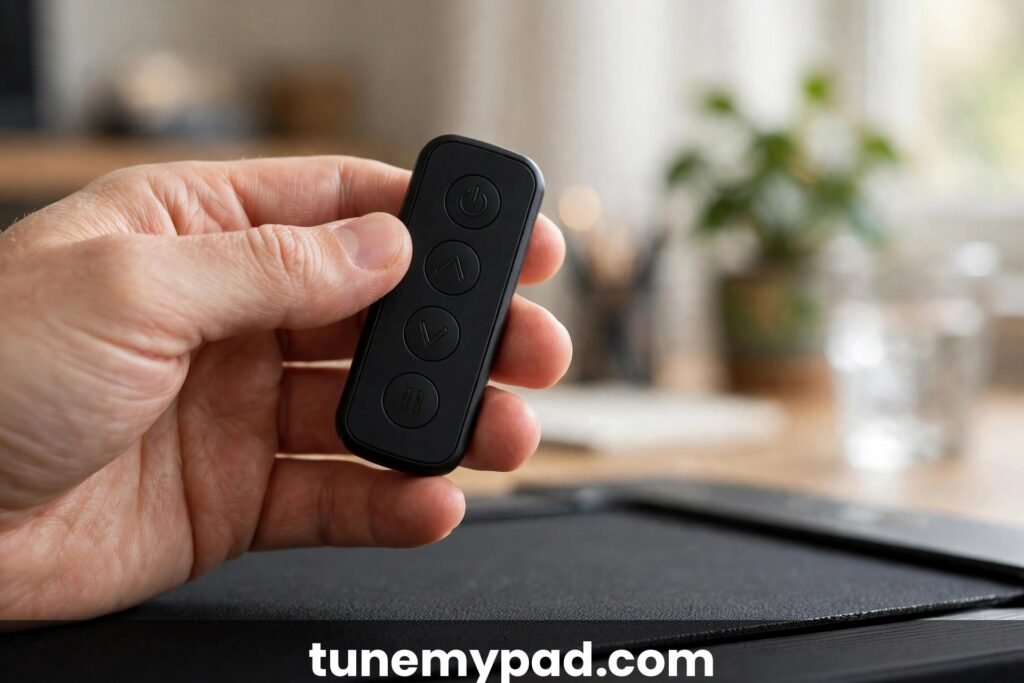
- Insert the remote’s battery — almost always a CR2032 coin cell, sometimes included.
- Test the remote: press start, confirm the belt moves; adjust speed up and down; press stop.
- Center the belt if it drifts — most manuals describe the Allen-key adjustment at the rear roller.
- Walk. That’s the whole setup.
Total time: under 10 minutes. Compare that with the app route: download, create account, verify email, grant location permission (why does a treadmill need your location?), pair via Bluetooth, accept the privacy policy, and then do steps 1–6 anyway.
One exception to know about: a small number of models (usually ultra-budget or white-label pads) require app activation before the motor will run the first time — an anti-theft/registration measure. If your pad’s belt won’t start and the manual mentions “activate in app,” that’s what’s happening. It’s rare, but check your manual before assuming the unit is dead.
Firmware Updates Without the App: The Workarounds
The one legitimate reason to hesitate about skipping the app is firmware. Manufacturers occasionally ship fixes that matter — belt calibration corrections, auto-mode sensitivity tuning, safety-key behavior changes. Without the app, you’re frozen on factory firmware forever, which is fine 95% of the time and annoying the other 5%.
Workarounds, in order of practicality: borrow the app temporarily — install it on any phone, pair, update, delete; the firmware lives on the pad, not the phone. Check the manufacturer’s website twice a year for update notes; if nothing addresses your model’s behavior, you’re missing nothing. Ask support whether a given update matters for your serial number before bothering. And note the asymmetry: a pad that works perfectly today doesn’t need updates — “missing” a firmware release for a machine with no problems is a non-event. That’s the pragmatic bottom line of can you use a walking pad without the app — the pad you have is the pad you need.
Remote Not Working? Troubleshooting
Before blaming the app-shaped hole in your life, run through the remote checklist:
- Battery. The CR2032 dies silently after 6–12 months. Replace it — this fixes the majority of “remote stopped working” cases.
- Line of sight / range. Most remotes are RF (no aiming needed) with ~15–30 ft range, but a few are infrared and need a clear path to the receiver on the pad’s front. Try closer and unobstructed.
- Re-pairing. Some remotes lose pairing after battery changes. The usual ritual: power off the pad, hold a button combo on the remote (often start + speed-up), power on the pad. Your manual has the exact sequence.
- Interference. Other RF remotes, baby monitors, and some LED drivers can swamp the signal. Test with nearby electronics off.
- Physical damage. Dropped remotes crack solder joints. If one button works and others don’t, it’s the remote, not the pad.
If the remote is truly dead, you have options: the manufacturer’s replacement (usually $10–$20), a universal treadmill remote matched to the frequency, or — on many models — the physical buttons on the pad as a stopgap. What you don’t need to do is install the app as a “replacement remote,” though most apps do offer remote-style controls as a fallback.
The Privacy Case for Skipping the App
This deserves its own section because it’s the reason a lot of people ask this question in the first place. Walking-pad apps, as a category, have a poor privacy reputation:
- Account requirements for a device that has no business knowing your email
- Location permission demands — Bluetooth pairing on Android historically required location access, and many apps just keep asking
- Aggressive data collection — workout data tied to advertising IDs, analytics SDKs phoning home
- Abandoned apps — the manufacturer stops updating, the app rots, and you’re left with a login for a dead service
None of this affects the pad’s core function. The motor, belt, and remote are local hardware — they work with zero cloud involvement. If privacy matters to you, skipping the app isn’t a compromise; it’s the better configuration. You lose workout graphs and gain one less account to leak in the next breach.
That said, be pragmatic: if a firmware update fixes a safety-relevant bug, install the app temporarily, update, and delete it. Security patches are worth a 10-minute privacy tradeoff.
Choosing a Walking Pad If You Never Want the App
Shopping app-free is easy if you check three things before buying. First, confirm a physical remote is included — not “app-controlled,” not “optional remote sold separately.” The listing should show the remote in the box contents. Second, skim reviews for “app required” — a handful of white-label models need app activation on first use, and reviewers always mention it angrily. Third, check for on-unit controls as a backup; a power switch plus speed buttons on the pad itself means you’re never stranded.
Bonus criteria for the committed app-skipper: a clear LED display (it’s your only stats screen), coarse-but-sufficient remote speed steps, and a brand with a real website where firmware notes get posted. Buy those four things and the question can you use a walking pad without the app never needs asking again — you’ll have answered it with your wallet. Future-you, asking can you use a walking pad without the app, will already know the answer.
Manual Mode vs. Auto Mode Without the App
Some pads offer an automatic mode where the belt speed follows your foot position — drift toward the front and it speeds up, drift back and it slows. This is toggled from the remote (usually a dedicated “mode” button), no app needed.
Auto mode is genuinely useful for phone calls and reading — your speed self-regulates without button presses. But it has a learning curve: beginners often find the belt surging unexpectedly, which is unnerving. Start in manual mode, get comfortable with the remote’s speed steps, and try auto mode only when manual feels boring. And note: auto mode’s foot-sensing can be finicky on some models — if it misbehaves, manual mode plus the remote is the reliable fallback, app or no app.
Smart Home Integration Without the Official App
Here’s the fun part the app-makers don’t advertise: a walking pad is, electrically, just an appliance with a switch. A simple smart plug gives you voice control (“turn on the walking pad”), scheduling (auto-power at 9 AM), and energy monitoring — no manufacturer app involved. Pair that with the remote for speed control and you’ve built a smarter setup than the official app offers. It’s the power-user answer to can you use a walking pad without the app: skip their cloud, build your own control layer.
Caveats: use a smart plug rated for the pad’s wattage (most pads draw 500–750W; get a plug rated 15A/1800W), never use it as an emergency stop substitute — the remote’s stop button and the safety key are your real kill switches — and don’t let automation start the belt while someone might be standing on it unexpectedly. A plug that powers the pad on at 9 AM with the belt stationary is convenience; anything that moves the belt without a human decision is a hazard.
Can You Use a Walking Pad Without the App? FAQs
Do I need WiFi for a walking pad?
No. Walking pads don’t use WiFi at all — the remote communicates directly with the pad via RF or infrared, and the app (if you install it) uses Bluetooth. Your pad works fine in a WiFi dead zone, a basement, or during an internet outage.
Will the walking pad work if my phone is dead?
Completely. The phone is never in the control loop unless you deliberately use the app as a remote. Dead phone, no phone, phone in another room — the remote and the pad don’t care. That independence is the whole point of asking can you use a walking pad without the app — the phone is a convenience, never a requirement.
Can I track my walks without the manufacturer’s app?
Yes, and better. A fitness watch or phone pedometer app (Apple Health, Google Fit, Strava) tracks steps, distance estimates, heart rate, and trends — all independent of the pad. Many walkers find this data more useful than the manufacturer’s app, which typically only knows belt speed and time.
What if my model only works with the app?
This is rare but real on some white-label pads. Check before buying: look for “remote control included” in the listing and skim reviews for “app required.” If you already own one, the manufacturer’s support can usually activate it or confirm a workaround. When shopping, treat “app required for basic operation” as a red flag — it’s a sign of a product designed around data collection, not usability. Check that detail before you buy, because can you use a walking pad without the app is only a yes when the manufacturer ships a remote in the box.
Do I need the app for the warranty?
No. Warranty claims go through the retailer’s or manufacturer’s support channels — email, web form, or phone. Keep your proof of purchase; no app account has ever been required for a legitimate warranty claim. For what’s actually covered, see our guide on walking pad warranties.
Can multiple people use one pad without the app?
Easily — arguably easier than with it. No profiles to switch, no accounts to log out of. Whoever holds the remote controls the pad. (Household tip: buy a second remote or designate a “remote spot” on the desk. Remote wars are real.) No profiles, no logouts, no sync failures — can you use a walking pad without the app turns out to be the simpler way to share a household pad.
Can I use a universal remote with my walking pad? If you’re asking can you use a walking pad without the app because the original remote died, a universal is often the cheapest fix.
Sometimes. Most walking pad remotes use common RF frequencies, and universal treadmill remotes can pair with many models — check your pad’s frequency in the manual (often 433 MHz) and match it. Infrared models are pickier. When in doubt, the manufacturer’s $10–$20 replacement is the guaranteed path; universals are the gamble that usually pays off.
Does the walking pad remember my speed without the app?
Most pads remember the last speed and resume it on the next start — that’s pad firmware, not the app. What you lose without the app is saved programs (interval routines, custom profiles), not basic memory. For steady walking at your usual pace, the pad behaves identically with or without the app installed. Another quiet yes in the can you use a walking pad without the app column: the pad’s memory is local hardware, not a cloud feature.
Will the display still count lifetime distance without the app?
On most models, yes — the odometer-style total is stored on the pad and shown on the display regardless of app pairing. A few budget models reset totals on power-off (app or no app), so lifetime stats were never reliable there anyway. If lifetime distance matters to you, a fitness watch tracks it better than any pad ever will. So can you use a walking pad without the app and still track lifetime stats? Yes — just let a watch do the counting.
Conclusion
Can you use a walking pad without the app? Absolutely — the remote control runs the entire workout, the pad’s display shows your stats, and you lose nothing that matters for actually walking. You give up workout history graphs, firmware updates, and programmable intervals; you gain simplicity, privacy, and one less account. Set the pad up in ten minutes, velcro the remote to your desk, and let the app stay uninstalled. The best walking pad interface was never the app — it’s the little remote that’s always within arm’s reach. So yes — can you use a walking pad without the app is a solved question: keep the remote close, skip the account, and spend the saved minutes walking.
External references: FTC guidance on mobile app privacy (what apps can collect and your rights), CDC physical activity guidelines (the 150-minute weekly target your pad helps you hit, app or not), and Mayo Clinic on treadmill desks (getting started walking while you work).
1 thought on “Can You Use a Walking Pad Without the App? Yes — Here’s How”