
Your treadmill desk just arrived — or it’s arriving Friday — and now comes the part nobody talks about: the setup. Get it right and you’ll have a workstation so comfortable you forget you’re exercising. Get it wrong and you’ll have neck pain, a wobbly monitor, and a very expensive clothes rack. How to set up a treadmill desk in a home office properly is a one-afternoon project, but the details matter enormously. Follow each step below and you’ll know exactly how to set up a treadmill desk in a home office without the usual trial and error.
This guide walks through how to set up a treadmill desk in a home office in 8 steps: choosing the spot, setting desk height, positioning your monitor and keyboard, handling power and cables, dialing in ergonomics, and the first-week routine that turns a novel gadget into a permanent habit. Follow it in order and you’ll skip the sore shoulders and trial-and-error that plague most first-time setups.
Table of Contents
Quick Answer: How to Set Up a Treadmill Desk in a Home Office
| Question | Answer |
|---|---|
| What’s the first step? | Choose the location: near a wall outlet, on a hard level floor, with clearance around the pad and no blocked walkways. |
| What desk height is right? | Elbows at ~90 degrees while walking: typically 40–46 inches for most adults, fine-tuned to your body. |
| Where should the monitor go? | Top of the screen at or slightly below eye level, 20–30 inches from your eyes, centered over the walking belt. |
| What about power and cables? | Plug the pad directly into a wall outlet, route cables with slack for desk movement, and keep cords off the walking surface. |
| How long until it feels natural? | Most people adapt in 5–10 sessions over 1–2 weeks. Start with 30-minute walking blocks. |
Step 1: Choose the Right Spot
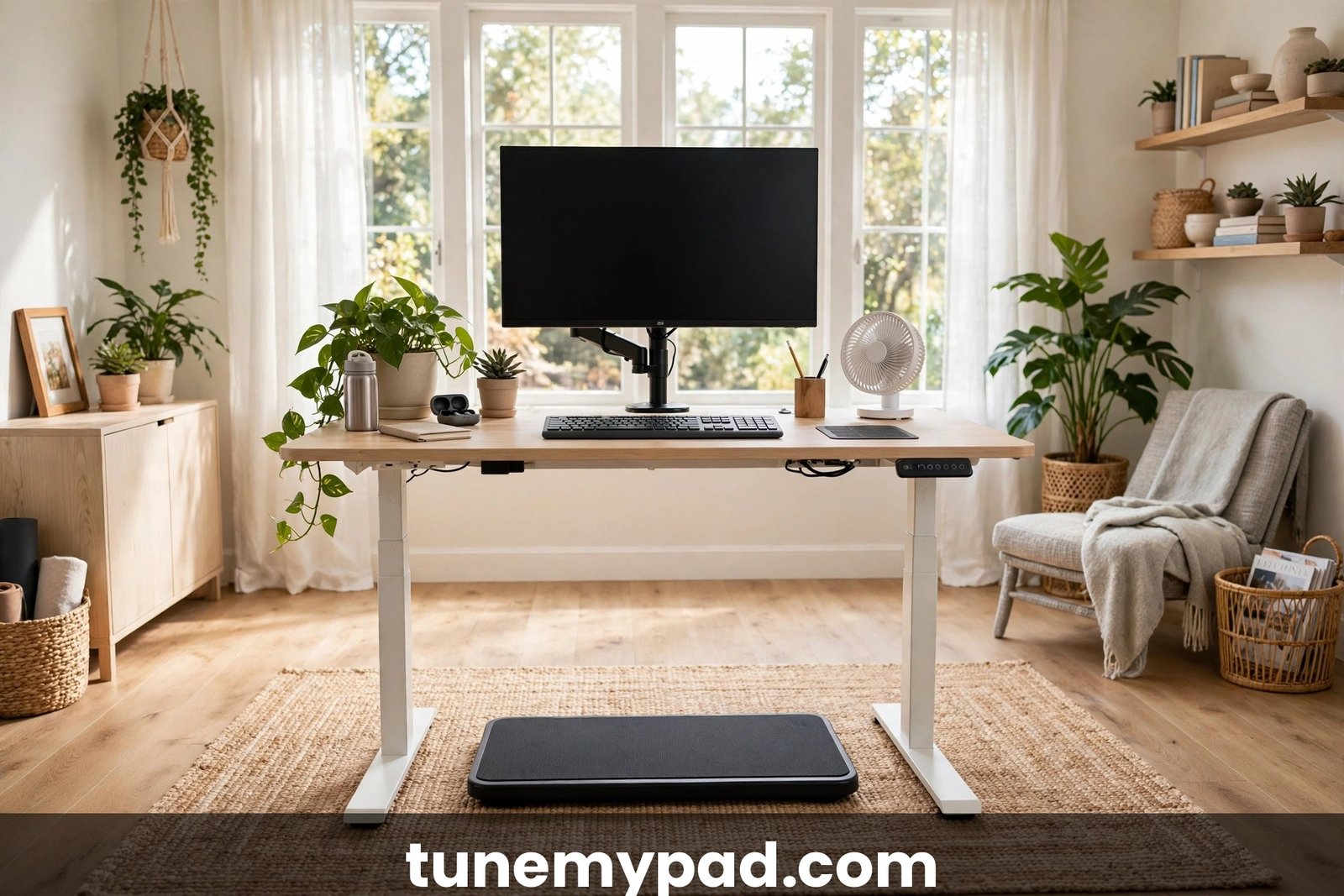
Location determines everything else when you learn how to set up a treadmill desk in a home office. The ideal home-office treadmill desk spot has five properties:
The five-point location checklist
- A dedicated wall outlet within cord reach. The pad plugs directly into the wall — not into a power strip shared with your computer setup, and never into an extension cord if you can avoid it. Under-desk treadmills draw meaningful current, and dedicated-circuit guidance explains when sharing a circuit causes problems.
- A hard, level floor. Hardwood, laminate, or tile is ideal. Thick carpet works but adds instability and noise; if carpet is your only option, a dense equipment mat underneath is non-negotiable.
- Clearance on all sides. Leave at least 2 feet behind the pad (safety dismount space) and 1.5 feet on each side. The area behind a treadmill is the danger zone in a fall — never face it toward a wall you could be thrown into.
- No blocked walkways or doors. The setup shouldn’t force family members or roommates to squeeze past, and it must not block exits.
- Ventilation for the motor. Motors need airflow. Don’t box the pad into an enclosed alcove; leave the motor housing end breathing. Our ventilation and clearance guide has the exact measurements.
Noise and neighbor considerations
If you share walls, think about what’s below and beside the setup. A ground-floor room or a room over a garage is ideal; a bedroom over a neighbor’s living room needs a thick mat and possibly restricted hours. Test the noise level before committing to the layout — it’s much easier to move an empty corner than a fully cabled workstation. Planning for noise early is one of the smartest moves in how to set up a treadmill desk in a home office, especially in apartments or shared living spaces.
Step 2: Position the Pad and Desk Together
The pad and desk are one system — position them as a unit, not as two separate pieces of furniture. This is a key principle when you understand how to set up a treadmill desk in a home office.
Centering
The walking belt must be centered under your monitor and keyboard. This sounds obvious, but most people center the desk in the room and let the pad land wherever it fits. Instead: place the pad where you’ll walk, then arrange the desk around it. Your body midline, the belt centerline, and your monitor should form one straight line. Off-center setups cause the slow sideways drift that makes narrow belts feel narrower. Proper centering is a detail many overlook when learning how to set up a treadmill desk in a home office.
Desk type
You have two main options:
- Standing desk + walking pad: the flexible choice. Raise it to walk, lower it to sit. Electric height-adjustable desks with memory presets are worth every penny here — you’ll change heights multiple times a day.
- Fixed-height desk + walking pad: workable if the desk happens to be at your walking elbow height (rare) or if you use a desk riser. Less flexible, but fine if you never sit at that station.
If you’re converting an existing standing desk, measure its lowest and highest positions first. You need it to reach your walking elbow height (Step 3) and your sitting height if you plan to alternate. Measuring your desk’s full height range first is a step many people skip when learning how to set up a treadmill desk in a home office with gear they already own.
Stability check
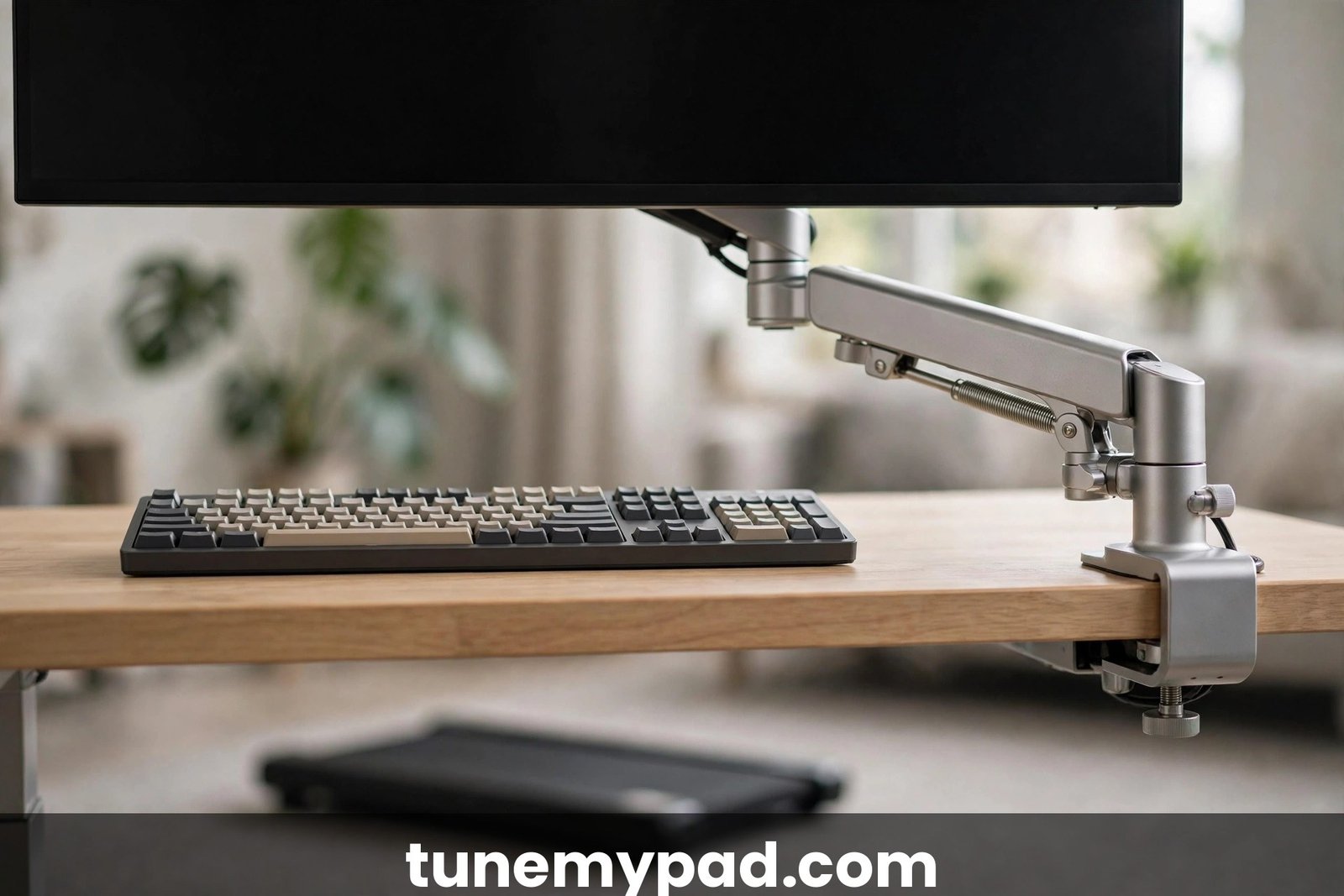
Assemble everything, then walk at 2 mph and watch your monitor. If the screen wobbles, the fix is usually tightening the desk frame, moving the monitor arm’s clamp to a sturdier point, or adding a cross-brace. A wobbling screen causes eye strain within days — fix it on setup day, not “later.” Our dual-monitor walking desk guide covers rigid mounting in depth. A rock-solid monitor is non-negotiable in how to set up a treadmill desk in a home office, since even slight wobble gets magnified while you walk.
Step 3: Set Your Desk Height for Walking
This is the step most people get wrong, and it’s the source of most treadmill-desk shoulder and neck pain. Nailing desk height is the highest-leverage part of how to set up a treadmill desk in a home office.
The elbow rule
Stand on the pad (powered off) in your walking posture. Your desk surface should put your elbows at roughly 90 degrees with your shoulders relaxed — not shrugged, not reaching down. For most adults between 5’4″ and 6’0″, that’s a desk height of roughly 40–46 inches, but bodies vary enough that you should measure, not guess. This 90-degree checkpoint is the single most important measurement in how to set up a treadmill desk in a home office without shoulder strain.
The walking-posture catch
Here’s what guides miss: your posture while walking is slightly different from standing still. Your arms swing subtly, your torso bobs a fraction of an inch, and you stand a touch taller. Set the desk height while marching in place on the pad, not while standing statue-still. The difference is usually half an inch to an inch — small, but it’s the difference between relaxed shoulders and an ache by 3 PM. This half-inch adjustment is the kind of fine detail that separates a decent attempt at how to set up a treadmill desk in a home office from a truly dialed-in one.
If you sit and walk at the same station
Program your electric desk’s memory presets: Position 1 for sitting, Position 2 for walking. Label them. The friction of manually finding the right height twice a day is enough to kill the habit within a month — presets remove it entirely. Saved presets make switching effortless, which is exactly what you want when learning how to set up a treadmill desk in a home office for both sitting and walking.
Step 4: Position Your Monitor (or Monitors)
Monitor placement makes or breaks the experience. The rules differ slightly from sitting ergonomics because your head bobs while walking. Monitor setup deserves extra attention in how to set up a treadmill desk in a home office, because your head moves slightly while you walk.
The core rules
- Top of screen at or slightly below eye level. While walking, err slightly lower than you would sitting — the bobbing means your eyes sweep across the screen, and a too-high monitor forces neck extension.
- 20–30 inches from your eyes (about arm’s length). Too close and the bobbing makes text swim; too far and you lean forward.
- Centered over the belt (as established in Step 2).
- Tilted back slightly (10–20 degrees) to face your slightly-downward gaze.
Bigger text, less strain
Increase your system text scaling to 125–150% for walking sessions. This single change eliminates most complaints about eye strain and blurry text on a walking pad desk. You’re trading a little screen real estate for a lot of comfort — a trade worth making.
Dual monitors
If you run two screens, angle them in a slight V with the primary monitor directly ahead and the secondary to your dominant-eye side. Keep both at the same height and distance. Avoid the trap of a far-flung secondary monitor that forces constant head-turning while walking — that’s a neck-pain machine.
Step 5: Keyboard, Mouse, and Input Ergonomics
Your hands are the precision instruments here; everything else serves them. Comfortable input ergonomics round out how to set up a treadmill desk in a home office for full workdays.
Keyboard position
Keyboard at elbow height (it sits on the desk, so Step 3 already handled this), close enough that your upper arms hang vertically. If you use a keyboard tray, make sure it’s rated for the slight vibration of the setup — cheap trays rattle.
Mouse vs. trackpad
Cursor control while walking is genuinely harder — your hand moves with your body. Practical tips: lower your pointer speed slightly, enable “enhance pointer precision,” and brace your mouse hand’s wrist on the desk. Many walkers prefer a trackpad centered in front of the keyboard (no reaching sideways) or a trackball (no arm movement at all). Our trackpad vs. mouse comparison goes deep on this choice.
The phone question
Mount your phone at eye level on an arm or stand rather than craning down at it on the desk. If you take calls while walking, a headset is essential — holding a phone to your ear while walking is the fastest route to neck pain in this entire guide.
Step 6: Power, Cables, and Safety
The unglamorous step that prevents the exciting problems (trips, unplugged monitors, fried equipment). Skipping cable safety is the most common regret in how to set up a treadmill desk in a home office — do it right on day one.
Power rules
- Pad → wall outlet, directly. No extension cords, no sharing a strip with your PC if the circuit is marginal.
- Desk + computer → separate strip is fine, ideally on a different outlet.
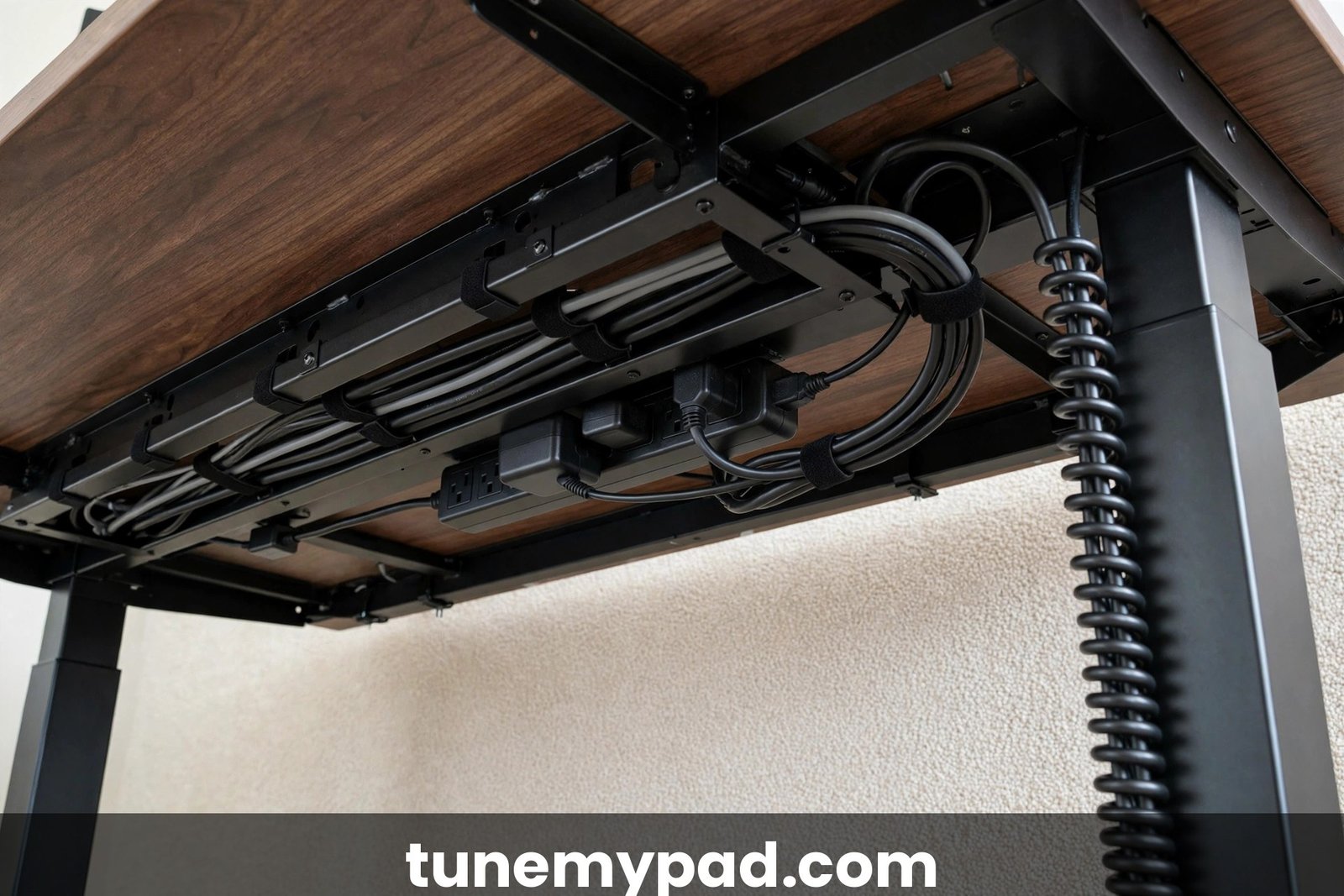
- Leave service loops: your height-adjustable desk moves up and down; cables need enough slack to travel with it without yanking. Cable chains or spiral wraps designed for standing desks handle this elegantly.
Cable routing
Route everything along the desk’s rear legs, secured with Velcro ties (not zip ties — you’ll re-route things in the first month). Nothing should cross the walking belt’s path, dangle near the motor housing, or lie on the floor where your feet go during mount/dismount. Our cable management safety guide has the full playbook with trip-proofing specifics. Clean cable routing is a hallmark of a well-planned approach to how to set up a treadmill desk in a home office.
The safety once-over
Before first use: confirm the safety key works (pull it — the belt should stop immediately), verify the emergency stop location by touch, check that the area behind the pad is clear, and confirm the pad sits flat with no rocking. The U.S. Consumer Product Safety Commission’s treadmill safety guidance (cpsc.gov) is worth a skim — most of it is common sense, but common sense is what setup day is for.
Step 7: Dial In Ergonomics Over the First Week
Setup day gets you 90% there. The last 10% comes from paying attention during week one. That first week of fine-tuning is where learning how to set up a treadmill desk in a home office turns into a setup that truly fits your body.
The daily 2-minute check
At the end of each walking day, ask: what aches? Neck → monitor too high or too far. Shoulders → desk too high. Lower back → desk too low or you’re leaning. Feet → see our footwear guidance; also consider an anti-fatigue mat beside the pad for standing breaks. Wrists → keyboard position or a wrist rest. Adjust one thing per day; changing everything at once makes it impossible to know what helped. This daily habit is what keeps your approach to how to set up a treadmill desk in a home office safe and pain-free for the long term — if aches persist, compare your posture against OSHA’s ergonomics guidance for neutral workstation positions.
Lighting and glare
Walking increases air movement around you, which is pleasant — but it also means you’re more aware of screen glare as your viewing angle shifts. Position the setup perpendicular to windows, not facing them or backed against them. A $15 monitor light bar or bias lighting strip reduces eye fatigue noticeably. Good lighting is an often-overlooked part of how to set up a treadmill desk in a home office comfortably.
Airflow and temperature
You’ll run warmer while walking. A small desk fan aimed at your torso is the highest comfort-per-dollar upgrade in the entire treadmill-desk world. Keep water within arm’s reach — dehydration sneaks up when you’re focused on work, not on the fact that you’re exercising. Staying cool is a comfort detail that matters more than most people expect when learning how to set up a treadmill desk in a home office.
Step 8: Build the Habit (the First Two Weeks)
The best setup in the world fails without a ramp-up plan. Here’s the one that works: A gradual ramp-up schedule is the final ingredient in how to set up a treadmill desk in a home office successfully.
Week 1: 30-minute blocks
Walk in 30-minute blocks, 2–3 times per day, at 1–1.5 mph. Do easy tasks while walking: email triage, reading, casual calls. Sit for deep-focus work. Total: 1–1.5 hours of walking daily. Expect mild foot and calf awareness — that’s adaptation, not injury. Starting gently is the smartest way to turn how to set up a treadmill desk in a home office from a project into a lasting habit — even easy walking pays off, as the Mayo Clinic’s walking guide explains.
Week 2: expand the walking tasks
Add 45–60 minute blocks. Start walking during moderately demanding work. Bump speed toward 2 mph if comfortable. Total: 2–3 hours daily. By day 10, most people report the setup feeling “normal” — the milestone where the habit becomes self-sustaining. Expanding gradually is how to set up a treadmill desk in a home office for the long haul without burnout or injury.
The task-matching principle
Not all work is walking work, especially at first. Walking-friendly: email, reading, brainstorming, routine calls, admin. Sitting-friendly (at first): precision design work, intense writing, high-stakes calls. Over months, the walking list grows as your coordination adapts. Forcing hard tasks too early creates frustration that gets blamed on the equipment. Matching tasks to walking time is the productivity secret of how to set up a treadmill desk in a home office effectively.
What to track
Note daily walking time and any discomfort for the first month. A simple spreadsheet or habit app works. The data does two things: it shows your progress (motivating), and it gives you evidence if you ever need to justify the setup — for instance, when figuring out how to convince your employer to allow a treadmill desk for office days. Tracking these basics closes the loop on how to set up a treadmill desk in a home office and keeps improving it.
The Pre-Setup Shopping Checklist
If you’re still buying components, this checklist prevents the most common “wrong part” regrets — a key consideration when you learn how to set up a treadmill desk in a home office:
- Walking pad: belt at least 16 inches wide for comfortable work-walking; weight capacity 20+ lbs above your body weight; max speed 3+ mph (you’ll use 1–2, but headroom matters).
- Desk: electric height-adjustable, with at least 3 memory presets and a weight rating that covers desk surface + monitors + accessories.
- Monitor arm(s): single heavy-duty arm or dual-arm setup, clamped to the desk’s sturdiest point — never to a thin edge.
- Mat: dense PVC or rubber equipment mat, sized to the pad plus a margin.
- Cables: one Velcro tie multipack, one under-desk cable tray, and a cable spine/chain if your desk moves a lot.
- Fan: small USB or clip-on desk fan. Buy it now; you’ll want it by day three.
- Shoes: dedicated flat walking shoes that live at the station.
Buying these together on setup day beats five separate “oh, I need that” orders over the first month — each missing piece is a day of suboptimal ergonomics. When you plan how to set up a treadmill desk in a home office, getting everything at once saves time and frustration.
Common Setup Mistakes to Avoid
- Desk too high — the #1 cause of shoulder pain. When in doubt, lower it half an inch.
- Monitor too far — causes forward lean and neck strain. Arm’s length, no more.
- Skipping the mat — on hard floors, vibration and noise; on carpet, instability. A mat fixes both.
- Cables across the floor — a trip hazard you’ll eventually trip on. Route everything on day one.
- No walking shoes — dress shoes or bare feet on day one lead to sore feet by day three. Keep walking shoes at the desk.
- Starting with 4-hour days — enthusiasm injury (sore feet, tight calves) kills more setups than bad ergonomics. Ramp up.
- Facing the wrong way — pad facing into the room with clearance behind beats pad facing a wall.
FAQ
How much space do I need for a treadmill desk in a home office?
The workstation itself needs roughly 6 × 4 feet: the desk footprint plus the pad plus safety clearance behind it. A spare bedroom corner, a large closet conversion, or a section of living room all work. Measure your actual pad and desk — don’t trust “it’ll fit” — and remember the 2-foot clear zone behind the belt. When planning how to set up a treadmill desk in a home office, sketch the footprint on paper first — it prevents the most common space surprises.
Can I use my existing desk as a treadmill desk?
If it’s height-adjustable (or happens to sit at your walking elbow height), yes. If it’s a fixed-height sitting desk (~29–30 inches), no — you’d need a tall riser, which creates instability. Most people end up buying a height-adjustable frame; it’s the single most impactful purchase in the setup. Anyone researching how to set up a treadmill desk in a home office should check the desk’s height range before buying anything else.
Should the treadmill desk face a window?
Perpendicular to windows is best. Facing a window causes glare on your screen; facing away puts your shadow on the screen and leaves you staring at a wall. Side-on to the window gives natural light without glare — and a view to enjoy while you walk. Getting light placement right is one of the easiest wins when learning how to set up a treadmill desk in a home office.
Do I need a special mat under the walking pad?
Strongly recommended. A dense equipment mat reduces noise and vibration (your downstairs neighbors will thank you), protects hard floors from scratches, stabilizes the pad on carpet, and catches sweat and dust. It’s a $30–$50 upgrade that improves everything. If you’re figuring out how to set up a treadmill desk in a home office on a budget, the mat is the first accessory to buy.
How long does setup actually take?
Physical assembly: 1–2 hours for the desk and pad. Ergonomic dialing-in: spread over the first week. Habit formation: two weeks of ramp-up. Budget one focused afternoon for the build and a week of attention for the fine-tuning. That’s the realistic timeline for how to set up a treadmill desk in a home office without rushing the important details.
Conclusion
How to set up a treadmill desk in a home office is really about removing friction: the right spot near an outlet, the pad centered under your monitor, desk height tuned while marching in place, screen at a walking-friendly distance with bigger text, cables routed safely on day one, and a two-week ramp-up that respects your body’s adaptation curve. Do the unglamorous steps carefully — power, cables, alignment — and the glamorous part (walking while you work, feeling great at 5 PM) takes care of itself. Once you understand how to set up a treadmill desk in a home office, the whole project fits into a single focused afternoon.