
If you want to sync walking pad with Strava, here is the honest truth most guides dance around: there is no magic button for it. Walking pad brand apps like KS Fit, the WalkingPad app, PitPat, and the generic white-label apps that ship with budget pads simply do not pair with Strava. So how are thousands of people logging every indoor walk on Strava? They are all using workarounds — several genuinely easy, a few minutes to set up once, then running quietly in the background every time you step on the belt. Whether you walk during work calls, binge shows at 3 km/h, or grind out a daily step goal, this guide covers six proven methods to sync walking pad with Strava and log every walk, from the dead simple to the delightfully nerdy.
Set expectations first: no method draws a GPS map of your living room, because indoor pad walks have no GPS and Strava records them as distance and time based Walk activities — that is completely normal. What you get is a clean log of every session — date, duration, distance, estimated calories — feeding your weekly totals. To sync walking pad with Strava successfully, pick the method matching the gear you own, set it up once, and let it run. Below: a quick-answer table, the key takeaways, a side-by-side comparison of all six methods, then full step-by-step details.
Table of Contents
Quick Answer: Can You Sync a Walking Pad with Strava?
In a hurry? Here is the 30-second version of every way to sync walking pad with Strava.
| Question | Answer |
|---|---|
| Is there a direct way to sync walking pad with Strava? | No. No walking pad brand app connects to Strava natively. Every working method below is a bridge, a workaround, or a manual step. |
| What is the easiest method? | Open the Strava app on your phone, tap Record, choose “Walk,” and start walking. Stop and save when you step off. It takes seconds and needs zero setup. |
| Can my smartwatch sync pad walks automatically? | Yes. Record the walk on an Apple Watch, Garmin, Pixel Watch, or Fitbit device and the workout flows into Strava through Strava’s health integrations. Set it up once and every pad walk logs itself. |
| Can I add walks I already finished? | Yes. Enter them manually in Strava or upload an activity file. You will need the date, duration, and distance from your pad’s display or app history. |
| Will Strava show a map for walking pad sessions? | No. Indoor walks have no GPS, so Strava saves them as distance and time based Walk activities. That is expected and does not hurt your stats. |

Key Takeaways: Sync Walking Pad with Strava Without the Hassle
- No walking pad app connects to Strava directly, so every reliable way to sync walking pad with Strava is a bridge method or a manual step.
- Recording a “Walk” in the Strava app itself is the fastest, most dependable way to sync walking pad with Strava — no watch, no extra apps, no accounts to link.
- A smartwatch is the best automatic option: Apple Watch workouts sync through the Strava iPhone app’s Health connection, while Android watches and Garmin devices flow in through Health Connect.
- Fitbit users go through Google Health now: the Fitbit app was replaced by the Google Health app on May 19, 2026, and Fitbit hardware data now flows via Google Health and Health Connect into Strava.
- Pick ONE source of truth for distance and calories — your pad, your watch, or the app — and set exactly one writer per metric to avoid duplicate activities.
- Indoor walks show no map in Strava, only distance and time. That is normal for treadmill style activities and your totals still count.
Sync Walking Pad with Strava: The 6 Methods Compared
Here is how the six ways to sync walking pad with Strava stack up at a glance, so you can jump straight to the one that fits your setup.
| Method | Setup difficulty | What syncs | Best for |
|---|---|---|---|
| 1. Record in the Strava app | None | Distance, time, estimated calories; heart rate if a sensor is paired | Anyone who wants it to just work |
| 2. Smartwatch bridge | Easy, about 10 minutes | Full workout: distance, time, heart rate, cadence | Watch owners who want full automation |
| 3. Google Health Connect (Android) | Easy | Workouts and activity recorded by connected apps | Android users, with or without a watch |
| 4. Fitbit / Google Health route | Easy | Workouts and daily activity from Fitbit hardware | Current or former Fitbit users |
| 5. Third-party bridges & desktop DIY | Medium to technical | Varies; the walkingpad_desktop project posts daily Walk summaries via the Strava API | Tinkerers who want everything automatic |
| 6. Manual logging / file upload | None | Whatever you type in: date, duration, distance | Backfilling old walks |
Method 1: Record the Walk Directly in the Strava App
This is the simplest way to sync walking pad with Strava, and honestly the one most people should start with. Open the Strava app on your phone, tap the Record button, select “Walk” as the activity type, and press Start when you step onto the belt. Walk as usual. When you are done, stop the recording, give the activity a title if you like, and save it. That is the entire method — no accounts to link, no permissions to grant, no troubleshooting.
Because the phone records the session itself, distance comes from the phone’s motion sensors rather than the pad’s belt, so the number may differ slightly from the pad’s display — fine, as long as you stay consistent about which number you trust (see the accuracy section below). Pair a Bluetooth heart rate strap and you will get heart rate data on the activity too.
The only real downside is that you have to remember to start and stop the recording. A good habit is to make it part of your pad ritual: remote in hand, Strava recording started, then walk. It becomes automatic within a week. Many people who sync walking pad with Strava daily stick with this method for years because there is simply nothing to break. It also works perfectly if you prefer to use your walking pad without the brand app at all, since Strava does not care which app — if any — your pad is paired with.
Method 2: Use a Smartwatch as the Bridge
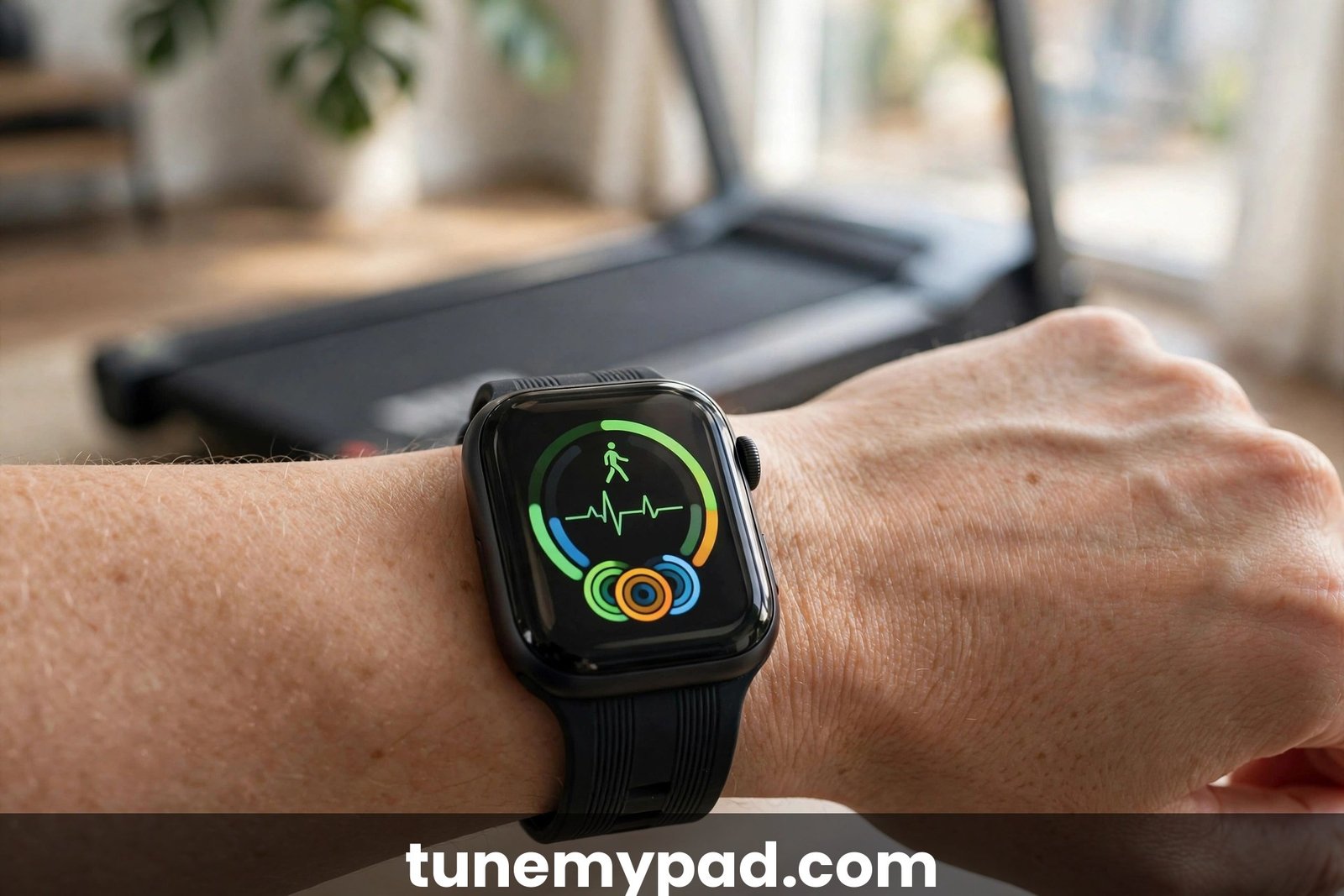
If you own a smartwatch, this is the most “set it and forget it” way to sync walking pad with Strava. Record an indoor walk workout on the watch itself and the finished workout passes to Strava automatically — with richer data too: heart rate from your wrist, and often cadence, which a phone recording does not capture as reliably.
On the Apple Watch, the path runs through Apple Health. Record an Indoor Walk workout on the watch, then allow the Strava iPhone app to read it: in Strava go to the You tab, then settings, then Manage apps and devices, then Health, and turn on Automatic uploads. Once that is on, every pad walk will sync walking pad with Strava data to your feed without a single extra tap.
On Android, Strava connects directly to Health Connect. Any workout recorded by a compatible watch or app that writes to Health Connect flows into Strava once you grant read permission — a one-time setup, after which your pad walks sync themselves.
One caution for every bridge method: pick a single recorder per walk. Recording on both watch and phone “just in case” gives Strava two activities and you get duplicates. Once you sync walking pad with Strava through one clean path, duplicates stop for good.
Method 3: Route Through Google Health Connect on Android
Health Connect is the quiet plumbing behind several of these methods on Android, and you can use it even without a smartwatch. If any app on your phone logs a walk and shares it with Health Connect, Strava can pick it up once you connect Strava to Health Connect and grant workout read permission — another fully automatic way to sync walking pad with Strava.
To set it up, open Health Connect on your Android phone, check which apps are writing workout or steps data into it, then connect Strava to Health Connect and allow it to read the data types you want synced. From then on, record the walk in whatever app you like and Strava imports the result.
For Android owners, this hub-and-spoke setup is one of the most reliable ways to sync walking pad with Strava without ever opening the Strava app. Just remember the golden rule from the accuracy section: exactly one writer per metric, or you will see doubles.
Method 4: The Fitbit and Google Health Route
Fitbit owners get their own path, and it changed recently. The Fitbit app was replaced by the Google Health app on May 19, 2026 — confirmed by reporting from outlets like Digital Trends and TechRepublic. Your Fitbit hardware data did not disappear; it now lives in Google Health, which reads from Health Connect, the same hub Strava connects to.
In practice the chain looks like this: record an indoor walk on your Fitbit device or let it auto-detect the activity, the data lands in Google Health, Google Health shares it with Health Connect, and Strava imports the finished workout. Set the permissions once across those links and every pad walk travels the chain on its own.
That four-link chain is currently the only supported way to sync walking pad with Strava from Fitbit hardware. If you previously used older Fitbit-to-Strava integrations or third-party Fitbit sync tools, re-verify each link the first time and confirm one test walk appears in Strava before you trust it. For more on pairing these ecosystems, see our guide on how to connect a walking pad to Fitbit.
Method 5: Third-Party Bridge Apps and the Desktop DIY Option
For Android users who want more control, there is a category of third-party bridge apps — the “Health Sync” style utilities — that push Health Connect data onward to Strava with finer control than the default connections offer. Useful when the direct Strava-to-Health Connect link misses a data type you care about. Setup is fiddlier than the methods above, so treat this as the power-user lane — but if the built-in connections cannot sync walking pad with Strava the way you want, this is the lane to explore.
Then there is the delightfully nerdy option for the technically comfortable: walkingpad_desktop, an open-source project that talks to your walking pad from a desktop and posts daily Walk summaries to Strava through the official Strava API using OAuth2 — no phone recording or watch in the loop at all. It is a technical DIY project, not a polished consumer app, but if you like tinkering, it is the closest thing to a true automatic sync walking pad with Strava pipeline that exists today.
One caution: bridges and DIY tools act with your Strava credentials or API tokens, so only use projects you trust, keep tokens private, test with a single walk first, and make sure only one system writes each walk to Strava.
Method 6: Log It Manually or Upload a File
Never underestimate the manual method. To sync walking pad with Strava for walks you already finished — or if you simply do not want any integrations running — open Strava, add a manual activity, choose “Walk,” and type in the date, start time, duration, and distance from your pad’s display or app history. Under a minute per walk, 100 percent reliable, and perfect for backfilling a forgotten week.
If you have an activity file exported from another app or device, upload it directly at strava.com/upload/select instead of typing everything by hand. For the official how-to on recording and syncing, bookmark Strava’s own support hub: support.strava.com record and sync section.
Manual logging also doubles as your safety net for every other method. If a bridge hiccups and a walk goes missing, filling the gap by hand takes less time than debugging the sync — and your streaks stay intact.
What Data Actually Transfers to Strava
Regardless of method, it helps to know what a walking pad walk looks like once it lands in Strava. Every method delivers the basics: date and start time, duration, and distance. Most also attach an estimated calorie figure, though whether it comes from Strava’s own estimate, your watch, or the pad app depends on the chain you used. No matter how you sync walking pad with Strava, these core fields are what you can count on every time.
Heart rate transfers when the recording device captured it — a smartwatch bridge gives you rich HR graphs, while a bare phone recording only does if you paired a sensor. Cadence sometimes comes through from watches. What never transfers is a GPS route: indoor pad walks have no GPS, and Strava records them as distance and time based Walk activities with no map. That is not a failed sync; it is exactly how indoor treadmill-style activities should look, and the distance still counts toward challenges and yearly totals.
Accuracy: Why Your Pad, Watch, and App Never Agree
Here is the number-one source of confusion for people who sync walking pad with Strava: the pad’s display says 3.2 km, the watch says 3.0 km, and Strava says something slightly different again. All three can be “right” by their own method — the pad counts belt rotations while watches and phones estimate from motion sensors. Small disagreements are inevitable, not a sign that anything is broken.
Everyone who learns to sync walking pad with Strava eventually learns this lesson: consistency beats precision, so stop chasing perfect agreement and pick one source of truth instead. Decide up front: is the pad’s display the official distance, or is the watch? Then make sure only that source writes the activity to Strava, and treat the other numbers as interesting but unofficial. This single decision eliminates most of the head-scratching, and it is also the key to avoiding duplicates, as the troubleshooting section explains. If calorie numbers are the part that bothers you, our breakdown of whether walking pad calorie counts are accurate digs into why those estimates swing so much between devices.
Practical tip: keep your inputs honest. Enter your weight correctly in the apps involved, since calorie estimates lean heavily on it, and if your pad allows speed calibration, run it — a belt that thinks it is moving faster than it is inflates every distance you log.

Troubleshooting: Duplicate Activities and Missing Walks
Almost every sync walking pad with Strava headache falls into one of two buckets: the same walk appears twice, or a walk never appears at all. Both are fixable in minutes once you know where to look.
Fixing Duplicate Activities
Duplicates happen when two systems each record the same walk and both deliver it to Strava — say, the watch and the phone app, or Health Connect plus a bridge app pushing the same workout. The prevention rule is simple: exactly one writer per metric. One device records, one path delivers, everything else stays out of the chain. To clean up existing doubles, delete the version you do not want to keep in Strava (usually the one with less data), then switch off the redundant path in Strava’s connected apps, Health Connect permissions, or bridge app settings so it stops happening.
Fixing Missing Walks
When a walk does not show up, work backward along the chain. First confirm it was recorded at the source: is it in the watch’s workout history, the pad app’s history, or Health Connect’s data? If it is missing there, the problem is the recording step, not the sync. If it exists at the source but not in Strava, check the link: on iPhone, verify Automatic uploads is still on under You tab → settings → Manage apps and devices → Health; on Android, verify Strava still has workout read permission in Health Connect. Re-linking fixes most cases — and bridge syncs can lag by minutes or hours, so allow some time. Still missing after all that? Fall back to Method 6 and log it manually so your records stay complete.
What Does NOT Work
A quick reality check to save you time. There is no direct pairing between walking pad brand apps and Strava — KS Fit, the WalkingPad app, PitPat, and budget white-label apps have no Strava integration, and no settings toggle will conjure one. You cannot pair the pad itself to Strava over Bluetooth as a sensor either. And no method will produce a GPS map of an indoor walk. Anyone promising a one-tap direct sync walking pad with Strava feature is selling something that does not exist; stick to the six real methods above and you will always have a working way to sync walking pad with Strava.
Frequently Asked Questions
Does Strava connect directly to a WalkingPad?
No. There is no native direct integration between any walking pad brand app and Strava. To sync walking pad with Strava you need one of the workaround methods in this guide: record in the Strava app, use a smartwatch bridge, route through Health Connect or Google Health, use a third-party bridge, or log walks manually.
Do I need a smartwatch to sync walking pad with Strava?
No. A smartwatch makes it automatic, but the simplest way to sync walking pad with Strava needs no watch at all: just open Strava on your phone, record a “Walk” while you are on the pad, and save it when you finish. Manual logging works without any wearable too.
Why is there no map on my walking pad activity in Strava?
Because indoor walks have no GPS signal. Strava records pad sessions as distance and time based Walk activities, and the absence of a map is completely normal — it does not mean your sync walking pad with Strava setup failed, and the activity still counts toward your totals.
Will syncing walking pad walks affect my Strava stats or segments?
Your walks count toward weekly distance, yearly totals, and relative effort like any other Walk activity. Since there is no GPS, they simply will not appear on segments or leaderboards, which is the same behavior as any treadmill activity. So sync walking pad with Strava freely — your indoor miles build your totals just like outdoor ones.
Can I sync old walking pad workouts to Strava?
Yes. Use the manual method: add each past walk in Strava with its date, duration, and distance from your pad’s display or app history, or upload exported activity files at Strava’s upload page. Backfilling by hand is the most reliable way to sync walking pad with Strava history from before you set up an automatic method.
Why do my distances differ between the pad, my watch, and Strava?
Each device measures differently — the pad counts belt rotations while watches and phones estimate from motion sensors — so small differences are normal. Pick one source of truth, let only that source write to Strava, and set exactly one writer per metric to avoid duplicates.
Final Word: Pick One Method and Log Every Walk
You now have six legitimate ways to sync walking pad with Strava, and the right choice comes down to the gear you already own. No watch and no patience for setup? Record in the Strava app. Own a smartwatch? Let the bridge do it automatically. On Android? Health Connect is your hub. Coming from Fitbit? The Google Health route has you covered. Love to tinker? The desktop DIY project is waiting. Behind on logging? Manual entry fixes everything in minutes. Set it up once, keep exactly one writer per metric, and your chosen way to sync walking pad with Strava will log every walk cleanly — no duplicates, no missing sessions.