
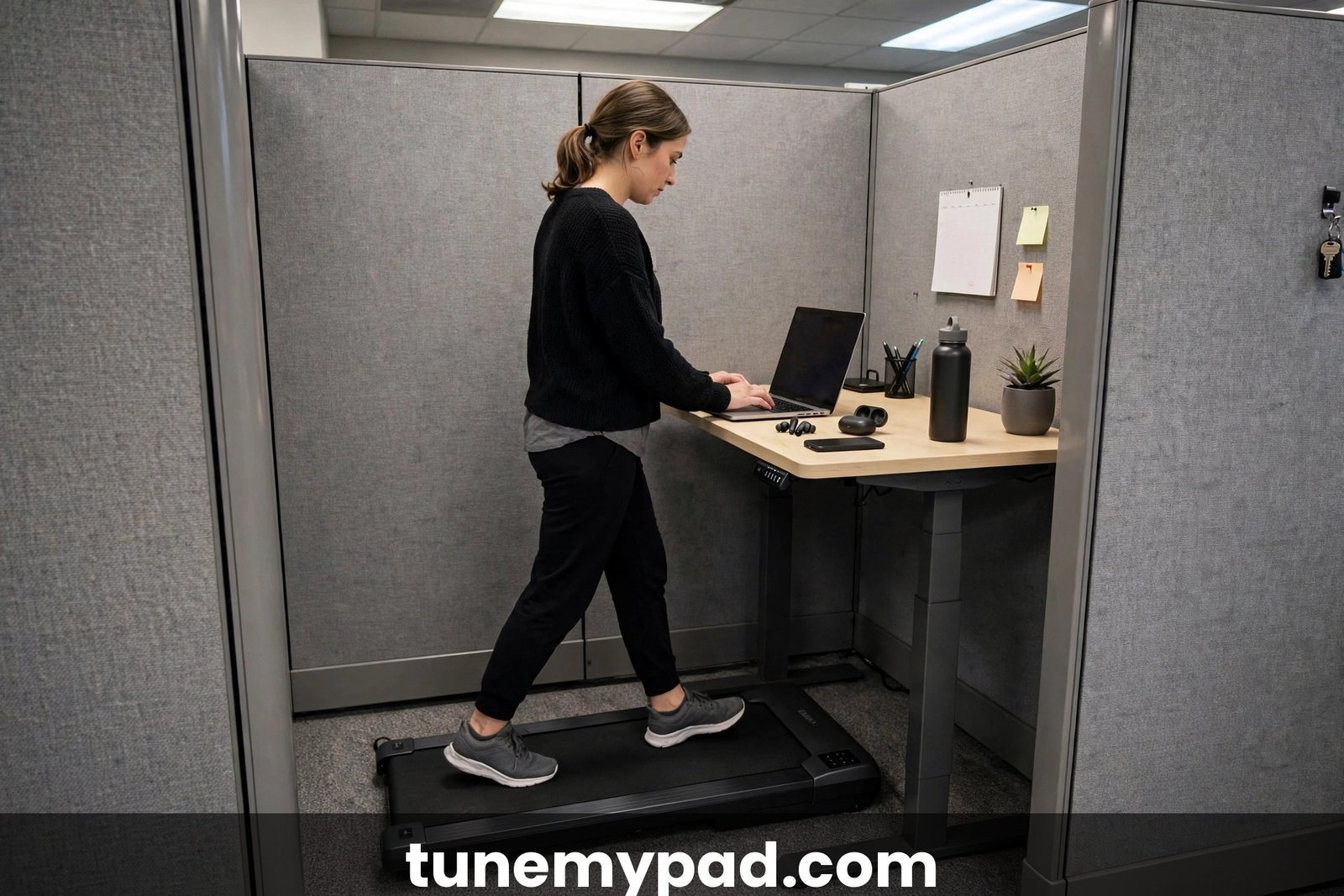
A treadmill desk setup in a small cubicle sounds like a contradiction — cubicles are already cramped, and now you want to add exercise equipment? But a walking pad is only about two feet wide and under five inches tall, which means the average cubicle can absolutely fit one. The trick isn’t buying the pad; it’s planning the layout so the pad, the desk, your chair, and your legs all coexist without daily frustration. This guide walks through the full setup: measuring your cubicle, choosing the right pad and desk, nailing monitor and keyboard height, managing cables, and making the whole thing office-acceptable.
Done right, a cubicle treadmill desk disappears into your workday. Done wrong, you’re tripping over cords, bumping your knees, and annoying the coworker next door. The difference is almost entirely in the planning — which is exactly what this guide is for.
Table of Contents
Quick Answer: Treadmill Desk Setup in a Small Cubicle
| Question | Answer |
|---|---|
| Can you fit a treadmill desk setup in a small cubicle? | Usually yes. A walking pad (~20″ wide, ~48″ long, under 5″ tall) fits standard cubicles, which are typically 5–6 feet across. |
| What are the minimum cubicle dimensions? | About 48″ of clear floor depth for the pad plus room to step on and off safely — roughly 6 feet of depth is comfortable. |
| Walking pad or full treadmill? | A flat, handle-free walking pad. Full treadmills with handrails are too wide and tall for cubicle life. |
| Desk height while walking? | Elbows at roughly 90 degrees, wrists straight — typically 40–46″ for most people, adjusted to your height. |
| What annoys coworkers most? | Noise and belt slap, taking calls while walking, and clutter spilling into shared space — all addressed below. |
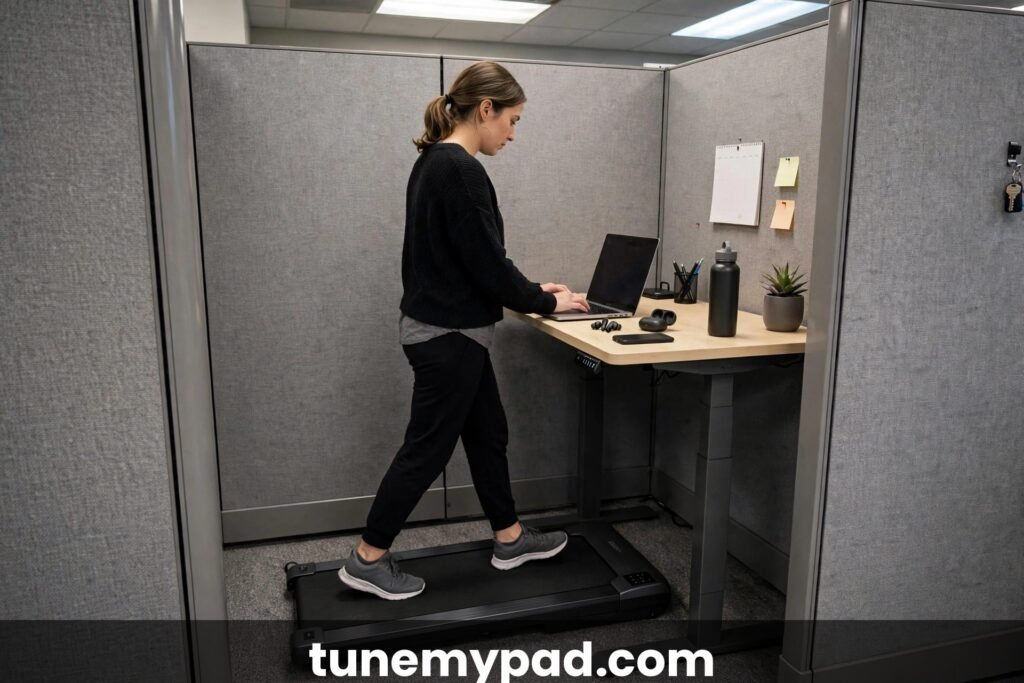
Key Takeaways: Treadmill Desk Setup in a Small Cubicle
- A treadmill desk setup in a small cubicle fits most 5×5 ft and larger cubicles — measure your actual clear floor before buying.
- Get written facilities approval before a treadmill desk setup in a small cubicle costs you $400 on a pad you cannot use.
- For a treadmill desk setup in a small cubicle, choose a flat, handle-free, quiet pad with transport wheels.
- The “treadmill desk setup in a small cubicle” that succeeds is 90% planning: desk height, cable routing, noise control, and neighbor goodwill.
- A “treadmill desk setup in a small cubicle” trial of two weeks answers every question better than any guide.
- Budget “treadmill desk setup in a small cubicle” builds around the pad: mat, cable clips, and risers cost under $50 extra.
Step 1: Measure Your Cubicle Before Buying Anything
This is where most cubicle treadmill desk projects succeed or fail. Grab a tape measure and check four numbers:
Floor footprint. Standard cubicles run 5×5, 6×6, or 6×8 feet, but yours may be smaller — measure the actual clear floor area, not the brochure number. A typical walking pad needs about 48 inches long by 20 inches wide, plus 12 to 18 inches of clearance in front for safe mounting and dismounting.
Desk clearance. Slide-under height is critical. Most walking pads are 4 to 6 inches tall; your desk’s crossbar, modesty panel, or lowest support must clear that with the pad underneath. Sit-to-stand desks are ideal; a fixed desk on risers can work if the surface lands at your walking elbow height.
Cubicle entry and panel swing. Can you still get in and out without climbing over the pad? In a 5-foot cubicle, the pad may occupy the whole walking lane — plan your entry path now, not on delivery day.
Outlet location. You’ll need a grounded outlet within the pad’s cord reach (typically 4–6 feet). Know which outlet it is and what’s already on that circuit before you commit.
If your cubicle is under 5 feet in either direction, pause and reconsider — cramming a pad into a space where you can’t step off safely is a fall waiting to happen. Comfort and safety beat determination.
Step 2: Pick a Cubicle-Friendly Walking Pad
Not every walking pad suits cubicle life. Prioritize these traits:
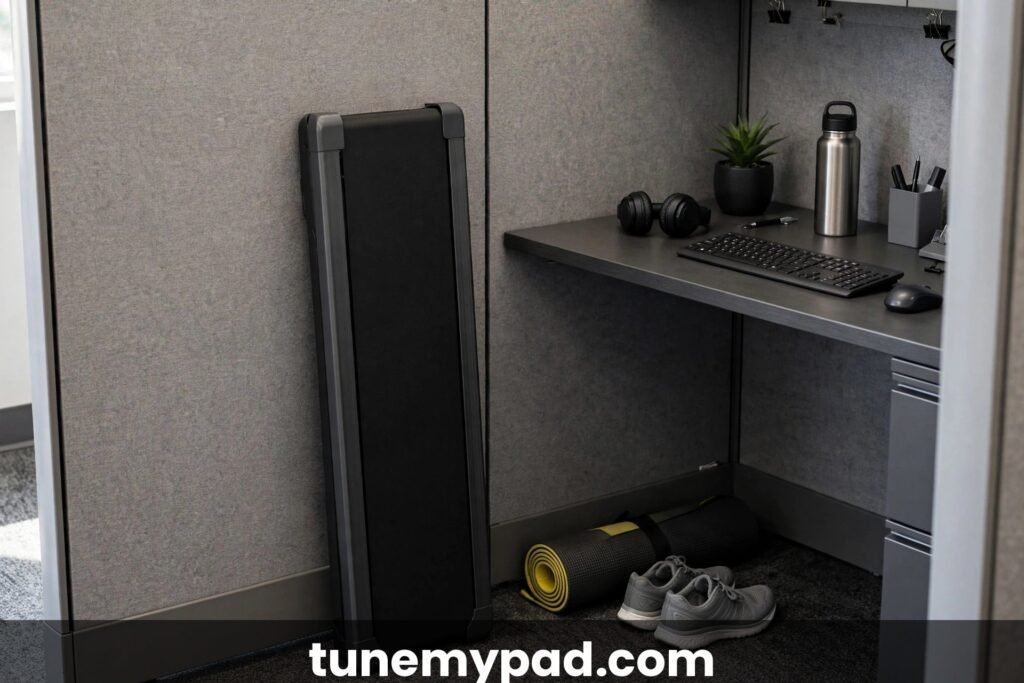
Flat and handle-free. Skip 2-in-1 models with folding handrails — the folded mechanism adds thickness and catches on desk legs. A pure under-desk slab slides under any desk and stores upright against the cubicle wall in seconds.
Quiet motor. Office etiquette starts with hardware. Look for pads rated under 60 decibels (most list this), and read reviews specifically mentioning office use. A pad that’s fine in a house can be a nuisance through a thin cubicle partition.
Short and narrow belt. A 40–45 inch belt is plenty for walking at 1–2 mph and saves precious floor length. Don’t pay for jogging length you’ll never use in a cubicle.
Remote control and auto-pause. You’ll adjust speed without looking down at your feet, and auto-pause (belt stops when you step off) is a genuine safety feature in tight quarters.
Weight and wheels. You’ll slide this pad out to sit, and slide it back to walk. Built-in transport wheels and a weight under 60 pounds make that a one-hand job instead of a daily wrestling match.
Before you commit to any model, run through our list of walking pad desk mistakes beginners make — most cubicle frustrations (wrong desk height, no mat, cord chaos) are on that list.
Step 3: Choose the Desk: Standing, Fixed, or Converter
Your desk choice shapes the whole setup. Three paths work in cubicles:
| Desk type | Pros | Cons | Best for |
|---|---|---|---|
| Sit-to-stand desk | Perfect walking/sitting height switch; clean look | Costs more; check cubicle power and policy | Long-term daily walkers |
| Fixed desk + risers | Cheap; keeps your existing desk | Height is a compromise; risers can wobble | Testing the concept |
| Desk converter (desktop riser) | Keeps the cubicle desk; portable | Small work surface; keyboard tray often too narrow | Temporary or borrowed setups |
The sit-to-stand desk is the clear winner for a permanent treadmill desk setup in a small cubicle. Program two height presets — sitting and walking — and switching takes five seconds. If facilities won’t approve furniture changes, a sturdy desktop converter gets you 80% of the benefit for a fraction of the hassle.
Whatever you choose, verify the lowest position clears the pad. Measure twice, assemble once.
Step 4: Dial In Ergonomics — Height, Monitor, Keyboard
Walking ergonomics differ slightly from sitting, and cubicles punish bad setups fast. Follow these targets:
Desk height. Stand on the pad at your walking speed, relax your shoulders, and set the surface so your elbows rest at roughly 90 degrees with wrists straight. For most people that’s 40–46 inches, but your height decides — don’t copy a number from the internet.
Monitor height and distance. The top of the screen should sit at or just below eye level, about an arm’s length away. Walking adds slight head bob, so a monitor that’s perfect while sitting may need to come up an inch or two. A monitor arm — clamped to the desk, not the cubicle wall — makes this adjustable in seconds.
Keyboard and mouse. Keep them close, wrists straight and floating (not resting on a hard edge). A keyboard tray with a slight negative tilt is worth its weight in gold for walking sessions. If typing accuracy drops badly at speed, slow the belt before blaming the keyboard.
Anti-fatigue mat. Place it on the pad? No — place it next to the pad for the hours you’re standing or transitioning. Standing on a hard office floor between walking sessions fatigues fast.
Chair storage. Your chair has to go somewhere while you walk. Push it fully under the desk if it fits, or park it against the cubicle wall. If neither works, a stool that tucks under the desk replaces the chair entirely — and saves serious floor space.
These targets follow the same neutral-posture principles in OSHA’s workstation guidance — head balanced, shoulders relaxed, wrists straight, feet supported.
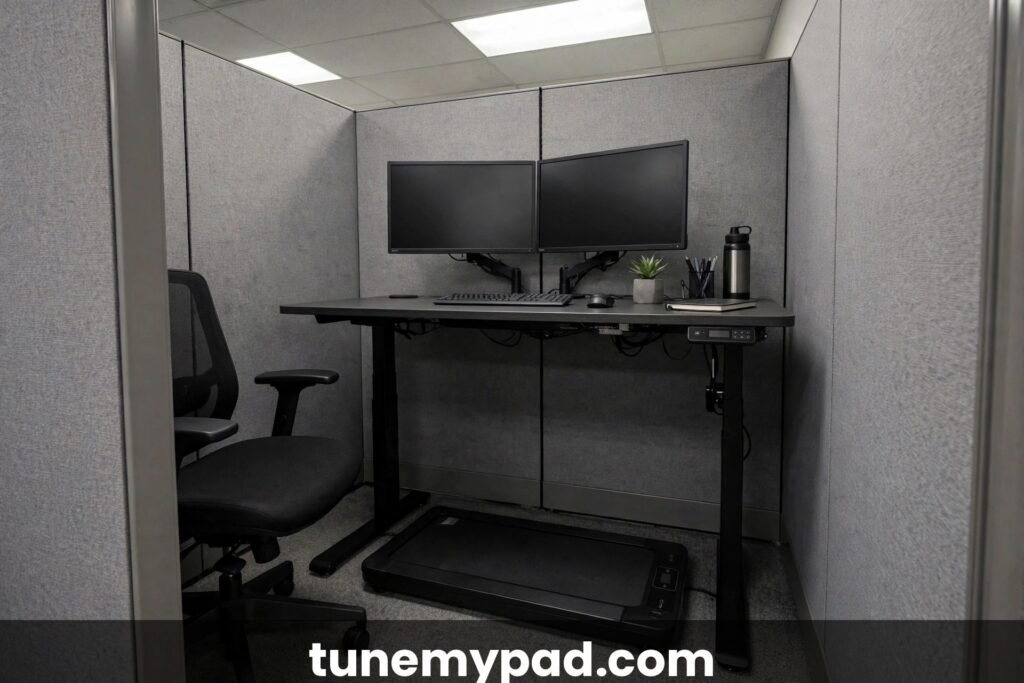
Step 5: Tame Cables and Power
A treadmill desk setup in a small cubicle lives or dies by cable management. A spaghetti of cords under your feet is both a trip hazard and a fast track to facilities asking you to remove the whole thing.
- Plug the pad into the wall, not a power strip — one short, heavy-duty run, fully uncoiled. (The full rules are in our extension-cord guide.)
- Route the pad’s cord along the cubicle base, secured with adhesive cable clips, so it never crosses your step-on path.
- Use a single cable tray or spine under the desk for monitor, laptop dock, and charger cables. One bundle, clipped up and out of the way.
- Keep a small power strip on the desk surface for laptop and phone — off the floor entirely, where it can’t be kicked or crushed.
- Label your cables. When IT or facilities needs to move something, labeled cables save everyone a headache — and make you look like the responsible one.
Plan the power layout before the pad arrives. Moving a live treadmill desk to reroute a cable is nobody’s idea of fun.
Step 6: Control Noise and Vibration
In a small cubicle, you’re separated from your neighbors by fabric and hope. Noise control is part equipment, part habit:
Equipment side. A dense equipment mat under the pad cuts both vibration transfer through the floor and belt noise dramatically — it’s the single best noise investment. Keep the belt clean and lubricated; a dry belt is a loud belt. Walk in flat, soft-soled shoes or socks, never hard heels or boots.
Habit side. Keep speeds at 1.5–2 mph for work — faster speeds mean heavier footfalls. If your floor is raised or hollow, test at the quietest hours first and ask the downstairs neighbor (if any) what they hear. And when a call starts, step off the pad. Walking while talking on speakerphone is the fastest way to turn coworkers against the whole project.
Step 7: Set Your Walk/Sit Rhythm
Nobody walks eight hours on day one — and in a cubicle, you shouldn’t try. Build up:
- Week 1: Two 20-minute walking blocks, morning and afternoon, at 1.0–1.5 mph.
- Week 2–3: Extend to 30–45 minute blocks; add a third if energy allows.
- Week 4+: Most cubicle walkers settle at 2–4 hours of walking split across the day, sitting for focused work.
The golden rule: walk during email, reading, and casual calls; sit for deep writing, spreadsheets, and anything requiring precision mouse work. Match the activity to the posture and your output won’t suffer — many people find it improves. If you start sweating, you’re going too fast for office work — our guide on how to avoid sweating at a treadmill desk keeps it professional.
Step 8: Make It Office-Acceptable
The best treadmill desk setup in a small cubicle is one nobody has to think about. A few social investments pay off enormously:
- Tell your neighbors before day one. A 30-second heads-up (“I’m trying a walking pad — tell me if you hear anything”) buys enormous goodwill.
- Keep your footprint inside your cubicle. Nothing — not the pad’s corner, not your bag, not the mat — extends past your panels.
- Check policy first. Some offices restrict personal electrical equipment or require facilities approval. A quick email beats a confiscation.
- Keep it tidy. A walking pad shoved against the wall with cables everywhere reads as clutter. Stored upright, mat rolled, cables clipped — it reads as a setup.
Pair the physical setup with the human one: many walkers report better focus once the rhythm clicks — see what users say about a walking pad for ADHD focus while working.
Step 0: Get Approval Before You Spend a Dollar
Every treadmill desk setup in a small cubicle guide should start here, because the fastest way to waste $400 is buying a pad your office won’t allow. Before you order anything:
Read the written policy. Look for rules about personal electrical equipment, space heaters, and “appliances” — walking pads usually fall under the same clause. If the policy bans space heaters for fire risk, a walking pad (far lower draw, no heating element) is often treated differently — but get that distinction confirmed, not assumed.
Email facilities, not just your manager. Your manager can say yes; facilities can say no louder. A short email works: “I’m considering a low-power walking pad (under-desk treadmill, ~700W max, with a floor mat) for my cubicle — any policy concerns or approval process?” Their written reply is your shield if anyone objects later.
Frame it as ergonomics, not fitness. “Doctor-recommended movement breaks for back pain” lands better with HR than “I want to exercise at work.” If you have any documented musculoskeletal issues, mention them — reasonable accommodation processes exist for exactly this.
Ask about outlet and circuit rules. Some offices require personal equipment on specific circuits or forbid anything but the issued hardware. Knowing this before you plan a treadmill desk setup in a small cubicle saves a redesign.
Approval in hand, everything below gets easier — including the neighbor conversations in Step 8.
The bottom line: A treadmill desk setup in a small cubicle starts with written approval — ten minutes of email protects a $400 investment, and “treadmill desk setup in a small cubicle” goes smoother when facilities is an ally, not an obstacle.
Matching Walking Pad Size to Your Cubicle Size
Not all “small cubicles” are the same, and pad dimensions matter more here than anywhere. Use this table before you buy:
| Cubicle size | Usable floor (approx.) | Pad size that fits | Comfort verdict |
|---|---|---|---|
| 5 × 5 ft | ~25 sq ft | 48″ × 20″ slim pad | Tight — step-off space is minimal; only for committed minimalists |
| 6 × 6 ft | ~36 sq ft | 48–51″ × 20–22″ standard pad | Comfortable — the sweet spot for a treadmill desk setup in a small cubicle |
| 6 × 8 ft | ~48 sq ft | Up to 54″ × 22″ | Roomy — you can keep the chair out while walking |
| Under 5 ft either way | <25 sq ft | None recommended | Skip it — safe mounting/dismounting needs clearance you don’t have |
Two measurements people forget: the pad’s height (4–6 inches — your desk must clear it) and your own step-off zone (12–18 inches in front of the pad). A treadmill desk setup in a small cubicle fails most often not because the pad doesn’t fit, but because the human doesn’t fit around the pad.
If you’re between sizes, choose the shorter belt. At 1–2 mph walking speeds, a 40-inch belt is plenty, and the saved 8 inches of floor length is worth more than jogging capacity you’ll never use at work.
The bottom line: Match the pad to the cubicle with a tape measure, because a treadmill desk setup in a small cubicle fails on inches, not intentions — and the best “treadmill desk setup in a small cubicle” advice is always measure twice, buy once.
Hot-Desking and Shared Cubicles: Making It Work
A treadmill desk setup in a small cubicle gets complicated when the cubicle isn’t exclusively yours. Hot-desking and shift-sharing add constraints, but they’re solvable:
Portability becomes the top feature. If you can’t leave the pad in place, you need one you can set up and break down daily: under 55 lbs, transport wheels, stores upright. Practice the routine at home until setup takes under two minutes.
Claim the end cubicle. If you have any choice of desk, pick one with a wall on one side — the pad stores upright against it, and you disturb one neighbor instead of two.
Coordinate schedules. If you share the space across shifts, agree on walking windows. The next person shouldn’t discover a warm walking pad and a rearranged desk.
Keep a go-bag. Shoes, towel, deodorant, cable clips, and the remote live in one bag that travels with you. Nothing gets left behind for the next occupant to puzzle over.
Sanitize between users. If anyone else might use the pad, wipe the belt and handles (if any) before and after. Shared equipment hygiene isn’t optional.
Honestly? A treadmill desk setup in a small cubicle works best with an assigned desk. If you’re fully hot-desking across a large floor, consider whether a walking pad at home plus a standing desk at work gives you 90% of the benefit with none of the logistics.
The bottom line: A treadmill desk setup in a small cubicle can survive hot-desking with a portable pad and a go-bag, though “treadmill desk setup in a small cubicle” thrives with an assigned desk.
When Facilities Says No: Your Options
A “no” isn’t always final — it depends what kind of no it is:
“No personal electrical equipment” (blanket policy). Ask for the reasoning. If it’s fire risk, offer documentation: your pad’s wattage, its UL/ETL listing, the mat, the direct-wall-plug setup. Some facilities teams approve exceptions with conditions.
“No, the circuits can’t handle it.” This is legitimate in old buildings. Ask which circuits are available, or whether a different cubicle location works. A walking pad draws less than the space heater someone is definitely already using.
“No, we’ve had complaints before.” Ask what went wrong last time. Usually it’s noise — and you can propose a trial period with a mat, quiet hours, and a feedback check-in. A conditional yes beats a permanent no.
“No” with no reason. Escalate politely through your manager or HR, framed as a wellness/ergonomics request. Document everything in writing.
Hard no, final answer. Respect it. The fallback stack still helps: a standing desk converter, walking meetings, a pad at home for before/after work, and a balance board under your desk (silent, policy-proof, surprisingly effective for fidgety energy).
A treadmill desk setup in a small cubicle is worth fighting for politely — but it’s not worth your relationship with facilities. There are always other ways to move.
The bottom line: If facilities says no to a treadmill desk setup in a small cubicle, negotiate the conditions before accepting the verdict — most “treadmill desk setup in a small cubicle” rejections are about noise or power, both solvable.
Related Questions: Treadmill Desk Setup in a Small Cubicle
Can I do a treadmill desk setup in a small cubicle on a budget? Yes — the pad itself is the big expense; everything else can be economical. A basic flat walking pad, a $25 equipment mat, adhesive cable clips, and your existing desk on risers gets you walking for the price of the pad plus about $50. Skip the sit-to-stand desk until you know the habit sticks.
Can I manage a treadmill desk setup in a small cubicle with a fixed-height desk? Yes, if the fixed height happens to match your walking elbow height (roughly 40–46 inches for most people). If it’s lower, sturdy desk risers can add 4–8 inches. If the desk is far too low or too high, no accessory fixes it — that’s when a converter or a new desk enters the picture.
Can a treadmill desk setup in a small cubicle work in a call center? It’s tough. Call centers mean constant talking, and walking while talking loudly all day breaks nearly every etiquette rule. If your calls are brief and intermittent, walk between them. If you’re on the phone 6+ hours, a treadmill desk setup in a small cubicle will fight your job description — consider a standing desk instead.
I’m over 6 feet tall — can a treadmill desk setup in a small cubicle still work? Yes, but measure carefully. Taller walkers need a longer belt (48″+) and higher desk heights, both of which eat cubicle space. Verify your walking elbow height against the desk’s maximum before buying anything.
Can I use a glass-top desk for a treadmill desk setup in a small cubicle? It’s not ideal — glass desks often have weight limits and crossbars that block pad clearance, and they transmit vibration. If it’s your only option, verify the weight rating covers your equipment plus leaning force, and add a mat to damp vibration.
What if my cubicle has no nearby outlet? Then a treadmill desk setup in a small cubicle starts with an extension-cord plan: one short, heavy-duty cord, fully uncoiled, routed along the cubicle base — or a facilities request for outlet access. Never daisy-chain cords across the office floor.
Can two people share one cubicle treadmill desk? Sharing across shifts can work if you agree on walking windows, sanitize the belt between users, and reset desk heights each time. Sharing simultaneously is impossible — one pad, one walker. A treadmill desk setup in a small cubicle is personal equipment; treat sharing like sharing a chair, not a conference room.
Can I trial a treadmill desk setup in a small cubicle before committing? Yes — and you should. Borrow a pad for two weeks, or buy from a retailer with a real return policy. Trial the full routine: setup, walking blocks, calls, storage. A two-week trial answers every question in this guide better than any article can.
Treadmill Desk Cubicle FAQs
What is the smallest cubicle that fits a treadmill desk? Measuring twice is the first rule of a treadmill desk setup in a small cubicle — tape measure before purchase order.
Around 5×5 feet is the practical minimum, and even that is tight — you need the pad’s footprint (roughly 48″×20″) plus safe step-on/step-off space. A 6×6 cubicle is comfortable. Below 5 feet in any direction, prioritize safety over ambition.
Can I use a treadmill desk in a cubicle if my office has a policy against personal equipment?
Ask first, in writing. Many “no personal equipment” policies target space heaters and mini-fridges (fire and power concerns); a low-draw walking pad is a different category, and facilities may approve it with conditions like a mat or a specific outlet. Don’t assume — a quiet approval email protects you.
How do I switch between sitting and walking quickly in a small cubicle? Under a minute, door to walking: that transition speed is what makes a treadmill desk setup in a small cubicle practical day after day.
Slide the pad out from under the desk, step on, raise the desk to your walking preset. Reverse to sit. With a sit-to-stand desk and a wheeled pad, the whole transition takes under a minute. Park your chair against the cubicle wall or under the desk while walking.
Will a walking pad damage office carpet or flooring?
On commercial carpet, a pad with a mat underneath is generally fine; the mat prevents carpet compression and static. On hard floors, the mat prevents scratches and cuts vibration. Check with facilities about floor protection expectations — a $30 mat solves the conversation before it starts.
What speed should I walk at in a cubicle? That speed window is the quiet zone where a treadmill desk setup in a small cubicle actually works during real work.
1.0 to 2.0 mph for real work — fast enough to matter, slow enough to type accurately and keep footfalls quiet. Save 2.5+ mph for breaks or empty-office hours. If your typing accuracy collapses, slow down before you blame the keyboard.
Can I install a treadmill desk setup in a small cubicle without telling anyone?
You could, but it’s a bad bet — and a treadmill desk setup in a small cubicle is impossible to hide for long. Someone will hear the belt, see the pad, or notice the rearranged furniture within a week. Getting caught after the fact looks deceptive; asking upfront looks professional. The approval email takes ten minutes and protects a $400+ investment. Ask first.
What’s the quietest walking pad type for cubicle use?
Belt-driven pads with brushless motors tend to run quietest, and a well-lubricated belt matters more than the motor spec — a dry belt on a “quiet” pad is louder than a maintained belt on an average one. Whatever you buy, the mat underneath does more for perceived noise than any spec sheet. For any treadmill desk setup in a small cubicle, budget for the mat as part of the pad purchase, not as an accessory.
How do I handle video calls with a treadmill desk in a cubicle?
Step off the pad for every call — the camera picks up head bob and the mic picks up belt noise and heavier breathing. Keep a “call mode” preset on your sit-to-stand desk: one button drops the desk to sitting height. If calls are back-to-back all day, cluster your walking into the gaps. A treadmill desk setup in a small cubicle works around your meeting schedule, not through it.
Will my employer pay for any of this?
Sometimes. If you have an ergonomics accommodation, a wellness stipend, or a home-office equipment budget, a walking pad can qualify — especially with a doctor’s note mentioning movement breaks for back or circulation issues. Ask HR about “ergonomic equipment” rather than “exercise equipment”; the first category has budgets, the second usually doesn’t. Even partial reimbursement changes the math on a treadmill desk setup in a small cubicle.
How do I clean a walking pad in a cubicle without making a mess?
Wipe the belt weekly with a damp (not wet) cloth, and vacuum around the pad — crumbs and dust are the main cubicle contaminants. Do it at the end of the day so the belt dries overnight. A treadmill desk setup in a small cubicle stays office-acceptable when cleaning is invisible: no sprays, no strong smells, no maintenance theater during work hours.
Can I listen to music or podcasts while walking in my cubicle?
Yes, with one earbud or bone-conduction headphones — never speakers, and never both ears sealed. You need to hear your phone, your coworkers, and your own pad. A treadmill desk setup in a small cubicle works best when you’re reachable; sealed-off listening makes you the colleague people have to wave at.
Conclusion
A treadmill desk setup in a small cubicle is less about the equipment and more about the plan: measure first, choose a slim quiet pad, get the desk height right, tame the cables, and keep the noise down. Do those five things and your cubicle becomes the healthiest 30 square feet in the building — a place where the workday quietly logs miles instead of just hours. Start with two short walking blocks, build the habit, and let the setup fade into the background where it belongs. Do those five things and a treadmill desk setup in a small cubicle stops feeling like a stunt and starts feeling like the best seat in the building — except you’re standing.
External references: OSHA’s Computer Workstations eTool (good working positions: monitor height, neutral posture, and workstation components), Oregon OSHA’s workstation ergonomics checklist (a practical checklist for posture, chair, keyboard, and monitor setup), and Mayo Clinic on the benefits of walking (why daily walking volume matters for health).