
Your neck aches by 3 PM, your shoulders have migrated toward your ears, and you are squinting at text that looked fine this morning. If you walk while you work, bad monitor placement punishes you faster than it punishes sitters — because walking adds constant micro-movement that magnifies every ergonomic flaw. Getting your treadmill desk monitor height setup right is the highest-leverage comfort fix in the walking-workstation world.
The core rule of treadmill desk monitor height setup is simple: the top of the screen should sit at or slightly below eye level, about an arm’s length away, with the screen tilted back just enough that you look slightly downward at the center. But “simple” hides real nuance when your body is in motion — walking changes your effective eye height, your head stability, and how you interact with the screen.
This guide gives you 7 ergonomic rules for treadmill desk monitor height setup — exact measurements, the walking-specific adjustments sitters never think about, multi-monitor layouts, laptop traps, and how to diagnose which ache means which mistake.
Table of Contents
Quick Answer: Treadmill Desk Monitor Height Setup
| Question | Answer |
|---|---|
| What is the correct monitor height on a treadmill desk? | Top of the screen at or slightly below eye level; eye gaze should hit the top third of the display while looking straight ahead. |
| How far should the monitor be? | About an arm’s length — 20–28 inches (50–70 cm) from your eyes. |
| Should the screen tilt? | Yes — tilt the top back 10–20 degrees so the screen face is roughly perpendicular to your line of sight. |
| Does walking change the ideal setup? | Yes. Walking adds vertical head bob, so set the monitor 0.5–1 inch lower than your seated ideal and increase text scaling. |
| What is the #1 monitor mistake on treadmill desks? | Using a laptop flat on the desk — the screen sits 6+ inches too low, guaranteeing neck strain. |
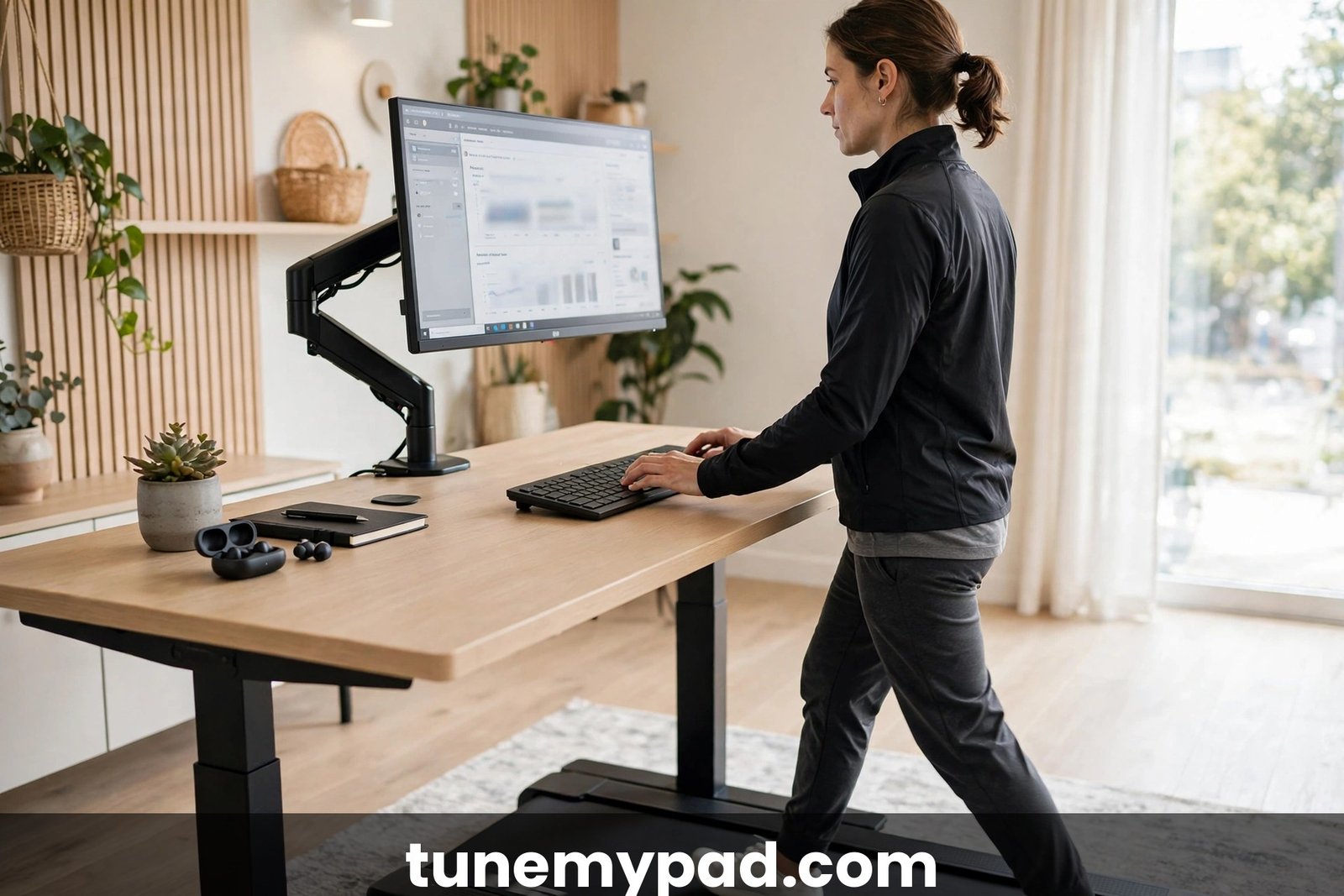
The one-line rule: if your chin is jutting forward or your neck is craning down, your treadmill desk monitor height setup is wrong — and no amount of walking-speed adjustment will fix a screen-position problem.

Why Monitor Height Matters More When You Walk
Sitting still, your head is a stable platform and your eyes can compensate for a slightly-off screen for hours before complaining. Walking changes the equation in three ways:
- Vertical oscillation. Every step bobs your head up and down by a centimeter or two. A screen at the perfect static height becomes a screen your eyes must re-acquire constantly. The fix is not just height — it is height plus larger text and a stable mount.
- Forward drift. Walkers unconsciously lean toward the screen over time, especially during engaging tasks. You set up perfectly at 9 AM and are craning like a vulture by 11. A correct treadmill desk monitor height setup builds in margin for this drift.
- Posture feedback loop. A low screen pulls the head forward; a forward head pulls the shoulders in; hunched shoulders change arm angle; changed arm angle changes stride. One bad screen height cascades through the whole body.
This is why monitor setup deserves to come before questions like walking speed or step goals. A 2021-era ergonomics consensus (summarized in references like the Wikipedia overview of treadmill desks) consistently finds that musculoskeletal complaints on treadmill desks trace back to workstation geometry more than to walking itself. Fix the geometry and the walking feels effortless.
The 7 Ergonomic Rules of Treadmill Desk Monitor Height Setup
Rule 1: Top of Screen at or Slightly Below Eye Level
Stand on your treadmill desk in your normal walking posture — not military-straight, your actual working posture — and look straight ahead. The top bezel of your monitor should align with your eyes or sit up to 1 inch below them. Your gaze should naturally fall on the top third of the screen.
Why not dead-center at eye level? Because the eyes’ natural resting gaze angles slightly downward (about 15–20 degrees). A screen top at eye level puts the center of the screen right in that comfortable downward gaze. Any higher and you crane upward; much lower and the neck flexes forward.
How to measure: have someone hold a tape measure, or stack books under the monitor until the top bezel matches a sticky note you place on the wall at your eye height. Most people need the monitor raised 4–8 inches above the desk surface — which is why a monitor arm or riser is nearly mandatory. For treadmill desk monitor height setup, “the monitor sits on the desk” is almost always the wrong answer.
Rule 2: An Arm’s Length Away (20–28 Inches)
Sit—er, stand—back and extend your arm: your fingertips should just about touch the screen. That is 20–28 inches (50–70 cm) for most adults, measured from eyes to screen surface. Larger screens sit at the far end of that range; smaller screens at the near end.
Too close and your eyes work overtime converging and refocusing — a fast track to eye fatigue, especially combined with walking bob. Too far and you lean forward to read, destroying Rule 1. Distance and height are a coupled system: fix them together.
Walking-specific note: belt drift moves you subtly forward and back as you walk. Give yourself the far end of the range (24–28 inches) so normal drift never puts the screen uncomfortably close. If text feels small at that distance, increase text scaling (125–150% in your OS) rather than moving closer — this is one of the most impactful treadmill desk monitor height setup adjustments and it costs nothing.
Rule 3: Tilt the Top Back 10–20 Degrees
A vertical screen forces your neck into slight extension to meet it face-on; tilting the top backward 10–20 degrees makes the screen roughly perpendicular to your downward-angled gaze. The result: the whole display is uniformly readable with no neck compensation.
The tilt also fights glare. Overhead office lights reflect off screens at predictable angles, and a slight backward tilt bounces ceiling reflections down past your eyes instead of into them. If you see your own face or the ceiling lights in the screen, In any treadmill desk monitor height setup, adjust tilt before reaching for brightness controls.
Rule 4: Set It 0.5–1 Inch Lower Than Your Seated Ideal
Here is the walking-specific adjustment most guides miss. When you walk, your head rides slightly higher on average (you stand taller, with more spinal extension) and bobs. Setting the monitor at your exact seated eye height leaves the screen effectively a touch too high during walking. Drop it half an inch to an inch below the seated-ideal position.
This small change has an outsized effect: it keeps the screen in the comfortable downward-gaze zone even at the top of your stride bob, reducing the micro-adjustments your neck performs thousands of times per day. Combined with Rule 2’s text scaling, this is the core of a walking-tuned treadmill desk monitor height setup.
Rule 5: Stabilize Ruthlessly — Wobble Is an Ergonomic Problem
A monitor that vibrates with every step forces your eyes into continuous refocusing work — the visual equivalent of reading in a bouncing car. On a treadmill desk, monitor stability is not a nice-to-have in your treadmill desk monitor height setup; it is ergonomics.
- Use a clamp or grommet monitor arm, not the stock stand, whenever possible. Arms decouple the screen from desk vibration far better than stands sitting on a shaking surface.
- Tighten everything. Check arm joints monthly; walking vibration loosens hardware over time.
- Keep the desk itself rigid. A wobbly desk multiplies screen shake. If your standing desk sways at height, lower it an inch or brace it.
- Route cables with slack so they do not transmit vibration or tug the monitor. Our cable management safety guide covers trip-proof, tug-proof routing.
Stability test for your treadmill desk monitor height setup: place a full glass of water on the desk and walk at your working speed. If the surface ripples violently, your monitor is riding a earthquake — stabilize first, then re-check height, because a shaking screen effectively moves relative to your eyes.
Rule 6: Dual Monitors Need Their Own Geometry
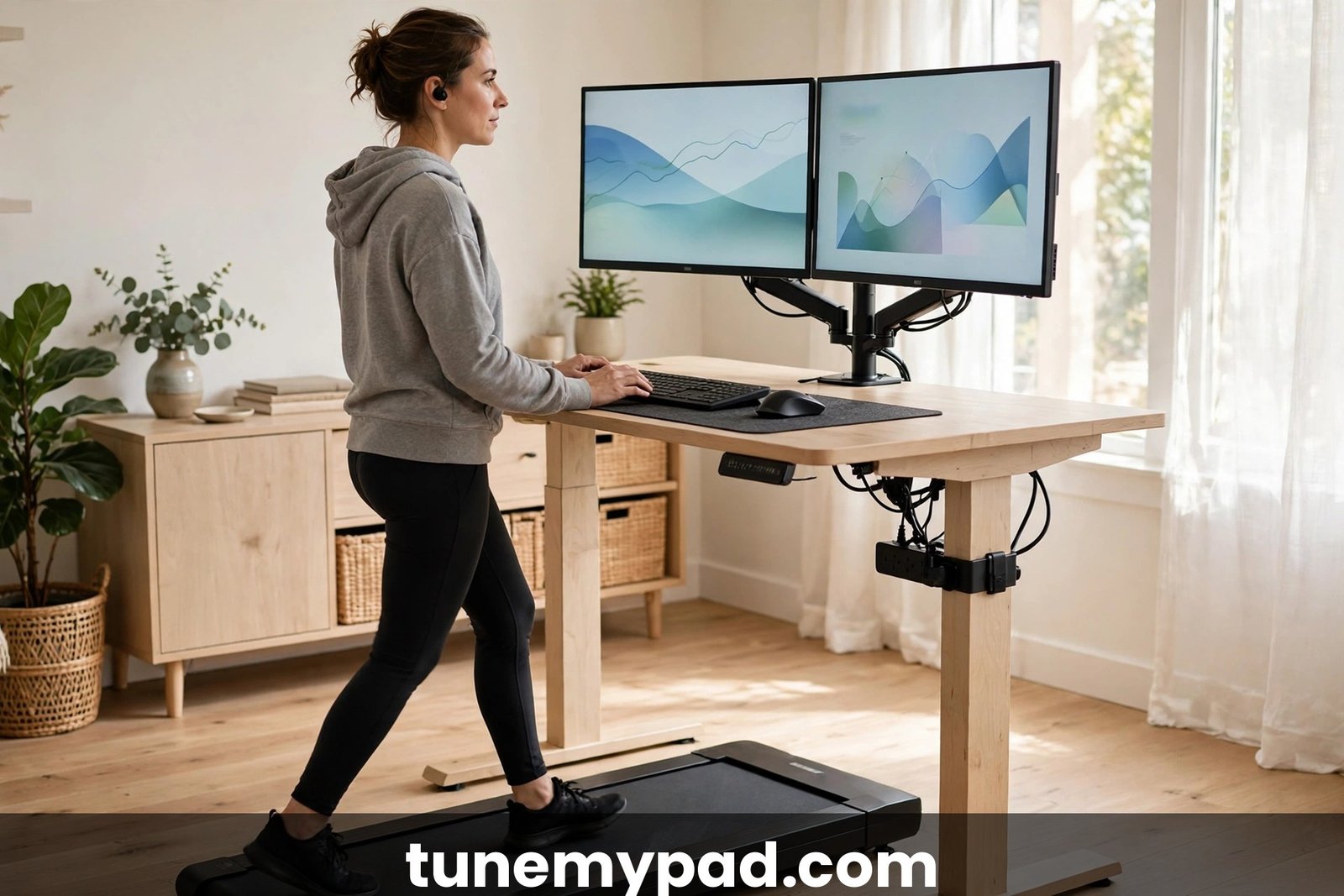
Two screens double the placement decisions — and the mistakes. The rules for treadmill desk monitor height setup with dual monitors:
- Primary monitor (the one you look at 70%+ of the time): centered, following Rules 1–4 exactly.
- Secondary monitor: angled inward 20–30 degrees, at the same height as the primary. Height mismatch between screens is a major neck-strain source — your head should rotate, never tilt, between them.
- The seam between monitors should sit near your midline, not off to one side.
- Equal distance: both screens roughly equidistant from your eyes. If one is noticeably farther, you will unconsciously lean toward it.
- Walking makes bezel gaps more annoying (your bobbing head crosses the gap constantly). Consider a single ultrawide if dual-monitor neck rotation bothers you while walking.
Our full dual monitor setup on a walking desk guide covers arms, alignment, and wobble fixes in depth.
Rule 7: Never Work Directly on a Flat Laptop
The laptop-flat-on-desk posture is the original sin of treadmill-desk ergonomics. A laptop screen sits roughly 6–8 inches below proper eye height, forcing sustained neck flexion — the dreaded “tech neck,” amplified by walking. Twenty minutes is uncomfortable; a full day is injurious.
The fix hierarchy for laptop users:
- Best: laptop on a riser/stand + external keyboard and mouse. Screen at eye height, hands at elbow height — proper treadmill desk monitor height setup achieved.
- Good: laptop as secondary screen (for reference/chat) beside a proper external monitor at correct height.
- Acceptable briefly: laptop on a thick stack of books for short sessions, with an external keyboard. Better than flat, still a compromise.
- Never: flat laptop for hours. Your neck will file a formal complaint.
If you must choose one purchase for your walking workstation, make it the monitor riser or arm — not the fancy keyboard, not the walking pad upgrade. Height first.
Use this table to debug your treadmill desk monitor height setup by symptom:
Diagnose Your Ache: What Hurts and What It Means
| Symptom | Likely setup error | Fix |
|---|---|---|
| Neck pain, back of neck | Screen too low; chin jutting forward | Raise monitor (Rule 1); check laptop-on-desk habit (Rule 7) |
| Pain between shoulder blades | Screen too low + too far; hunching forward | Raise and bring closer (Rules 1–2) |
| Eye strain, tired eyes | Screen too close/far; text too small; glare | Fix distance (Rule 2); scale text to 125–150%; adjust tilt (Rule 3) |
| Headaches behind eyes | Eye strain + neck tension combined | Full Rule 1–4 reset; take walking breaks |
| One-sided neck ache | Dual monitors at different heights | Level both screens (Rule 6) |
| Dizziness or nausea | Screen wobble + walking motion | Stabilize monitor (Rule 5); check motion sickness guide |
| Lower back ache | Desk too high/low relative to stride | Check desk elbow height; monitor height affects posture chain |
If an ache persists more than a week after correcting setup, or involves numbness, tingling, or sharp pain, see a clinician — ergonomic guides fix geometry, not injuries.
Match your screen to these treadmill desk monitor height setup numbers:
Treadmill Desk Monitor Height Setup for Different Screen Sizes
| Screen size | Viewing distance | Notes |
|---|---|---|
| 13–14″ laptop (raised) | 20–24 in | Minimum viable; scale text to 150% |
| 24″ monitor | 22–26 in | Sweet spot for most walking desks |
| 27″ monitor | 24–28 in | Excellent; keep top bezel at eye level, not above |
| 32″+ / ultrawide | 28–34 in | Push back to fit the field of view; curve helps while walking |
| Dual 24″ | 22–26 in each | Same height mandatory; angle inward |
Bigger is genuinely better for walking workstations — larger screens at proper distance mean larger text at the same scaling, which means less refocusing work for bobbing eyes. If you are choosing between a monitor upgrade and any other accessory, the monitor wins for comfort — it is the single most visible part of your treadmill desk monitor height setup.
Lighting, Glare, and the Walking Worker
Monitor height interacts with lighting. The ideal treadmill desk monitor height setup can be undone by glare:
- Position the screen perpendicular to windows, never facing them or backed against them. Facing a window means staring into brightness; backing against one means your silhouette reflects in the screen.
- Bias lighting (a light strip behind the monitor) reduces the contrast between the bright screen and dark room, cutting eye fatigue dramatically during evening sessions.
- Matte screen protectors kill reflections if you cannot control the room lighting.
- Brightness matching: the screen should roughly match ambient brightness — a blazing screen in a dark room is as straining as a dim screen in sunlight.
Walking adds one more consideration: your head moves, so reflections shift as you walk. A glare spot that is avoidable when sitting still becomes unavoidable flicker when walking. A complete treadmill desk monitor height setup solves glare at the source (positioning, tilt, bias light) rather than tolerating it.
Frequently Asked Questions
Should my treadmill desk monitor height setup differ from my sitting setup?
Slightly, yes. Drop the screen 0.5–1 inch below your seated ideal (Rule 4), push it to the far end of the distance range, and increase text scaling one notch. Your seated numbers are the starting point for treadmill desk monitor height setup, not the destination — walking changes effective eye height and adds motion your eyes must compensate for. If you switch between sitting and walking at the same desk, a monitor arm with easy height adjustment pays for itself within weeks.
What is the best monitor height for a treadmill desk if I am tall (or short)?
The rules scale with your body: top of screen at your eye level in your walking posture. Tall users often need monitor arms with extra-tall poles or wall mounts — standard risers run out of height around 6’2″. Shorter users may need the desk itself lower plus the monitor raised less. Do not copy someone else’s treadmill desk monitor height setup inch measurements; copy the method (eye-level alignment in walking posture) and measure yourself. Our guide to what size walking pad a tall person needs covers the lower half of the equation.
Can a bad treadmill desk monitor height setup cause permanent damage?
Poor ergonomics over months can contribute to chronic neck pain, tension headaches, and repetitive strain — these are real, documented outcomes of bad workstation geometry, walking or not. The good news: workstation-related aches are among the most fixable problems in ergonomics, because the cause is geometry you control. Fix your treadmill desk monitor height setup using the 7 rules above; if pain persists beyond a week or two of correct setup, see a clinician rather than continuing to self-adjust.
How do I set monitor height on a treadmill desk without a monitor arm?
Stack stable risers: large books, a dedicated monitor stand, or a wall shelf mounted at the right height. Measure your treadmill desk monitor height setup first (Rule 1), then build to the measurement — do not eyeball it. Secure the stack so walking vibration cannot topple it (museum putty or non-slip pads help). A $30 basic riser beats a wobbly book tower; a proper arm beats both. Whatever you use, re-check monthly — vibration settles stacks over time.
Why do my eyes get tired faster when walking than when sitting?
Three compounding factors: (1) head bob forces continuous micro-refocusing; (2) walkers blink less when concentrating, drying the eyes; (3) screen wobble adds motion your visual system must cancel. The fixes are the same 7 treadmill desk monitor height setup rules — stable mount (Rule 5), correct distance with scaled text (Rule 2), proper height (Rules 1 & 4) — plus conscious blinking and the 20-20-20 rule (every 20 minutes, look 20 feet away for 20 seconds). If blurriness persists, read our eye strain guide.
Is a curved monitor better for treadmill desk monitor height setup?
Often yes, especially at 32″+. A gentle curve keeps the screen edges at a more uniform distance from your eyes, which matters more when your head is bobbing — flat ultrawides put their edges noticeably farther away, demanding extra refocusing. Curve does not change the treadmill desk monitor height setup height rules (top bezel still at eye level), but it makes the distance rule easier to satisfy across a wide field of view.
The Bottom Line
Treadmill desk monitor height setup comes down to 7 rules: top of screen at or just below eye level, an arm’s length away, tilted back 10–20 degrees, set a half-inch lower than your seated ideal, stabilized against wobble, leveled across dual monitors, and never — ever — a flat laptop for real work.
Get these right and the most common treadmill-desk complaints (neck ache, eye strain, headaches, the vague sense that “walking while working just isn’t comfortable”) evaporate — because they were never really about the walking. They were about the screen. Fix the geometry first, and your walking workstation finally feels the way it should: like walking, with work happening almost as an afterthought.