

Walk into any walking pad listing and you will face the same fork: the flat, handle-free slab that slides under your desk — or the version with an upright handlebar, display console, and (often) a higher top speed. The walking pad with handle vs without choice looks cosmetic, but it changes how you use the machine, where you store it, and even your posture. Get it wrong and you end up with an expensive clothes rack; get it right and the pad disappears into your routine for years.
Table of Contents
Quick Answer: Walking Pad With Handle vs Without
| Question | Answer |
|---|---|
| Which is better for under-desk work? | Without handles — a handlebar physically blocks the desk and forces you to walk too far back on the belt. |
| Which is safer? | With handles, especially for seniors, balance issues, or post-injury rehab — there is something to grab if you stumble. |
| Which stores better? | Without handles, by far — a flat slab slides under a bed or sofa. Handle models need closet or corner space. |
| Do handles hurt posture? | They can — leaning on the handlebar while walking rounds your shoulders and cuts core engagement. Use them for balance, not support. |
| What is a 2-in-1 walking pad? | A hybrid: handlebar folds down flat for under-desk walking, flips up for faster treadmill-style runs. The best of both, with compromises. |
| Which is cheaper? | Handle-free pads are usually $30–$80 cheaper at comparable quality. |
The Two Designs, Explained
Without handles: the flat slab
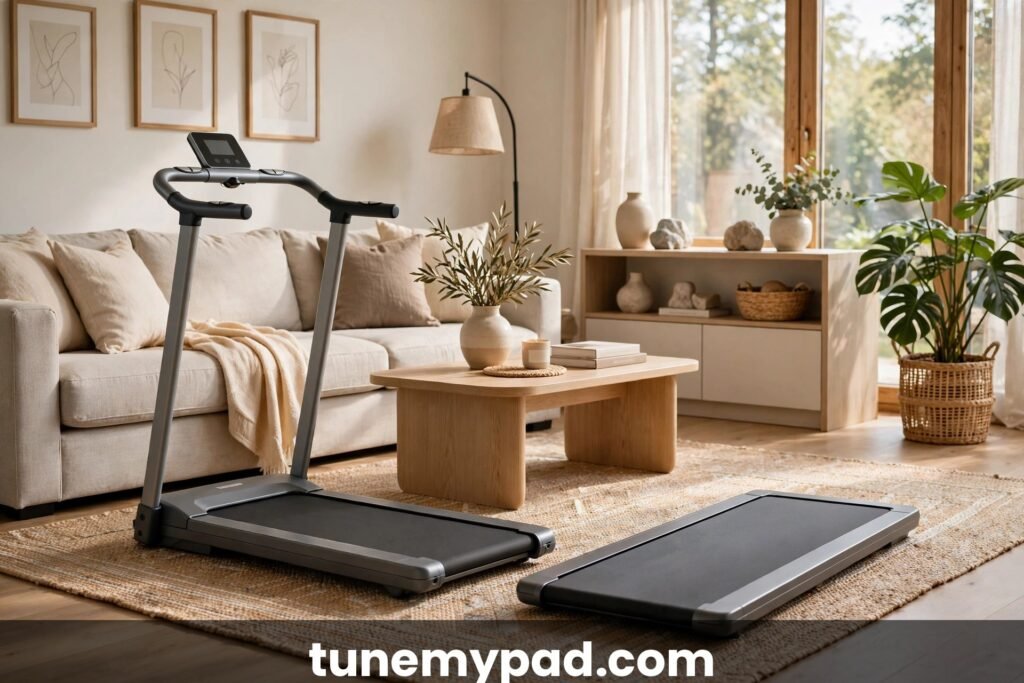
The classic walking pad: a low, flat belt (usually 40–50 inches long, 4–6 inches tall) with no upright parts, controlled by remote or app. Built for one job — sliding under a standing desk and disappearing when you are done. Speeds typically cap at 3.5–4.0 mph. This is the design most people picture when they hear “walking pad,” and in the walking pad with handle vs without debate it is the minimalist’s champion: it asks almost nothing of your space and does one job well.
With handles: the upright console
This design adds a foldable or fixed upright post with a handlebar and usually a display showing speed, time, distance, and calories. Many also raise the top speed to 6–8+ mph, making them usable as compact treadmills for jogging. They are bigger, heavier, and more “treadmill-like” — because that is what they are. On the walking pad with handle vs without spectrum, this design sits closest to a true treadmill: think of it as a compact treadmill that happens to fold, rather than a walking pad with extras bolted on.
The 2-in-1 hybrid
The 2-in-1 is the bridge: the handlebar folds completely flat. Handle down = walking pad mode (fits under a desk). Handle up = treadmill mode with a display and higher speeds. It is the most versatile design — and the most mechanically complex, with the folding joint being the obvious wear point. If your week includes both desk-walking and weekend jogs, this is the design built for you — which is why it is often presented as the final answer to the walking pad with handle vs without question.
Handle Types: Fixed, Folding, and Telescoping
Not all handlebars are the same. When comparing a walking pad with handle vs without, it pays to know which kind of handle you are looking at, because the type determines storage, stability, and price. Each handle type shifts the walking pad with handle vs without trade-offs in a different direction.
Fixed upright handles
The handlebar is welded or bolted in place and never moves. These are the most stable — zero wobble, ever — and common on budget-friendly handle models. The trade-off is total: the machine is permanently treadmill-shaped, so under-desk use and flat storage are off the table. Buy fixed handles only if you will never need the pad to disappear.
Folding handles
The handlebar hinges down flat against the deck, usually with a locking knob or quick-release lever. This is the 2-in-1 mechanism and the most popular handle type. Folded, the machine can slide under a desk or into a closet; raised, it works as a compact treadmill. Inspect the hinge in reviews before buying — hinge quality is the hidden variable in the walking pad with handle vs without decision that spec sheets never mention, and it is the single most complained-about part on these models, with wobble developing after months of daily folding on cheaper units.
Telescoping and removable handles
A smaller category: handlebars that slide down into the deck or detach entirely. Telescoping designs adjust to your height, which fixed bars cannot do. Removable handles (rare) let you convert between modes, but the attachment joint introduces flex. These are niche — fine if you find one with strong reviews, but not worth hunting for specifically.
| Handle type | Stability | Storage | Under-desk use | Typical price premium |
|---|---|---|---|---|
| Fixed upright | Excellent | Poor — always bulky | No | $30–$60 |
| Folding (2-in-1) | Good (hinge wears over time) | Good — folds flat | Yes, when folded | $60–$120 |
| Telescoping / removable | Fair to good | Good | Sometimes | $50–$100 |
| No handles (flat slab) | N/A — free walking | Excellent | Yes — the native use case | $0 (baseline) |
Walking Pad With Handle vs Without: Head-to-Head
| Factor | With handle | Without handle |
|---|---|---|
| Under-desk fit | Poor — the bar hits the desk or forces you too far back | Excellent — designed for it |
| Storage | Closet/corner; folds but stays bulky (~8–10″ thick) | Slides under bed/sofa (~4–6″ thick) |
| Weight | 60–90 lbs | 40–70 lbs |
| Top speed | Often 6–8 mph (jogging capable) | Usually 3.5–4 mph (walking only) |
| Display | Built-in console at eye level | Remote or app; no eye-level screen |
| Stability/balance support | Yes — grab rail when needed | None — free walking |
| Posture risk | Leaning on the bar rounds the spine | Natural upright gait |
| Price (comparable quality) | ~$30–$80 more | Cheaper |
Study that table with your own use case in mind — the walking pad with handle vs without winner changes completely depending on whether the pad lives under a desk or stands in a corner.
Pros and Cons of Handlebars
The real advantages
- Safety net. The number one reason to want handles — and the strongest argument on the “with handle” side of the walking pad with handle vs without debate. If you trip, feel dizzy, or lose balance, your hands are already on the bar. For seniors, anyone with vestibular issues, or post-injury rehab walkers, this is not a nice-to-have — it is the difference between using the pad confidently and not using it at all.
- Confidence for beginners. New walkers (especially older ones) walk more naturally when they know support is there. Most stop touching the bar within a few weeks — but the option got them started.
- Eye-level display. Speed, time, and distance right in front of you instead of glancing at a remote or phone. Minor, but genuinely convenient.
- Higher speeds. Handle models usually unlock jogging speeds. If you want one machine that walks and runs, handles (or a 2-in-1) are the way.
- Emergency stop within reach. Most handle consoles put the stop button and safety key right under your hands — faster to hit than fumbling for a remote clipped to your waistband.
The real disadvantages
- The leaning problem. This is the big one. When the bar is right there, people rest their weight on it — shoulders rounded, elbows locked, core disengaged. You burn fewer calories, your posture suffers, and you train a hunched walking pattern. Handles are for balance, not for leaning — but human nature says otherwise.
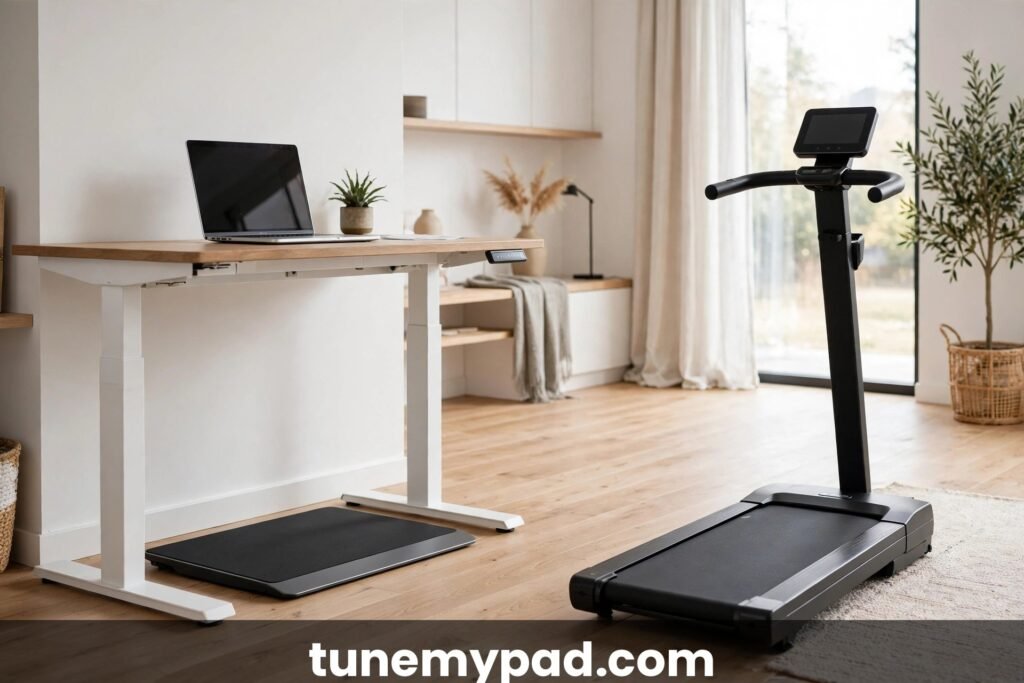
- Desk incompatibility. An upright bar and a standing desk do not coexist. You either walk behind the desk (awkward, too far from the keyboard) or you do not use the desk at all. If under-desk walking is the goal, handles defeat the purpose.
- Storage penalty. A handle-free pad is a flat slab; a handle model is furniture. Even folding designs end up 8–10 inches thick and need dedicated closet or corner space.
- Cost and complexity. More parts, more money, more things that can wobble, loosen, or break. Folding joints are the most common complaint point on hybrid models after a year of use.
- Temptation to multitask badly. An eye-level console invites fiddling — changing settings mid-stride, checking stats instead of posture. A remote you barely touch keeps your attention on walking.
Posture and Biomechanics: Using Handles the Right Way
The posture question deserves its own section, because it is where the walking pad with handle vs without debate gets scientific. When you walk with a light fingertip touch on the handlebar — just enough to catch yourself — your gait stays essentially normal: upright torso, natural arm swing (slightly reduced on the touching side), engaged core. Researchers who study treadmill handrail use find that this light-touch pattern changes very little about walking mechanics — which is the technique that lets handle owners win the posture argument in the walking pad with handle vs without debate.
The problem starts when “light touch” becomes “lean.” Resting significant weight on the bar — locked elbows, shoulders rolled forward, hips pushed back — does four things at once: it unloads your core and glutes (the muscles walking is supposed to train), shifts your center of mass forward over the bar, shortens your stride, and rounds your thoracic spine. Do that for an hour a day and you are training a hunch, not fitness. Calorie burn drops too, because the big stabilizing muscles have checked out.
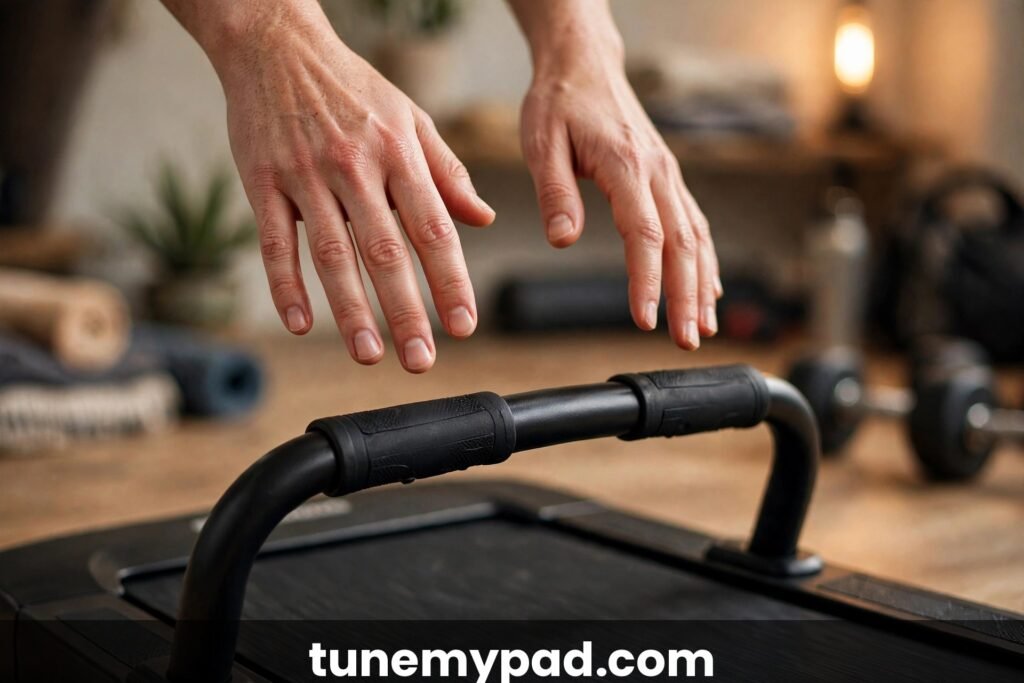
If you buy handles, adopt the hover rule from day one: hands hover just above the bar, touching only when you feel unsteady. Set a weekly check — are your fingerprints on the bar, or are your palms planted? Some walkers put a strip of tape on the bar as a visual reminder not to grip. And if you catch yourself leaning every session, consider whether the handle-free design would have served you better; the bar you lean on is a bar you do not need.
The desk-leaning trap (handle-free users, this is yours)
Handle-free walkers are not off the hook. The equivalent bad habit is draping your forearms on the desk edge and hanging your weight on it — same rounded shoulders, same disengaged core, plus compressed wrists. The fix is identical in spirit: stand tall, soft knees, hands floating over the keyboard, and treat any urge to lean as a signal to slow the belt down, not to grab something.
Display and Controls: Console vs Remote vs App
Handles usually come with a console, and the console changes the daily experience more than people expect. Here is how the three control styles compare in real use:
| Control style | Where it lives | Strengths | Weaknesses |
|---|---|---|---|
| Handlebar console | Eye level on the bar | Glanceable stats; big stop button; no extra device | Only exists on handle models; invites mid-walk fiddling |
| Remote control | Hand, pocket, or desk dock | Works with any design; change speed without breaking stride | Easy to lose; small buttons; battery to replace |
| Phone app | Your phone | Workout history, firmware updates, detailed stats | Phone must be present and charged; pairing hiccups |
Practical advice: whichever control style your pad uses, learn the stop command by muscle memory before your first real session. On a console it is the big red button; on a remote it is usually a long-press; in an app it is whatever you can hit without looking. Practice stopping three times in your first session. Whichever side of the walking pad with handle vs without divide you land on, this drill is non-negotiable.
Who Needs Handles
In the walking pad with handle vs without decision, be honest with yourself — handles are genuinely the right call for:
- Seniors (65+). Balance degrades with age, and a fall on a moving belt is worse than a fall standing still. The bar is cheap insurance.
- Balance or vestibular issues. Inner-ear problems, neuropathy, post-stroke recovery — if your balance is compromised, walk with support. Full stop.
- Rehab walkers. Post-knee or hip surgery, your physio may specifically recommend a supported surface before progressing to free walking.
- The genuinely anxious. If fear of the belt keeps you off the pad, handles get you walking — and walking with light bar contact beats not walking at all.
- Runners who want one machine. If you will jog at 6 mph sometimes, you want the bar up at those speeds. That is the 2-in-1’s whole pitch.
- Households sharing one pad. When a confident walker and a cautious senior share a machine, handles make it usable for both — the walker hovers, the senior holds.
Who Should Skip the Handles
On the other side of the walking pad with handle vs without question, skip the handles if any of these describe you:
- Under-desk workers. This is the decisive one. If the pad lives under a standing desk, handles are a physical obstruction. Handle-free is the only sensible choice.
- Small-space dwellers. Studio apartments, dorm rooms — anywhere the pad must vanish daily. The flat slab wins every time. (See our dorm room guide for small-space setups.)
- Posture-conscious buyers. If you are buying the pad partly to fix chair-slouch, do not buy a machine that invites a new slouch.
- Minimalists. Fewer parts, fewer failure points, less to clean around, less visual clutter. The slab is beautifully simple.
- Frequent movers. If the pad travels between rooms (or houses) regularly, the lighter flat slab is dramatically easier to carry — 40–50 lbs vs 70–90 lbs matters on stairs.
Storage and Space: The Deciding Factor for Many
Let us get concrete, because storage decides more purchases than any other factor:
| Storage spot | Handle-free pad | Handle model |
|---|---|---|
| Under the bed | Yes — the classic move | Almost never — too thick |
| Under the sofa | Yes, most models | No |
| Leaning in a closet | Yes | Yes (folds flatter-ish) |
| Behind a door | Yes | Sometimes — measure first |
| Out in the room permanently | Works but looks odd | Looks like gym equipment (fine if that is the vibe) |
If your plan is “deploy for the workday, hide after,” the handle-free design is the only one that actually hides. Storage is where the walking pad with handle vs without debate is most one-sided — be realistic about which machine you will tolerate seeing every day.
Measuring Your Space: The 5-Minute Fit Check
Before you decide on a walking pad with handle vs without, grab a tape measure. Five minutes now prevents a return-shipping nightmare later:
- Desk clearance: measure from the floor to the underside of your desk. A handle-free pad needs that number to exceed the pad’s height (usually 4–6″) plus a couple of inches for your feet and stride bounce. A folded 2-in-1 needs its folded height to clear — check the spec, not the marketing photo.
- Walking zone: you need the belt length plus 2 feet behind (the safety zone) and 1 foot on each side. For a 50″ belt, that is roughly 7.5 feet of total length.
- Ceiling height for handle models: standing on the pad adds 4–6″ of height. In a basement with a 7-foot ceiling, a 6-foot walker on a handle model is uncomfortably close to the joists.
- Storage footprint: measure the actual under-bed clearance (bed frames vary) or closet depth. Compare against the pad’s folded dimensions in the spec sheet.
- Doorway width: if the pad will move between rooms, make sure it fits through your narrowest doorway — handle models are wider at the console.
Write the numbers down and keep them next to you while you shop. “I think it will fit” is how walking pads end up living in hallways. Bring these measurements to every walking pad with handle vs without comparison you read — including this one.
Buying Checklist: 12 Questions Before You Choose
Run through this list with a specific model in mind. If you answer honestly, the walking pad with handle vs without decision usually makes itself:
- Will this pad live under a desk for more than half its use? (Yes → handle-free)
- Does anyone using it have balance issues or fall risk? (Yes → handles)
- Where will it sleep every night? Measure that spot.
- Will anyone jog on it, or is it walking only? (Jogging → handles/2-in-1)
- How will you control speed mid-walk — and can you reach the control without looking down?
- What is the belt length, and is it enough for the tallest user? (45″+ for 6-footers)
- Does the folding mechanism lock positively in both positions? (Check reviews for wobble complaints)
- What is the return policy — and who pays return shipping on a 70-lb box?
- Does the warranty cover the hinge/handle joint specifically?
- How loud is it at your target speed? (Check video reviews, not spec sheets)
- Is there a safety key, and does the belt stop quickly when it is pulled?
- Can you lift and move it alone, or will you need help every time?
The 2-in-1 Note: Best of Both Worlds?
The 2-in-1 folding-handle design is the most popular compromise, and it is genuinely clever: handle down for desk mode, handle up for run mode. The 2-in-1 complicates the walking pad with handle vs without choice in a good way — but know the trade-offs before buying one:
- The hinge is the weak point. Every fold cycle stresses the joint. After a year of daily folding, wobble is common on budget models — buy from a brand with a real warranty.
- Desk clearance still matters. Even folded flat, some 2-in-1s are 6–8″ thick, and the folded mechanism can catch on desk legs. Check folded height against your desk’s clearance.
- You pay for both. 2-in-1s cost more than equivalent single-purpose pads. If you will never jog, you are paying for a hinge you will fold once and forget.
When a 2-in-1 makes sense: you genuinely want both modes — under-desk walking on workdays, jogging sessions on weekends — and you have closet space for storage. When it does not: you are buying “just in case” versatility you will never use. Buy the slab.
Handles, Kids, and Pets: Safety Notes
A handlebar changes the household safety picture in both directions. On the plus side, an upright handle model is more visible — kids and pets are less likely to wander onto it unnoticed than onto a flat slab that blends into the floor. On the minus side, the upright post and console are irresistible climbing structures for toddlers and scratching posts for cats.
Rules that apply to both designs: unplug the pad (or remove the safety key and store it separately) when not in use — a surprising number of “the pad started by itself” stories involve a pet stepping on a remote or a child pressing buttons. Keep the remote out of reach. And teach kids that the belt is never a toy: the friction burn from a moving walking belt is nasty. With handle models, also check that the folding lock engages fully; a partially locked handlebar can collapse under a child’s weight.
Maintenance Differences Between the Designs
Both designs need the same belt care — lubrication on schedule, tension checks, keeping dust out of the motor area. Handles add three maintenance items:
- Hinge bolts: check folding-handle pivot bolts every few months. They loosen with vibration; a quarter-turn with the included wrench usually fixes early wobble.
- Console cable: the wire running through the handlebar to the display flexes every time a folding handle moves. If the display flickers, this cable is the first suspect — handle it gently when folding.
- Upright post base: wipe sweat off the handlebar and post after sessions. Sweat is corrosive, and the post is where it lands.
Handle-free pads skip all of this — one more quiet argument for simplicity in the walking pad with handle vs without debate, if maintenance is not your love language.
Walking Pad With Handle vs Without FAQs
Is it safe to use a walking pad without handles?
For healthy adults with normal balance, yes — millions do it daily. Start at 1.0–1.5 mph, keep the safety key clipped (most models include one that stops the belt if you fall back), and skip sessions when you are dizzy or fatigued. If you have any balance condition, choose handles.
Can you add handles to a handle-free walking pad?
Not really — there are no safe aftermarket options. Third-party “treadmill handlebars” are unstable add-ons that create more danger than they prevent. If you think you will want support, buy a model that includes it.
Do handles help with weight loss?
Only if they get you walking more — but there is a catch. Leaning on the bar reduces calorie burn, because your arms and core stop working. If weight loss is the goal, either go handle-free or commit to a light-touch, no-lean rule.
Which type is better for tall people?
Handle models, slightly — taller walkers (6’2″+) often find short handle-free belts cramped, and handle models tend to have longer belts overall. Whatever you choose, check the belt length: you want at least 45″ for comfortable walking if you are over 6 feet. See our guide on walking pad weight and sizing for what to check before buying.
Can a handle model fit under a standing desk if I fold the handles?
Sometimes — this is the 2-in-1’s party trick, but verify two numbers: the folded height of the specific model and the clearance under your desk. Some folded 2-in-1s are still 7–8″ thick with the hinge mechanism, which exceeds many desks’ clearance. Measure, do not assume.
Are handle models louder than handle-free pads?
Slightly, on average — more parts means more potential vibration points, and the upright post can act as a sounding board. The difference is small (a few decibels) and matters less than belt maintenance and flooring. A well-maintained handle model on a mat is quieter than a neglected slab on hardwood.
Do I need to assemble a handle model myself?
Usually partially — most ship with the deck assembled and the handlebar/console attaching with a handful of bolts (15–30 minutes, one person, tools included). Fixed-handle models are simpler; folding 2-in-1s need the hinge aligned carefully. If assembly sounds miserable, some retailers offer setup services worth the fee on 70+ lb machines.
Which design lasts longer?
All else equal, the simpler machine wins: a handle-free slab has fewer failure points. But “all else equal” rarely holds — build quality varies more between brands than between designs. A well-built 2-in-1 outlasts a cheap slab. Buy the side of the walking pad with handle vs without divide that fits your use case, then buy the best-built version of it you can afford.
Conclusion
Walking pad with handle vs without comes down to one question: will this pad live under a desk, or be a standalone exercise machine? Under a desk → handle-free slab, no contest. Standalone use — especially for seniors, rehab, balance issues, or jogging → handles (or a 2-in-1) earn their keep as a genuine safety feature. Measure your space, run the checklist honestly, and buy for the job, not for the “just in case.” Revisit this guide whenever you are torn — the walking pad with handle vs without answer lives in your measurements and your routine, not in the marketing.
External References
- Mayo Clinic on the benefits of walking (why daily walking volume is the metric that matters most)
- Cleveland Clinic on aerobic exercise (safe progression if you are returning to activity after injury)
- CDC’s physical activity guidelines (the weekly targets your walking pad helps you hit)