

You step onto your walking pad, start typing — and your monitor starts doing the samba. If your under desk treadmill makes your desk shake, you’re dealing with one of the most common treadmill-desk complaints, and it’s almost always fixable. The shaking comes from a chain: your footfalls vibrate the pad, the pad vibrates the floor, the floor (or the pad itself) shakes the desk.
This guide walks through the real causes in order of likelihood, then nine fixes ranked from free to “buy something” — plus how to tell when the wobble is normal physics and when something is actually broken.
Table of Contents
Quick Answer: Under Desk Treadmill Makes My Desk Shake
| Question | Answer |
|---|---|
| Why does my desk shake when I walk? | Footfall vibration travels through the pad into the floor and up the desk legs. Faster speeds, heavier steps, hard floors, and wobbly desks all amplify it. |
| What’s the fastest fix? | Slow down to 1.5–2 mph and put a dense treadmill mat under the pad. Those two steps solve most cases. |
| Is it the desk or the treadmill? | Usually both contribute. Test by walking with the desk empty — if the shake stops when you lighten the desk or stabilize it, the desk is the weak link. |
| Can it damage my monitor or computer? | Prolonged vibration can loosen monitor arms and slowly walk equipment across the desk. It’s worth fixing, not just tolerating. |
| When is shaking a defect? | If the pad thumps, clunks, or lurches even at 1 mph with no one on it, or one side of the belt visibly bounces — that’s mechanical, not normal. |
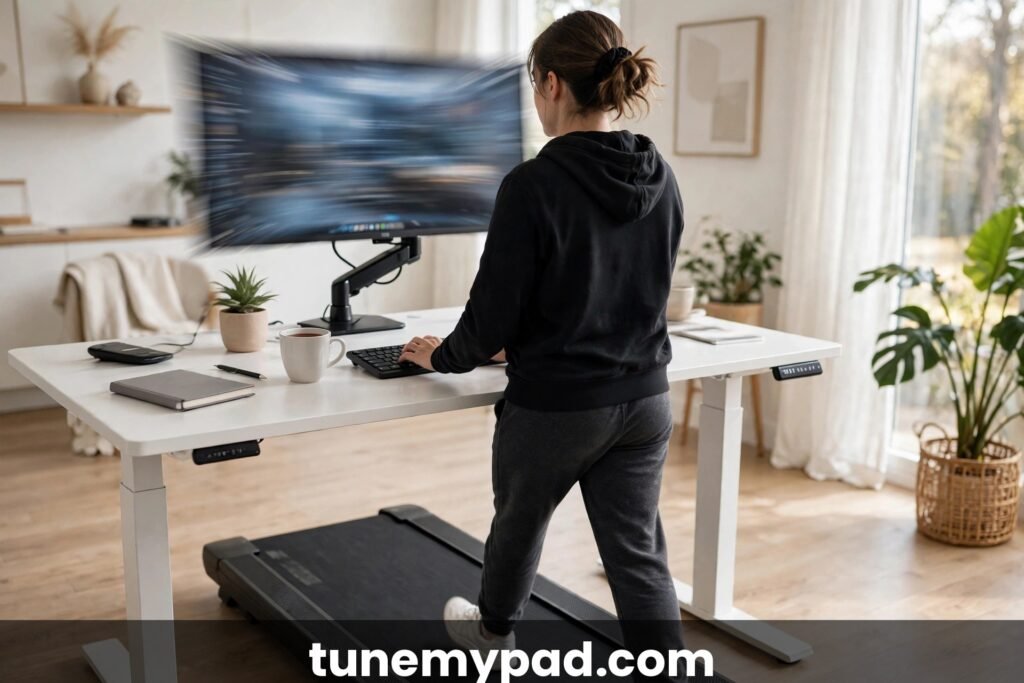
Why Walking Pads Shake Desks: The Physics in 30 Seconds
Every step you take is a small impact — roughly 1 to 1.5 times your body weight landing on a moving belt, twice per second at normal walking cadence. That energy has to go somewhere. Some is absorbed by the pad’s deck cushioning, some by the belt, and the rest travels down into the floor as vibration.
That impact chain is why an under desk treadmill makes my desk shake in the first place.
The desk enters the story two ways. First, through the floor: the vibration ripples across the floorboards and up the desk legs, which act like tuning forks — tall, narrow objects amplify vibration at the top, exactly where your monitor sits. Second, through direct contact: if the desk legs rest on or touch the walking pad or its mat, vibration transfers straight into the frame.
Resonance makes it worse. Every desk has a natural frequency — the speed at which it wants to wobble. If your step cadence lands near that frequency (common around 2–2.5 mph for many desks), the wobble amplifies dramatically. That’s why the shake can be fine at 1.5 mph, violent at 2.2, and fine again at 3 — you’re sweeping through the desk’s resonant frequency. Understanding this is the key to every fix below.
Fix 1: Slow Down (Free, Immediate)
Most desk shaking happens above 2 mph. At 1–1.5 mph, footfall impact is gentle and cadence is low; at 2.5+, impact force and frequency both rise. The treadmill-desk sweet spot for actual work is 1.0–2.0 mph anyway — studies consistently show typing accuracy and mouse precision degrade above ~2 mph.
Try this: drop to 1.5 mph for a day. If the shaking mostly disappears, you’ve found your working speed. Reserve faster speeds for calls or reading, when shaking doesn’t matter. This single change fixes more “under desk treadmill makes my desk shake” complaints than everything else combined.
That speed adjustment alone resolves many under desk treadmill makes my desk shake complaints.
Fix 2: Put a Dense Mat Under the Pad (Best $30 You’ll Spend)
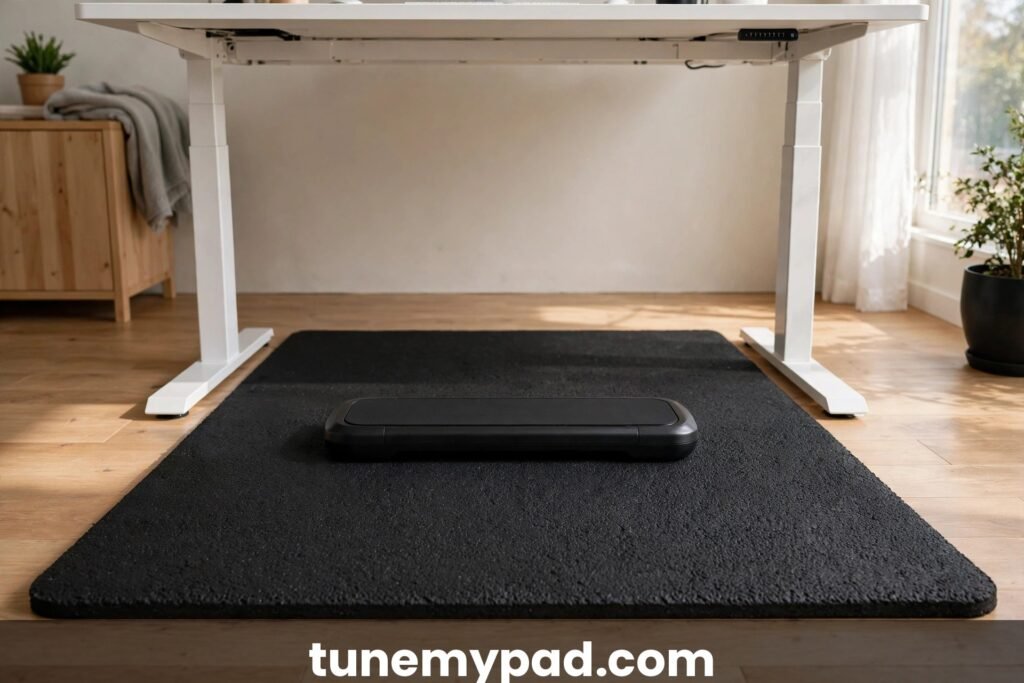
A proper treadmill mat does two jobs: it absorbs vibration before it reaches the floor, and it adds mass that damps the pad’s own movement. The key word is dense — a thin yoga mat is nearly useless. You want a 1/4″ to 1/2″ high-density PVC or rubber treadmill mat, sized to extend a few inches beyond the pad on all sides.
Place the mat directly on the floor, pad centered on top, with no desk legs touching the mat’s edge. This decoupling breaks the vibration path. Users routinely report 50–70% less desk wobble from this one addition. It’s also the single best thing you can do for downstairs neighbors — see our quiet apartment walking pad guide for the full noise picture.
Fix 3: Stabilize the Desk Itself
Sometimes the pad is fine and the desk is the problem. Standing desks — especially cheaper single-motor models — are tall, narrow, and top-heavy: the perfect wobble machine. Diagnose it: with the pad off, grab the desktop and push gently. If it sways, the desk needs help regardless of the treadmill.
Desk-stabilizing moves:
- Lower the desk. A desk at 42″ wobbles far more than one at 38″. Set it to the lowest height where you can walk comfortably — even 2 inches helps.
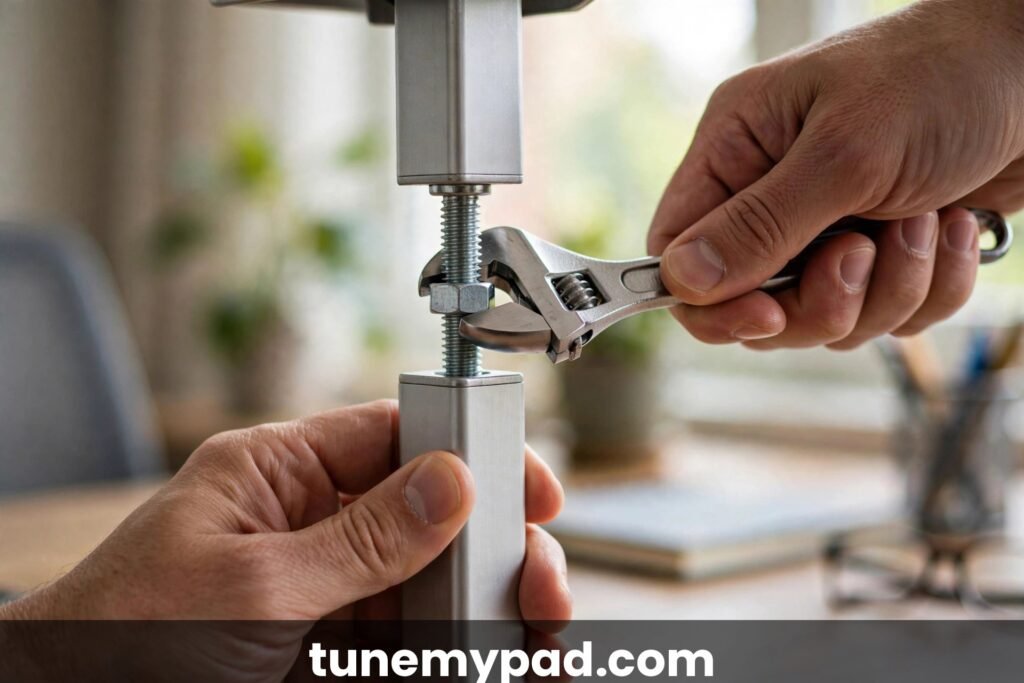
- Tighten everything. Loose leg bolts and crossbar screws are a shockingly common cause. Go over every bolt with the included wrench.
- Add a crossbar or stabilizer feet. Wider feet and a rear crossbar triangulate the frame against side-to-side sway.
- Move weight down. Heavy items (PC tower, printers) belong on the floor or a low shelf, not the desktop. Top-heavy desks amplify vibration.
- Anchor to the wall. A simple anti-tip bracket or furniture strap to a stud turns a freestanding wobbler into a rock. Renters: use removable adhesive-mounted brackets.
Fix 4: Separate the Pad and the Desk Physically
If the pad touches the desk legs — even slightly — vibration has a direct highway into the frame. Check all four desk legs and any crossbars: there should be clear air between them and the pad/mat. Also check that the pad’s power cord isn’t pulled taut against a leg (tension transmits vibration too).
Ideal layout: pad centered under the desk with at least 2–3 inches of clearance on every side, mat extending beyond the pad, desk legs fully on bare floor (or on their own separate small pads). Think of it as quarantine — the walking zone and the desk zone should not touch.
Fix 5: Soften Your Step
Heavy heel-strikers shake desks; quiet midfoot walkers don’t. You don’t need a gait overhaul — just three cues:
- Shorten your stride. Long strides mean hard landings. Think “shuffle,” not “march.”
- Land softer. Imagine walking on eggshells for the first week. The habit sticks.
- Wear cushioned shoes or go barefoot on the mat. Thin hard soles (dress shoes, bare feet on a hard belt) transmit more impact than cushioned trainers. Some walkers swear by walking-pad-specific cushioned shoes — our shoe guide covers what actually helps.
This sounds minor, but footfall force is the input to the whole vibration chain. Cutting impact 20% cuts everything downstream 20%.
Fix 6: Check the Floor
The floor is the transmission medium, and some floors are terrible at this job:
- Hardwood/laminate over joists: the worst — boards act like drumheads. A dense mat is mandatory, and consider interlocking rubber tiles under the mat for a double layer.
- Tile/concrete: excellent — vibration dies fast. If your desk still shakes on concrete, the desk itself is the problem (see Fix 3).
- Carpet: good damping, but thick plush carpet lets the pad rock slightly, which can add wobble. A firm mat on top of the carpet gives the pad a stable base.
Also check for a hollow spot: pads placed over a floor void or a loose board will thump with every step. Move the setup a foot in either direction and test.
Moving the setup often quiets an under desk treadmill makes my desk shake problem.
Fix 7: Balance and Maintain the Pad
A pad that’s mechanically off shakes more than a healthy one. Run through this checklist:
- Belt centered and tensioned. A belt drifting to one side thumps rhythmically. Center it per your manual and check tension — you should be able to lift the belt 2–3 inches at the midpoint.
- Lubricated. A dry belt grabs and releases, creating a stutter you feel as vibration. Follow the walking pad maintenance schedule — most pads need silicone lubricant every 3 months or ~40 hours of use.
- Level. Put a phone level app on the belt (pad off). If the pad rocks on the floor, shim the low corner with a folded mat scrap.
- No debris underneath. A pebble or pen under the pad creates a maddening periodic thump. Lift and sweep quarterly.
Safety note: never open the motor housing to investigate vibration. If the motor area itself is the noise source — grinding, squealing, burning smell — stop using the pad and contact the manufacturer. Internal electrical work is a job for the manufacturer or a qualified technician, not a screwdriver and curiosity.
Fix 8: Upgrade the Weakest Link
If you’ve done fixes 1–7 and the desk still dances, one component is fundamentally inadequate:
- The desk is too flimsy. Budget standing desks with thin legs and no crossbar simply can’t handle walking vibration. A sturdier frame (dual-motor, wide T-legs, 3-stage columns) is the permanent fix.
- The pad is too bouncy. Ultra-budget pads skimp on deck cushioning — the deck flexes with every step and the whole unit hops. A mid-range pad with proper multi-layer deck damping shakes measurably less.
- The monitor mount amplifies. A monitor arm on a pole is a pendulum. Switching to a direct desk-mount stand, or adding the arm’s anti-wobble collar, can calm the screen even when the desk still moves slightly.
Spend money only after the free fixes are exhausted — most people never need this step.
Fix 9: Decouple the Monitor
Sometimes the real complaint isn’t the desk shaking — it’s the screen shaking, which causes eye strain and headaches. If the desk has residual wobble you can’t fully eliminate, isolate the display:
- Move the monitor to a separate fixed surface (a shelf, a side table, a wall mount on a stud).
- Use a monitor arm clamped to something other than the desk.
- As a stopgap, a freestanding monitor riser with rubber feet absorbs more vibration than a direct desk mount.
Your eyes will thank you, and the underlying desk wobble becomes a non-issue for actual work.
Anti-Shake Products Worth Buying (and Gimmicks to Skip)
Worth it: a high-density treadmill mat (the single highest-value purchase), rubber isolation pads under desk feet, a wall-anchor anti-tip kit, and — if your monitor is the main victim — a sturdy desk-mount monitor stand to replace a wobbly arm. Skip: “vibration-absorbing” walking pad feet marketed as cure-alls (the pad already has feet; the floor is the path), magnetic “stabilizer” gadgets with no mechanical function, and expensive “silent” walking pads bought purely to fix a desk problem that a $30 mat would solve.
The honest hierarchy never changes: free fixes first (speed, layout, tightening bolts), then the mat, then desk stabilization hardware, and only then new equipment. Anyone selling you a $400 solution to a problem with a $30 solution is not your friend. Fix the chain in order and most under desk treadmill makes my desk shake complaints die at step two. That’s the whole philosophy: when an under desk treadmill makes my desk shake, spend intelligence before money.
When Shaking Means Something Is Broken
Normal: a slight rhythmic tremor in the monitor at 2+ mph that vanishes when you slow down. Not normal:
- Loud clunking or banging once per belt revolution (foreign object, damaged belt seam, or failing roller)
- The pad lurches or surges — speed visibly fluctuating (motor or controller issue)
- Shaking that suddenly appeared after months of calm (something wore out or came loose)
- Burning smell, sparking, or tripping breakers alongside the vibration (stop immediately — see our guide on whether a walking pad can catch fire)
If any of the “not normal” list applies, stop using the pad and contact the manufacturer while under warranty. Document with video — it speeds up every warranty claim.
What Real Owners Tried: Community-Tested Fixes
Across owner forums, the same field reports repeat. The most upvoted fix is always the mat-plus-slowdown combo — owners describe it as “night and day” more often than any other intervention. Second place goes to discovering the desk was the culprit all along: loose crossbar bolts found during a frustrated re-tightening session, fixed in five minutes after months of blaming the pad. It’s a reminder that under desk treadmill makes my desk shake is often a desk problem wearing a treadmill costume.
The most surprising report: several owners fixed persistent shake by moving the desk six inches rather than the pad — the desk had been sitting on a floorboard seam that amplified vibration, and shifting it onto solid subfloor calmed everything. The lesson: when an under desk treadmill makes my desk shake despite every standard fix, change the geometry. Move things. Vibration is positional, and sometimes the room itself is part of the chain. If your under desk treadmill makes my desk shake story matches this one, try the six-inch move before buying anything.
Under Desk Treadmill Makes My Desk Shake: FAQs
Is it normal for my desk to shake a little on a walking pad?
A faint tremor at the monitor at 2+ mph is normal physics — you’re dropping ~200 lbs of impact twice a second next to a tall narrow object. What isn’t normal is shaking that makes typing hard, moves objects across the desk, or appears suddenly after being absent. Mild and stable is fine; severe or worsening needs the fixes above. Knowing which shake is normal is the starting point when an under desk treadmill makes my desk shake — stable and mild is physics, sudden or worsening is a problem.
That mild tremor is normal, but a severe under desk treadmill makes my desk shake needs the fixes above.
Will a walking pad damage my desk over time?
Prolonged vibration can slowly loosen bolts, walk monitors across the surface, and stress monitor arms — which is why the fixes matter. The desk frame itself is unlikely to be structurally damaged by walking vibration. Tighten bolts quarterly and treat it as maintenance, not a crisis. Treat loose bolts as routine maintenance, because an under desk treadmill makes my desk shake harder when every joint is already loose.
Does a heavier desk shake less?
Yes — mass damps vibration. A heavy solid-wood desktop on a sturdy frame shakes far less than a lightweight particleboard top on thin legs. If you’re desk shopping for a treadmill setup, prioritize frame rigidity and desktop mass over features.
Should the walking pad touch the desk legs?
No — never. Direct contact is the most efficient vibration path there is. Keep clear air between pad, mat, and every desk leg and crossbar. This is the first thing to check and the easiest to fix. That clearance gap is the single easiest win when an under desk treadmill makes my desk shake.
Does walking speed really make that much difference?
Enormous. Impact force and step frequency both scale with speed, and resonance means the relationship isn’t even linear — 2.2 mph can shake triple what 1.8 mph does on the same desk. If you only change one thing, change the speed.
Can I use a walking pad on the second floor without shaking the room below?
Yes, with precautions: dense mat (non-negotiable), walking at 1.5–2 mph, avoiding early-morning or late-night sessions, and ideally a pad known for low vibration. The mat that fixes your desk shake is the same mat that keeps the peace with neighbors. It is the same mat-and-speed combo that keeps the peace below you when an under desk treadmill makes my desk shake upstairs.
Will a treadmill mat alone fix my shaking desk? A mat is the best single purchase, but an under desk treadmill makes my desk shake through the whole chain — mat, speed, and desk stability all matter.
Often, but not always. A dense mat fixes the floor-transmission path, which is the dominant path in most setups — expect 50–70% improvement. If your desk is inherently wobbly (loose bolts, top-heavy, no crossbar), the mat helps but the desk still needs stabilizing. Do the mat first; it’s the cheapest experiment with the highest hit rate. For most people asking why their under desk treadmill makes my desk shake, the mat is where the answer starts.
My desk only shakes at one specific speed — why?
Resonance. Your desk has a natural wobble frequency, and at one particular belt speed your step cadence matches it, amplifying the motion dramatically — fine below, violent at, fine above that speed. The fix is simple: don’t walk at that speed. Shift 0.2–0.3 mph in either direction and the shake usually collapses. It’s the strangest-looking fix for an under desk treadmill makes my desk shake complaint, and one of the most reliable.
Can desk shaking damage my walking pad?
Not directly — the pad is the source of the vibration, so it’s built to tolerate it. But the underlying causes sometimes overlap: a pad that rocks because the floor is uneven wears its belt unevenly, and a thumping belt that shakes the desk may also be damaging itself. Fix the setup for the desk’s sake and the pad benefits too.
Conclusion
When your under desk treadmill makes your desk shake, work the chain from free to expensive: slow to 1.5–2 mph, add a dense mat, stabilize and declutter the desk, separate pad from legs, soften your step, and maintain the belt. In the vast majority of setups, the first three fixes end the problem completely. The shake is physics, not a defect — and physics, unlike defects, can be tuned. Remember the order that solves an under desk treadmill makes my desk shake complaint almost every time: slow down, mat down, then stabilize — physics first, purchases last — and that ordering resolves under desk treadmill makes my desk shake complaints faster than any shopping cart.
External references: CDC guidance on standing and walking at work (why active workstations are worth the setup effort), OSHA’s computer workstation ergonomics guidance (proper desk and monitor setup principles), and Mayo Clinic on treadmill desks (realistic expectations for walking while working).