
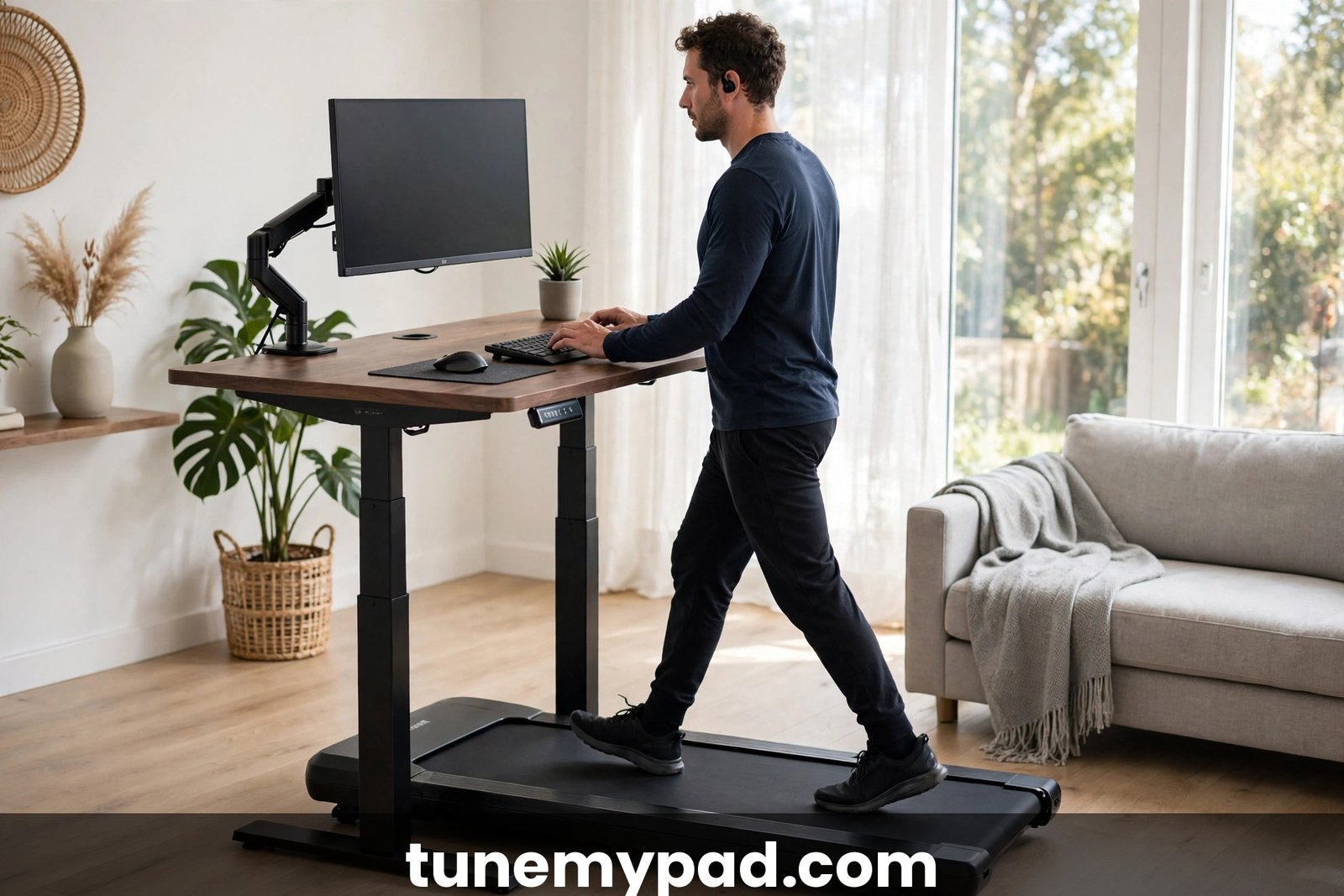
If you are setting up a treadmill desk and asking about standing desk height with a walking pad underneath, you are tackling the detail that decides whether the setup feels effortless or gives you neck pain by Friday. A walking pad raises your feet 4 to 6 inches off the floor, which changes every ergonomic number: the desk must sit higher than a normal standing desk, the monitor must sit higher still, and your elbows need a different angle than the usual guides assume. Getting standing desk height with a walking pad underneath right is the difference between a workstation you love and one you abandon. For the space around the machine, see our clearance guide.
This guide covers standing desk height with a walking pad underneath through seven best rules: how to measure your correct height, the formula that accounts for pad thickness and shoe height, monitor and keyboard positioning on top of the raised surface, the most common height mistakes, how to fine-tune over the first two weeks, and when a desk simply cannot go high enough. You will find a quick answer up front, a height-calculation table by user height, and a FAQ section. All measurements are in inches.
Quick Answer: Standing Desk Height With a Walking Pad Underneath
For most people, standing desk height with a walking pad underneath should be set to your elbow height while standing on the pad, wearing your walking shoes. A practical starting formula: measure your standing elbow height in shoes on a hard floor, then add the walking pad’s deck height (usually 4 to 6 inches). For a 5’9″ person with a 44-inch elbow height and a 5-inch pad, standing desk height with a walking pad underneath lands around 49 inches. Set the monitor so the top of the screen is at or slightly below eye level from that raised position, and keep elbows at roughly 90 to 100 degrees while typing.
Table of Contents
| Your height | Elbow height (shoes, hard floor) | + 5-inch pad | Starting desk height | |
|---|---|---|---|---|
| 5’4″ | 40 inches | + 5 | 45 inches | |
| 5’7″ | 42 inches | + 5 | 47 inches | |
| 5’10” | 44.5 inches | + 5 | 49.5 inches | |
| 6’1″ | 47 inches | + 5 | 52 inches | |
| 6’4″ | 49.5 inches | + 5 | 54.5 inches |
The short version is simple: standing desk height with a walking pad underneath equals your normal standing desk height plus the pad’s thickness. The seven rules below turn that formula into a workstation that stays comfortable all day.
Related: How Much Space Do You Need Around a Walking Pad? 7 Best Clearance Rules
Rule 1: Measure on the Pad, Not on the Floor
The single biggest mistake in standing desk height with a walking pad underneath is measuring elbow height on the floor and forgetting the pad. Every popular ergonomic guide gives desk heights for feet on the floor; a walking pad adds 4 to 6 inches of deck under your feet, and if you skip that addition, your shoulders hunch for eight hours. The correct method: place the pad where it will live, step onto it in the shoes you will walk in, stand naturally, and have someone measure from the floor to the underside of your bent elbow. That number plus nothing else is your target, because the pad is already under you during the measurement.
Measure twice, because posture changes through the day. Morning measurements tend to be a touch taller than late-afternoon ones as the spine compresses. Split the difference or favor the afternoon number, since most walking happens later in the workday. When people complain that standing desk height with a walking pad underneath “felt right on day one but wrong by week two,” the usual cause is that they measured once, in the morning, on the floor, and compounded all three errors. Measure on the pad, in the afternoon, in walking shoes, and the number holds up.
Rule 2: Add Pad Thickness Plus Shoe Height Honestly
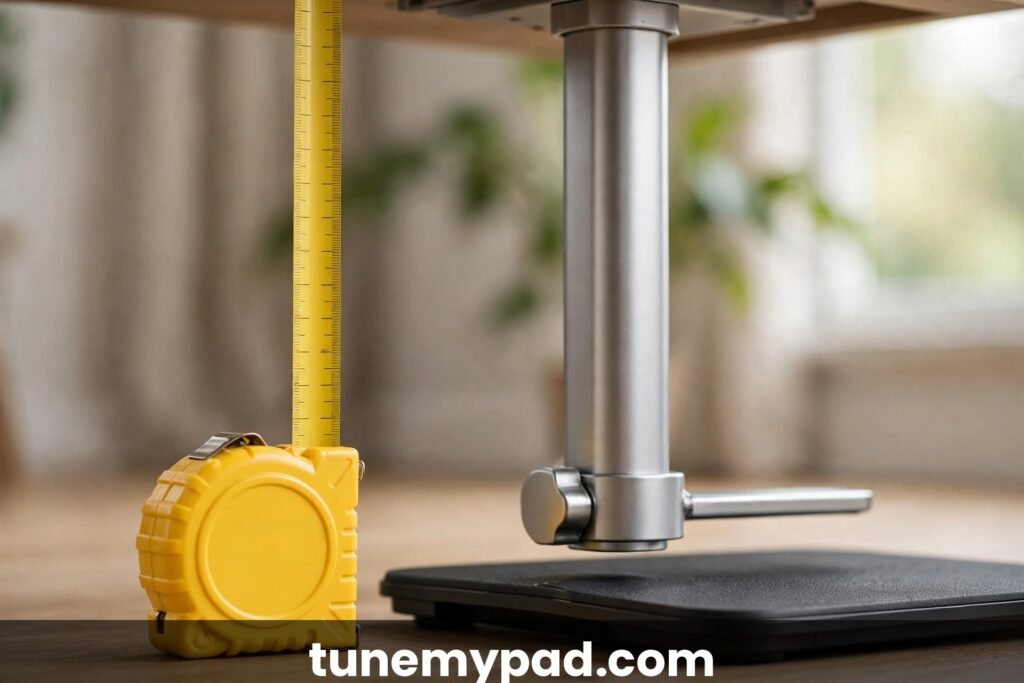
If you prefer the formula route for standing desk height with a walking pad underneath, be honest about both additions. Pad deck height is published in the specs, usually 4 to 6 inches, but measure it yourself: cheap calipers or a ruler from floor to belt surface takes ten seconds. Shoe height is the forgotten variable; a cushioned walking shoe adds 1 to 1.5 inches over bare feet, and switching between shoes and socks changes your effective height. Pick the footwear you will actually use and measure in it.
Here is the full formula: (elbow height in shoes on hard floor) + (pad deck height) = desk height. Note what is NOT in the formula: extra margin “just in case.” Adding a fudge factor is how desks end up two inches too high, which is worse than two inches too low because high desks force shoulder shrugging. Standing desk height with a walking pad underneath should be exact, then fine-tuned by feel over the first week. Electric desks make this easy; if your desk is manual, get the formula right the first time.
Rule 3: Set the Monitor From Your Raised Eye Level
Desk height is only half of standing desk height with a walking pad underneath; the monitor position is the other half, and it causes more pain when wrong. Standing on the pad, your eye level is 4 to 6 inches higher than at a normal standing desk. The rule: the top of the screen should sit at or just below eye level, about an arm’s length away. If you raise the desk but leave the monitor on its original stand height, you will tilt your head down all day, which loads the neck and upper back. That downward tilt is the number one source of “treadmill desk neck pain,” and it is entirely a monitor-height problem, not a walking problem.
Fix it with a monitor arm or a riser. A monitor arm is the better investment because it lets you adjust height, distance, and tilt independently, and you can swing the screen to the exact position for your raised eye level. For laptop users, a laptop stand plus an external keyboard is non-negotiable on a walking pad; typing on a laptop keyboard while the screen sits at desk height forces the worst of both worlds. Standing desk height with a walking pad underneath only works as a system: desk, monitor, and input devices all move up together.
| Screen setup | Correct position on a walking pad | Common mistake | |
|---|---|---|---|
| Single monitor | Top bezel at eye level, arm’s length away | Left at old standing-desk height, head tilts down | |
| Dual monitors | Primary centered, both tops level with eyes | Screens too low, constant downward gaze | |
| Laptop + external keyboard | Laptop raised to eye level on stand | Typing on laptop keyboard at desk height | |
| Laptop alone | Not recommended for walking work | Neck bent down for hours |
Rule 4: Keep Elbows at 90 to 100 Degrees
The elbow-angle test is the fastest field check for standing desk height with a walking pad underneath. Stand on the pad, place your hands on the keyboard, and look at your elbows from the side. They should bend at roughly 90 to 100 degrees, with shoulders relaxed and upper arms hanging naturally. If your elbows are tighter than 90 degrees, the desk is too high; if they open past 110 degrees with shoulders drooping, it is too low. Shoulders are the tell: any shrugging or hunching means the height is wrong, no matter what the tape measure said.
Walking adds a wrinkle: your body bobs slightly with each step, so the elbow angle oscillates a few degrees. Set the height for the midpoint of the bob, not the top. Some walkers prefer the desk a half-inch lower than the static measurement to account for the bounce; others like it exact. Try both over a few days. The goal of standing desk height with a walking pad underneath is a neutral, sustainable posture, and a half-inch of personal preference is normal. What is not normal is pain, numbness, or the urge to lean on the desk, all of which signal a setup error.
Related: Walking Pad Desk Workout Schedule While Working: 7 Best Plans
Rule 5: Avoid the Five Classic Height Mistakes
Most bad setups fail in predictable ways. Mistake one: setting the desk for floor standing and never adding the pad height, the error Rule 1 exists to prevent. Mistake two: raising the desk but not the monitor, producing the downward head tilt from Rule 3. Mistake three: measuring barefoot, then walking in cushioned shoes, which silently adds over an inch. Mistake four: setting the height once and never revisiting it; bodies adapt, shoes change, and pads compress slightly with age. Mistake five: copying someone else’s numbers from the internet instead of measuring your own body. Standing desk height with a walking pad underneath is personal; a 5’4″ walker and a 6’2″ walker can differ by eight inches.
The fix for all five is a 15-minute setup ritual: pad in place, shoes on, afternoon measurement, monitor raised to match, elbow-angle check, and a calendar reminder to re-check in two weeks. People who do the ritual rarely have problems; people who eyeball it usually end up in a forum asking why their neck hurts. There is nothing complicated about standing desk height with a walking pad underneath once you respect that the pad changes the floor you stand on.
Rule 6: Fine-Tune Over the First Two Weeks
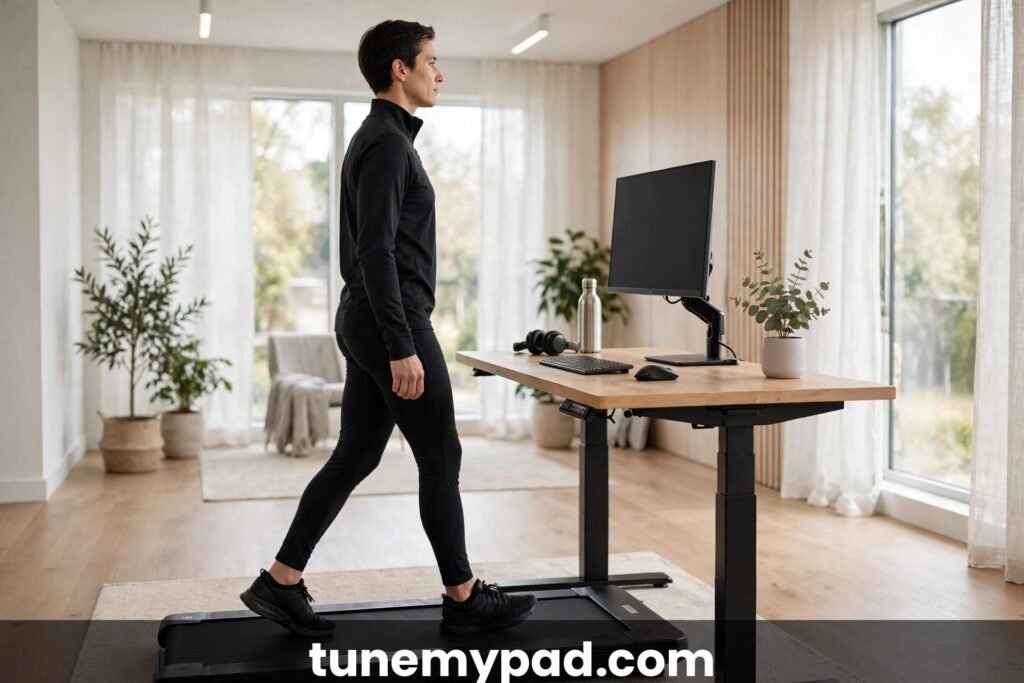
Even a perfect initial setup for standing desk height with a walking pad underneath needs a settling-in period. Your body is learning a new motor pattern, walking while working, and early discomfort often reflects adaptation rather than bad ergonomics. The rule: change nothing for the first three days except walking duration. Then, if a specific ache persists, adjust one variable at a time by half an inch. Neck ache points to the monitor; shoulder ache points to desk height; lower-back ache often points to overstriding or too much too soon rather than furniture at all.
Keep a simple log for two weeks: date, walking hours, desk height, and any ache rated 1 to 5. Patterns jump out fast. Many walkers discover their ideal standing desk height with a walking pad underneath is a half-inch lower than the formula suggested, because the walking bounce effectively raises the working position. Others find they want two saved heights on an electric desk: one for slow all-day walking and one slightly higher for standing-only breaks. Electric desks with memory presets make this effortless; label the presets and stop thinking about it.
Related: Is a Walking Pad Bad for Your Knees? 7 Best Answers
Rule 7: Know When Your Desk Cannot Go High Enough
Some desks simply cannot reach the required standing desk height with a walking pad underneath. Standard electric standing desks top out between 48 and 51 inches; a 6’2″ walker on a 5-inch pad needs around 52 inches. If your desk maxes out below your number, you have options. A desk riser or sturdy monitor-stand blocks under the desk feet can add the missing inches, though this gets wobbly past two inches. A taller desk frame, many go to 55+ inches, is the clean fix. Or switch to a thinner walking pad; some slim models are under 4 inches tall, which can claw back the crucial inch.
Check the desk’s maximum height before buying the pad, not after. This is the most expensive sequencing mistake in the category: pad arrives, desk will not go high enough, and now you are shopping for a new desk frame with a walking pad in the way. The compatibility check takes two minutes: your elbow height on the pad versus the desk’s max height spec. If the numbers do not work, solve it on paper first. Standing desk height with a walking pad underneath is a system purchase, and the desk and the pad must be bought as a pair, at least on the spec sheet.
Standing Desk Height With a Walking Pad Underneath for Sitting Breaks
Nobody walks eight hours straight, so your setup must also handle sitting. The clean approach: an electric desk with memory presets, one for standing desk height with a walking pad underneath and one for your sitting height. When you sit, roll the chair in and either slide the pad aside or leave it in place and put your feet on it; many walkers use the idle pad as a footrest. The transition should take ten seconds: press preset, sit down. If switching takes minutes of cranking and rearranging, you will stop switching, and then you will stop walking.
Chair height matters too. Your sitting preset is independent of the pad, measured the normal way with feet flat on the floor. Do not try to split the difference with a single compromise height; a desk that is wrong for both sitting and walking is worse than one that is right for one. Two presets, used honestly, are the whole secret. The walkers who stick with it for years are the ones whose sit-stand-walk transitions are frictionless.
What Ergonomic Authorities Say About Workstation Heights
The rules above are not inventions; they rest on decades of occupational ergonomics research. The OSHA ergonomics guidance for computer workstations establishes the core principles this article applies: neutral posture, elbows near 90 degrees, and the top of the screen at or below eye level. A walking pad does not change those principles; it changes the floor, which is why standing desk height with a walking pad underneath is computed by adding the pad’s height to the standard numbers rather than by inventing new ones. If your setup respects the OSHA posture targets from your raised position, it is ergonomically sound by the book.
University ergonomics programs add useful detail. Cornell’s ergonomics workstation guidelines, widely cited in office design, specify exact monitor distances, keyboard heights, and viewing angles that transfer directly to a walking-pad setup once you re-baseline to the pad surface. The consistent message across authorities: measure the worker, not the furniture. Standing desk height with a walking pad underneath follows the same doctrine, with the pad treated as part of the floor. When in doubt, the tiebreaker is always your body’s feedback over two weeks, not a number from a chart, because charts describe populations and you are one specific person.
A Two-Minute Daily Posture Reset
Even with perfect numbers, hours of any posture deserve a reset. Once a day, step off the pad and run a quick checklist: roll the shoulders back five times, tuck the chin to lengthen the neck, shake out the hands, and re-check that standing desk height with a walking pad underneath still feels neutral after any shoe change. This two-minute habit catches the slow drift, new shoes, a slightly deflated anti-fatigue mat, a monitor nudged out of place, before it becomes a week of aching shoulders. The best ergonomic setup is the one you maintain, not the one you install.
One more authority-backed point: sit-stand-walk variation itself is the health intervention, not any single perfect height. Research on sedentary behavior consistently finds that breaking up sitting matters more than the exact angle of any one posture. So while getting standing desk height with a walking pad underneath right prevents pain, the bigger win is the routine: walk a while, stand a while, sit a while, repeat. A slightly imperfect height with great variation beats a perfect height you never leave.
Frequently Asked Questions
What is the formula for standing desk height with a walking pad underneath?
Elbow height (standing on the pad, in walking shoes) equals desk height. Or: elbow height on the floor in shoes, plus pad deck height. For most adults, standing desk height with a walking pad underneath lands between 45 and 54 inches depending on height.
How high should my monitor be on a walking pad desk?
Top of the screen at or slightly below eye level measured while standing on the pad, about an arm’s length away. Because the pad raises you 4 to 6 inches, the monitor must go higher than at a normal standing desk. A monitor arm makes this easy.
My desk will not go high enough. What can I do?
Options: add riser blocks under the desk feet (up to ~2 inches), switch to a slimmer walking pad, or replace the desk frame with a taller one. Check standing desk height with a walking pad underneath against the desk’s max spec before buying either component.
Should the desk be higher for walking than for standing?
Yes, by exactly the pad’s deck height, typically 4 to 6 inches. Standing desk height with a walking pad underneath is your standing height plus the pad. Use memory presets to switch between walking and standing-only heights.
Why does my neck hurt at my treadmill desk?
Almost always the monitor is too low relative to your raised eye level, forcing a downward head tilt. Raise the screen so its top is at eye level while you stand on the pad. If pain persists beyond two weeks of correct setup, see a clinician.
Can I use a laptop on a walking pad desk?
Yes, with a laptop stand raising the screen to eye level plus an external keyboard and mouse at desk height. Typing directly on a laptop keyboard while walking forces a hunched posture. The full standing desk height with a walking pad underneath system includes raised screen and separate input devices.
The Bottom Line
Standing desk height with a walking pad underneath is your elbow height measured on the pad in walking shoes: usually 45 to 54 inches depending on your height, which is 4 to 6 inches above normal standing height. Raise the monitor to your new eye level, keep elbows at 90 to 100 degrees, avoid the five classic mistakes, fine-tune over two weeks, and make sure the desk can physically reach the number before you buy. Get the heights right and the workstation disappears; get them wrong and the best walking pad in the world will gather dust. Measure twice, walk comfortably, and re-check your numbers whenever you change shoes, because standing desk height with a walking pad underneath is a living setup, not a one-time calculation.