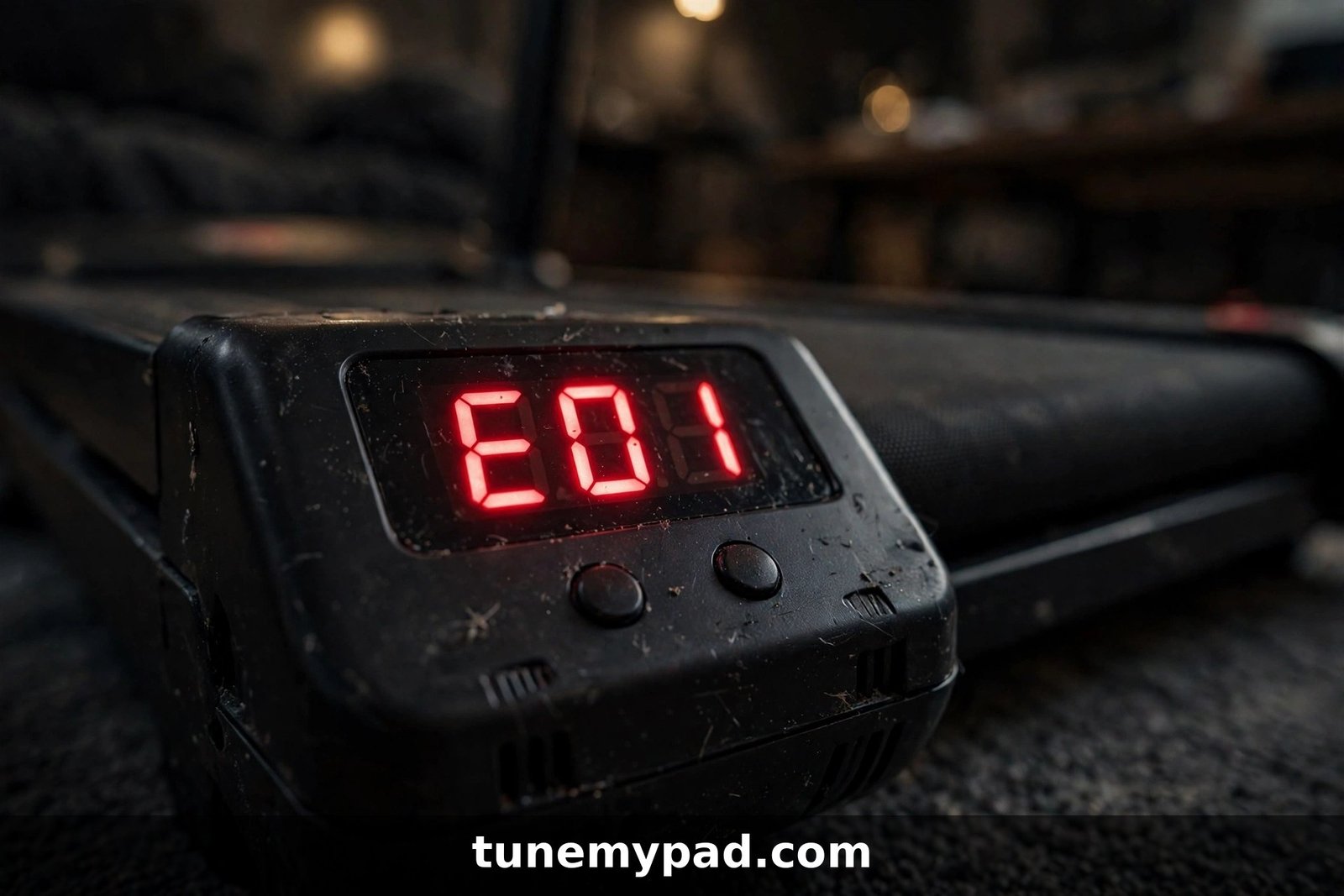
If you’re hunting for a walking pad E01 error code fix, you’re probably staring at a frozen display, a dead belt, and a workout that isn’t happening. Take a breath — E01 is one of the most common error codes on walking pads, and in most cases it points to something simple: your pad’s display and its motor controller have stopped talking to each other.
This guide explains exactly what E01 means, why it shows up, and walks you through every fix worth trying — from the 60-second reset to the deeper cable checks. No jargon, no guesswork.
Quick Answer: E01 in 30 Seconds
| Question | Answer |
|---|---|
| What does E01 mean? | A communication/signal fault — the display console can’t talk to the motor controller. |
| Most common cause | Loose, pinched, or disconnected signal cable between the display and the controller. |
| Fastest fix to try | Unplug the pad for 2–3 minutes, plug it back in, and restart. |
| When to stop and call support | If the code returns after reseating cables, or you smell burning — contact the manufacturer. |
Important: E01’s exact meaning varies slightly by brand and model. The fixes below work across nearly all walking pads, but always cross-check your model’s manual if something doesn’t match.
What the Walking Pad E01 Error Code Means
Think of your walking pad as two brains that need to stay in constant contact: the display console (the screen or LED panel you look at) and the motor controller (the circuit board under the hood that drives the belt). A thin signal cable carries instructions back and forth between them.
When that conversation breaks down — a loose plug, a pinched wire, a fried board — the pad has no idea what speed to run at, so it protects itself by shutting down and flashing E01.
In plain English: E01 = “I can’t hear the controller” (or vice versa). The belt won’t move until the signal path is restored.
E01 Meaning by Brand: The Comparison Table
Here’s where most generic guides let you down — E01 doesn’t mean exactly the same thing on every pad. This is the one table the manual-hosting sites don’t give you:
| Brand / Model family | E01 means | Official fix |
|---|---|---|
| UREVO (Spacewalk, Strol series) | Communication interrupted between controller and display | Unscrew motor hood, check signal cable for pinching or loose terminals |
| CEARTRY / generic pads | Signal error of control panel — loose/broken display wire, or no signal output | Reconnect signal wires; replace display or panel if damaged |
| NoblePro (Elite series) | Communication cable fault (trapped/twisted cable) or motor control board fault | Reseat screen connectors and cable; replace MCB if faulty |
| Kogan T2 Pro | Software overcurrent (note: Kogan uses E15 for communication faults) | Power reset; contact support if persistent |
| Generic Amazon pads (Goplus, DeerRun, etc.) | Display–controller communication blocked | Check and reseat the connecting wire |
The pattern is unmistakable: on virtually every brand, E01 lives in the signal path. That’s why the fix steps below work so broadly.
The 4 Most Common Causes of E01
Before you touch a screwdriver, it helps to know what you’re looking for:
- Loose signal cable. The most common culprit by far. Vibration from daily walking slowly works the plug loose — especially on pads that get folded and stored upright.
- Pinched or damaged cable. During assembly or folding, the thin signal wire can get trapped between frame parts. Even a small nick can break the signal.
- Corroded or dirty connectors. Sweat, humidity, and dust creep into the console area over months of use and degrade the connection.
- Failed display or controller board. Rare, but if the cable is perfect and E01 persists, one of the two boards has likely failed. This is a warranty/support situation, not a DIY repair.
How to Fix the E01 Error Code: Step by Step
Work through these in order — most people never get past step 3.
Step 1: The full power reset (60 seconds, fixes ~40% of E01 cases)
- Turn the pad off with its power switch.
- Unplug the power cord from the wall. (Switching off alone isn’t enough — the controller holds a charge.)
- Wait a full 2–3 minutes.
- Plug it back in, switch on, and try starting a workout.
Temporary glitches and static buildup clear with a proper reset. If E01 is gone, you’re done — it was a one-off communication hiccup.
Step 2: Check the safety key and power basics
Some pads throw E01 when the machine can’t complete its startup self-check:
- Remove the safety key (if your model has one), wipe its contacts, and reseat it firmly.
- Confirm the power cord is fully seated at both ends.
- Try a different wall outlet — not a power strip — to rule out flaky power.
Step 3: Reseat the display/console connectors
- Unplug the pad and keep it unplugged for this entire step.
- If your pad has a removable console or handrail display, gently detach it per your manual.
- Unplug each connector behind the screen, inspect for bent pins or corrosion, then plug them back in firmly until they click.
- Reattach everything, plug in, and test.
Step 4: Inspect the signal cable under the motor hood
This is the fix UREVO’s own manual prescribes, and it applies to most brands:
- Unplug the pad. Seriously — the manual repeats this warning for a reason.
- Remove the motor hood/cover (usually 4–6 screws on the front underside).
- Find the thin signal cable running between the controller board and the display. Look for:
- A plug that has worked loose — push it in firmly.
- A cable pinched between the hood and the frame — reroute it.
- Visible nicks, cuts, or crushed sections — this needs a replacement cable from the manufacturer.
- Refit the hood, plug in, and test.
Step 5: Check for damage along the full cable run
On pads with handrails or folding frames, the signal cable runs through the upright posts. Fold and unfold the pad slowly while watching the cable path — if E01 appears or disappears with movement, you’ve found a cable that’s getting pinched during folding. Reroute it or add a small piece of foam padding at the pinch point.
Step 6: Test the remote/app as a bypass
If your pad supports a remote control or phone app, try starting it that way. If the belt runs fine via remote but the display still shows E01, the fault is isolated to the display panel itself — not the cable.
Step 7: Contact manufacturer support
If you’ve done steps 1–5 and E01 won’t clear, the display board or motor controller has likely failed. Gather this before you write to support — it gets you a replacement part much faster:
- Exact model name and where/when you bought it
- A photo or short video of the E01 display
- Which steps above you already tried
Most brands cover this under warranty; out of warranty, replacement display panels and controller boards are usually available as spare parts.
Brand-Specific E01 Notes Worth Knowing
- UREVO owners: Your manual’s exact words are “communication interrupted” — the motor-hood cable check (Step 4) is the official fix. See our dedicated UREVO E01 guide for model-by-model detail.
- WalkingPad (KingSmith) owners: The app often reports more detail than the LED display. Open the app’s device diagnostics before you start unscrewing things.
- Goplus / DeerRun / Sperax owners: These pads share very similar internals, so the generic steps above apply directly. The SPERAX E01 guide covers that family specifically.
- Seeing E02 instead? That’s a different fault (motor circuit, not communication) — head to our E02 error code guide.
Safety: When to Stop and Unplug Immediately
E01 itself is not dangerous — it’s a communication fault, not a power fault. But stop everything and unplug the pad immediately if you notice any of these while troubleshooting:
- 🔥 Burning or melting-plastic smell from the motor area
- 💨 Smoke, however faint
- ⚡ Sparks, arcing sounds, or a tripped circuit breaker
- 🔁 The pad overheats and shuts down repeatedly after short use
These are signs of an electrical fault, not a loose cable. Do not keep testing, do not open the controller board, and do not use the pad again until a technician or the manufacturer has checked it.
Walking Pad E01 Error Code FAQs
Will the E01 error go away on its own?
Sometimes, yes — a one-off glitch can clear after a full unplug-and-wait reset. But if E01 appears more than once, the underlying cause (usually a loose cable) won’t fix itself. Work through the steps above rather than hoping it stays away.
Can I still use my walking pad with the E01 error showing?
No. E01 locks the belt as a safety measure — the pad won’t start a workout until the display and controller are communicating again. There is no safe bypass.
Is E01 covered by warranty?
In most cases, yes — a failed display panel, controller board, or factory-defective cable is a manufacturing defect. What typically isn’t covered is damage you caused (pinched cable from improper folding, liquid damage). Check your brand’s warranty terms before opening anything.
How much does it cost to fix E01 out of warranty?
If it’s just a loose cable, the fix is free. Replacement signal cables usually cost $10–25 from the manufacturer; display panels and controller boards run $40–120 depending on brand. Get a quote from support before ordering third-party parts — compatibility is model-specific.
Does E01 mean my walking pad’s motor is dead?
Almost never. E01 is about the signal path, not the motor. Motor faults show up as different codes — typically E02 or E05. If your motor runs fine via remote while the display shows E01, the motor is innocent.
Why does E01 keep coming back after I fix it?
A recurring E01 almost always means the cable is being re-pinched or re-loosened by movement — usually folding the pad for storage. Check the cable routing with the pad in its stored position, not just its working position.
Conclusion
The walking pad E01 error code looks alarming, but it’s one of the most fixable errors you’ll ever see: a broken conversation between your display and controller, caused in most cases by a loose or pinched signal cable. Start with the 2-minute power reset, then work through the cable checks — the majority of owners clear E01 without spending a cent or calling support.
If this guide got you walking again, bookmark TuneMyPad — and if you’re seeing a different code, our E02 guide and E05 guide are waiting.